local service ads 16 min read
Local Service Ads Categories: The Complete 2026 Reference
Local Service Ads Categories. Explore every Google Local Service Ads category and subcategory, eligibility rules, and how to choose the right category
On this page
- Introduction to Local Services Ads Categories
- How the Local Services Ads Category System Works
- The Main Local Services Ads Vertical Families
- Home Services Categories in Detail
- Non-Home Categories From Automotive to Wellness
- Eligibility, Verification, and License Requirements by Category
- How to Choose the Right Category for Your Business
- Quick-Reference Guide and Category Checklist
Most businesses choose the wrong Local Services Ads category because they treat Google's menu as a fixed list. It isn't. Eligibility changes by country, service type, and sometimes location, while Google continues to expand and subdivide its service families. Google says the program now spans home, business, health, learning, care, wellness, and beauty services, with eligibility and verification requirements that vary by category and market. You can review the current framework in Google's Local Services Ads overview.
That makes category selection more than a targeting decision. It can determine whether you need a trade license, insurance evidence, background screening, profession-specific verification, or a particular connection between your Local Services Ads account and Google Business Profile. Choose too broadly and your leads may be poorly matched. Choose an unsupported category and your profile may never pass approval.
Introduction to Local Services Ads Categories
Local service businesses usually start with a simple question: “Which category should I select?” A plumber may see options related to general plumbing, drain work, water heaters, or installation. An automotive business may need to distinguish repair, detailing, or a more specific mechanical specialty. A health provider may face requirements that don't apply to a cleaner or handyman.
The practical problem is that Google doesn't publish one permanent, worldwide menu. A category available to a business in one market may be absent in another. Even when two categories sound similar, they can carry different documentation requirements, buyer intent, and lead quality. The label you select influences how Google understands the business and which approved services can be associated with it.
Practical rule: Treat every category as a compliance and relevance decision, not as a keyword you can add casually.
This guide maps the system from the top down. It starts with the country, service, and location model, then separates the main vertical families so you can understand the difference between an urgent home repair and a planned wellness appointment. The home-services section covers the original trade categories in practical detail, while the non-home section looks at automotive, health, beauty, business, learning, care, and wellness.
You'll also find the verification logic behind approval, a method for deciding between one category and several adjacent categories, and a final checklist for launch preparation. By the end, you should be able to:
- Validate the category: Confirm that Google supports the relevant service in your country and market.
- Map the offer accurately: Select services the business actually performs, rather than every nearby label.
- Prepare documentation: Identify licensing, insurance, registration, and profession-specific requirements.
- Protect the profile: Keep the Google Business Profile, business identity, service area, and LSA account aligned.
- Avoid wasted setup: Check eligibility before building lead funnels, follow-up sequences, or campaign structures.
The most reliable account setups begin with the category menu and work outward. They don't begin with ad copy.
How the Local Services Ads Category System Works
Local Services Ads use a structured category model rather than a traditional keyword campaign. Google determines eligibility through a combination of country, service type, and location. The available service menu is controlled by Google, so advertisers select approved services instead of entering an unlimited list of search terms.
That distinction changes how campaign planning works. A plumber might select an approved service such as “install shower” and still be eligible to appear for a broader search such as “plumber near me” once the account is mapped to the plumbing category. The advertiser isn't bidding separately on every phrase. Google uses the category and service information to connect the business with relevant local demand.
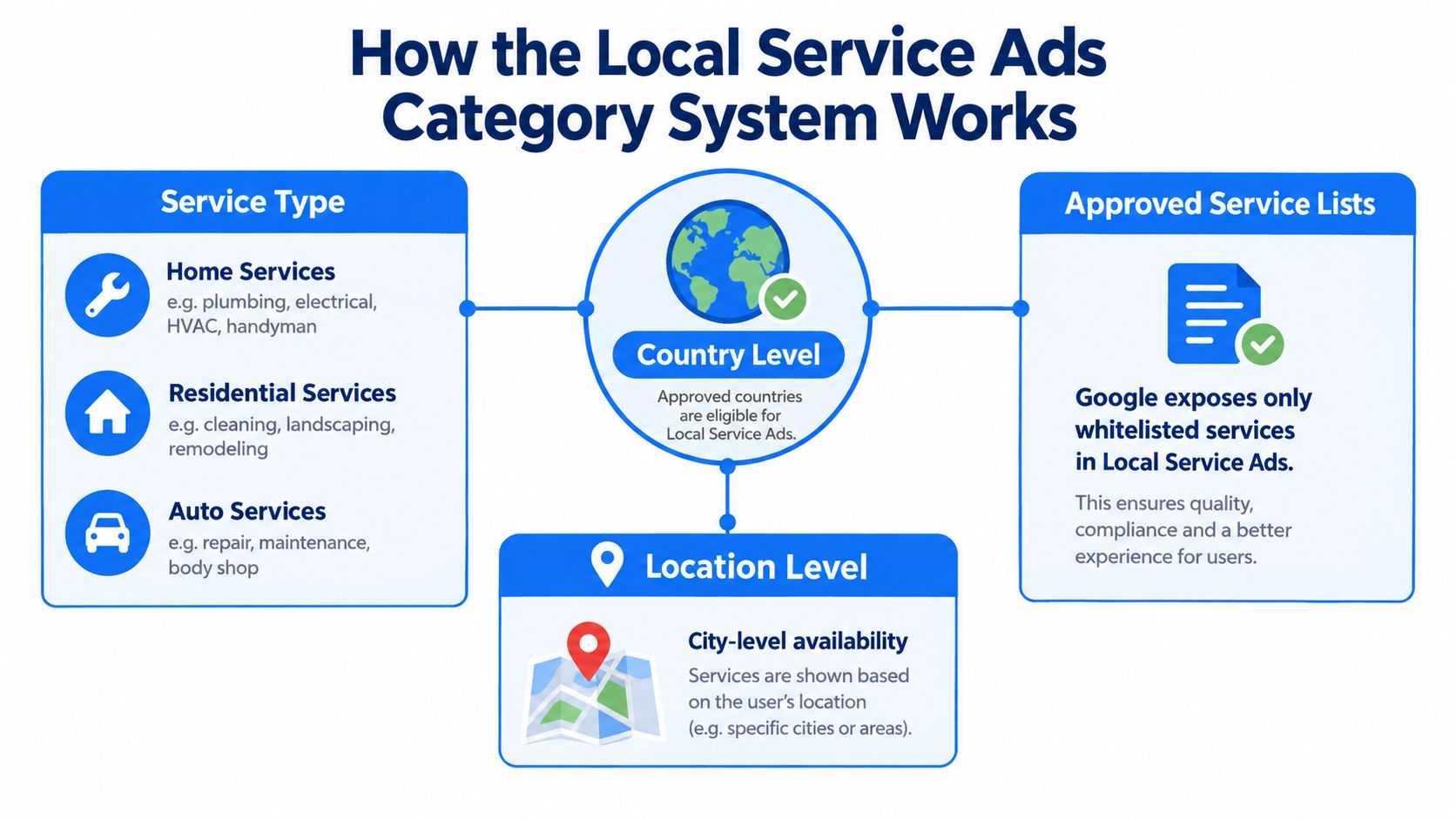
The three eligibility layers
Country level comes first. Google maintains different category coverage in different markets. A business shouldn't assume that a category visible in the United States is available in the United Kingdom or Canada.
Service type determines what the business is offering. Adjacent services may look commercially related but still require separate eligibility checks. A plumbing company might want to offer drain cleaning and water-heater work, but each service must be supported and accurately represented.
Location level can narrow the result further. A category may exist in a country but not be available in the specific area where the business operates. Service-area businesses need to confirm availability before investing time in account structure or lead-generation assets.
Google's published examples illustrate the regional differences. The UK list includes services such as cleaning, roofing, moving, pest control, and pool services, while Canada's list is narrower. The current category framework and service requirements are outlined in Google's Local Services Ads business information.
Build around approved services
Start by identifying the core job that generates revenue. Then check whether Google offers an approved service that describes it directly. Avoid selecting a label just because it might attract more searches. An inaccurate category can create irrelevant calls, verification friction, or both.
One business can qualify for several adjacent service types, but only when each service is supported locally and the business can substantiate it. That means category architecture should follow the actual operating model, not the structure of a general keyword list.
The Main Local Services Ads Vertical Families
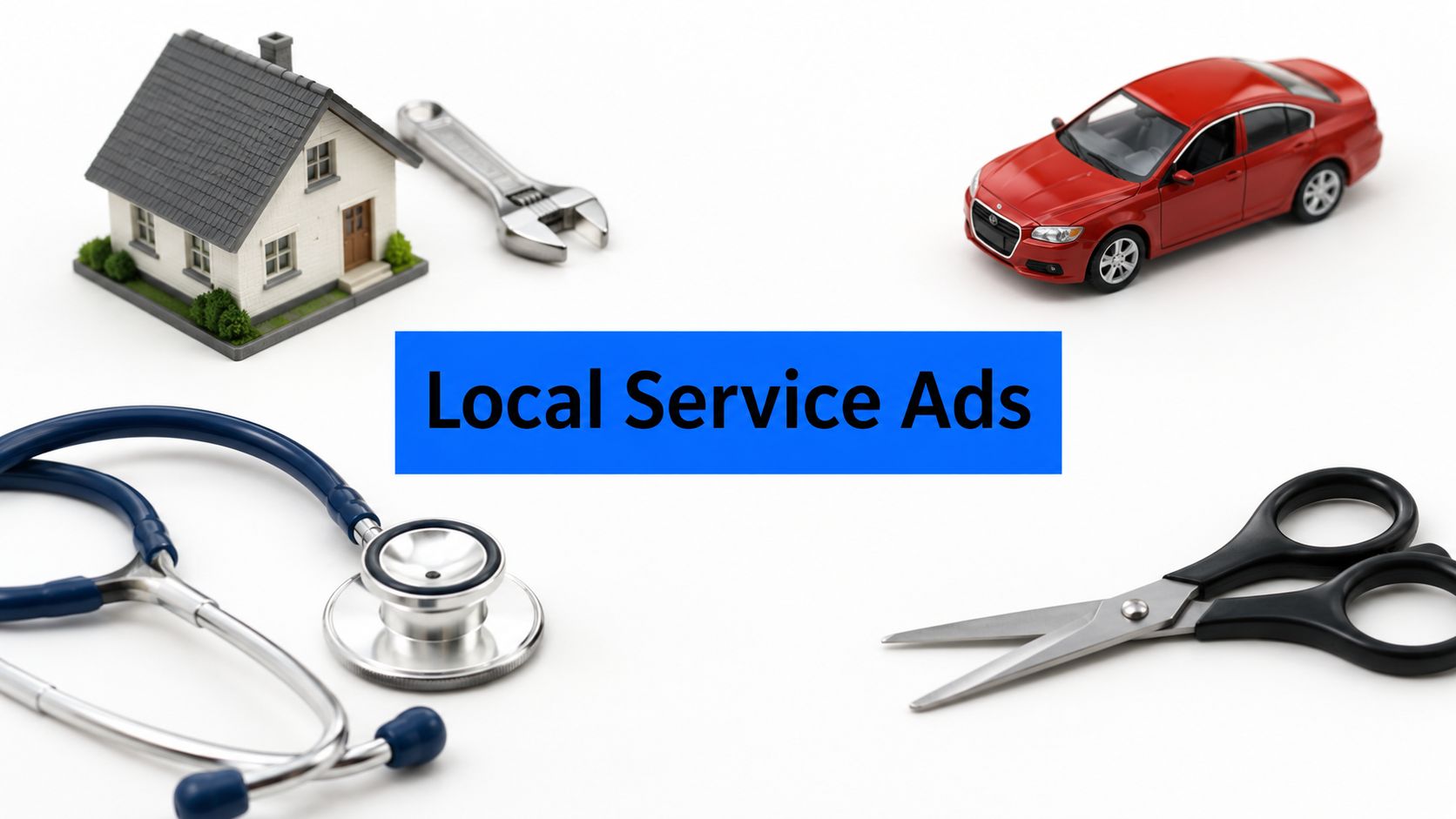
Local Services Ads now cover far more than the home trades that defined the early product. Google's broad families include home, business, health, learning, care, wellness, beauty, and automotive services. Each family brings a different customer decision process, which affects how advertisers should interpret leads and prepare their businesses for verification.
Home services often involve an urgent problem. A broken water heater, lockout, or electrical fault can produce an immediate call. Automotive services can combine urgent repair with planned maintenance or appointment-based detailing. Health, beauty, learning, and wellness usually involve more deliberate selection, scheduling, and trust evaluation.
Business services can be even more consultative. A customer looking for accounting, event planning, or professional support may compare credentials and availability before booking. The category label still matters, but the lead journey may include more questions before a sale.
| Vertical Family | Example Businesses | Typical Buyer Intent |
|---|---|---|
| Home | Plumbers, electricians, cleaners, roofers | Immediate repair, maintenance, or planned project |
| Business | Accountants, event planners, professional services | Research-led inquiry or consultation |
| Health | Dentists, chiropractors, other providers | Trust-sensitive appointment or treatment inquiry |
| Learning | Tutors, music schools, instructors | Planned enrollment or lesson request |
| Care | Childcare and senior-care providers | High-trust service evaluation |
| Wellness | Personal trainers, yoga studios, nutrition services | Appointment, program, or recurring support |
| Beauty | Salons, spas, beauty professionals | Appointment-led local discovery |
| Automotive | Repair shops, detailers, specialty services | Urgent repair, maintenance, or scheduled service |
The history of the product explains why static category screenshots age quickly. Google began Local Services Ads as a limited San Francisco beta in 2015, under the name Home Service Ads, then expanded the product beyond its original home-services focus. An industry review described availability in around 17 major cities in 2017, growth to nearly 50 service verticals by 2018, and broader metro coverage by 2020 in its historical review of Local Services Ads. Google said in a 2023 announcement that the program had expanded to over 70 business types, as described in its business overview linked earlier.
The practical lesson is simple: use the vertical documentation as a planning aid, but verify the live Google menu before launch. Category families provide orientation. They don't guarantee eligibility.
Home Services Categories in Detail
Home services remain the clearest example of why category precision matters. The original product was built around local trades, but “home services” is not one undifferentiated audience. A customer searching for an emergency plumber has a different need from someone planning a bathroom installation, and a roof-replacement prospect shouldn't automatically be grouped with a minor repair inquiry.
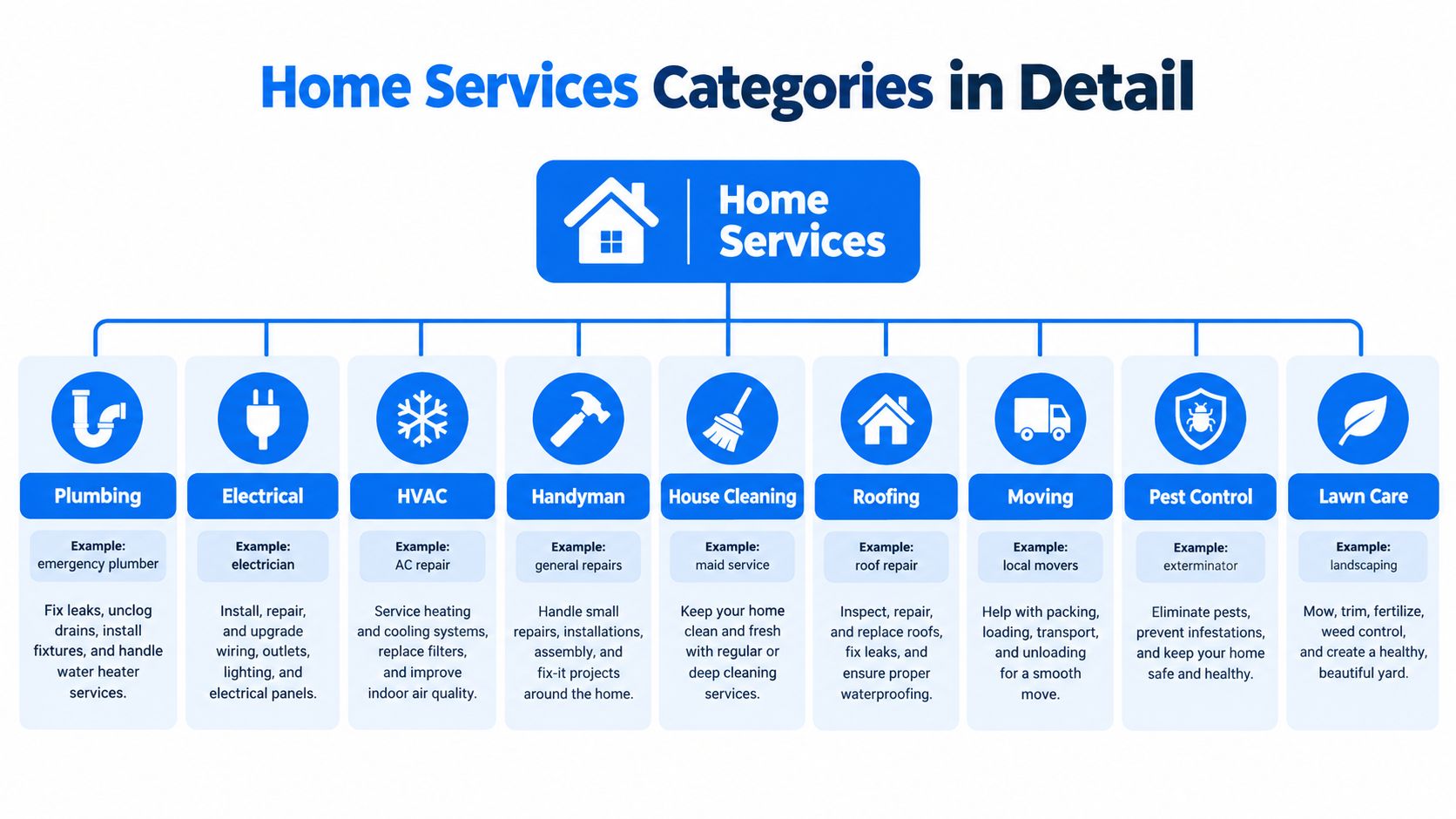
Core trade groups
- Plumbing: Common adjacent services include general plumbing, drain cleaning, water-heater work, fixture installation, and emergency response. Select only services the team performs and can support with the relevant trade documentation.
- Electrical: Electrical repair, installation, and specialty work may be treated differently by market. A business shouldn't use a broad electrical label to imply services it outsources.
- HVAC: Heating, cooling, air-conditioning repair, and installation can attract different project types. Separate the actual capabilities clearly instead of presenting every HVAC-related task as one promise.
- Handyman: General repairs can cover many small jobs, but the category shouldn't become a substitute for regulated work that requires a specialist license.
- House cleaning: Residential cleaning, recurring cleaning, and related services may be available under different approved labels depending on location. Keep the profile aligned with the service area and operating model.
- Roofing: Roof repair, replacement, and related exterior work can involve different customer expectations. Documentation should match the specific service being promoted.
- Moving: Local moving and relocation services are distinct from general delivery or hauling in how customers describe their need. Use the most accurate supported option.
- Pest control: Pest work commonly carries stronger licensing and compliance expectations than ordinary property maintenance. Confirm the local requirements before selecting it.
- Lawn care and landscaping: Lawn maintenance, landscaping, and outdoor projects can overlap commercially, but they don't always map to the same approved service.
- Appliance repair, garage doors, and locksmiths: These are specialist categories with clear intent. A business should avoid combining them with general handyman positioning unless the live menu and documentation support that choice.
Use adjacent categories carefully
Consider a plumbing company that handles drain cleaning and water-heater installation. It may have a legitimate reason to select several related services, because those jobs sit within the team's real capability. The account still needs a clean boundary. If the company doesn't install gas appliances or replace sewer lines, those services shouldn't appear merely because they could increase exposure.
A useful test is to ask whether the business can answer a lead from that category without redirecting the customer. If the answer is no, remove the service. This improves relevance and reduces the chance that the profile promises work the business can't legally or operationally deliver.
A category should describe a service you can sell, schedule, document, and complete.
The same principle applies to a cleaning company adding commercial work, a lawn-care provider adding landscaping, or an appliance technician adding installation. Category expansion can make sense when the operation, documentation, and response process are ready. It doesn't make sense as a speculative reach tactic. Practical lead-generation considerations for these trades are also discussed in this guide to home-service leads.
Non-Home Categories From Automotive to Wellness
A dentist, an auto shop, and a salon may all rely on local discovery, but their Local Services Ads experience isn't interchangeable. The customer intent, appointment pace, trust signal, and verification burden can differ sharply between them.
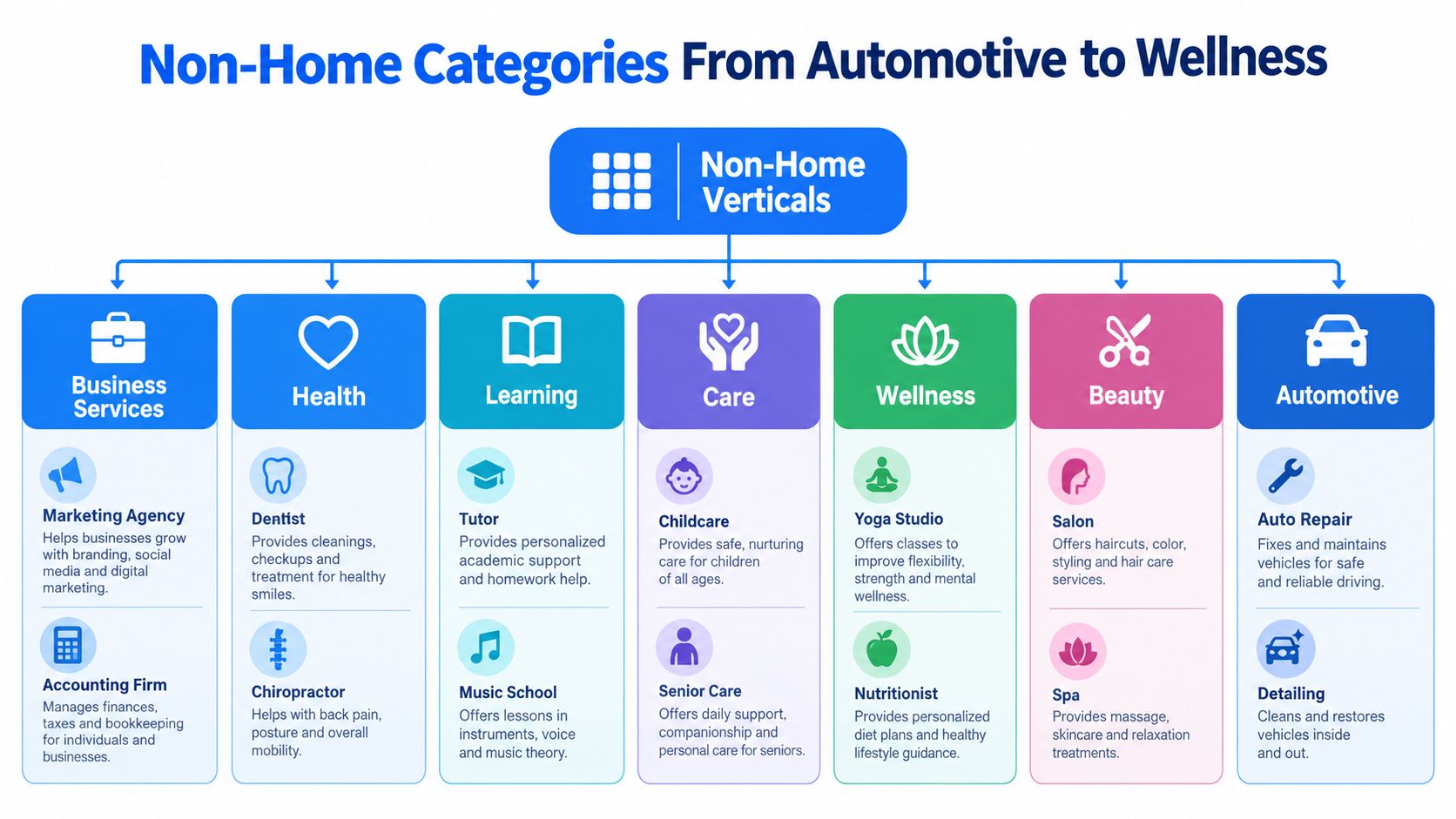
Automotive services
Automotive businesses may include repair shops, mobile mechanics, detailers, and specialty repair providers. Google has continued to make this area more granular, with multiple auto-repair specialties rather than one universal automotive label. That helps customers find a more relevant provider, but it also means a shop needs to describe its actual capabilities precisely.
A general repair shop shouldn't assume that every specialty is available or appropriate. Brake work, diagnostics, body-related work, and detailing can attract different inquiries and may require different operational preparation. Review the current local menu instead of relying on an old category list.
Health, care, and learning
Health categories carry a deeper trust layer. In the United States, Google explicitly requires National Provider Identifier verification for healthcare verticals before ads can run, as part of the requirements described in Google's Local Services Ads policy. A dentist or chiropractor therefore needs to plan for professional identity verification, not just a business-name check.
Care providers face a similar trust-sensitive buying environment, even when the exact documentation differs by market. Childcare and senior-care customers often evaluate safety, credentials, availability, and fit before contacting a provider. Learning services, such as tutoring or music instruction, tend to be appointment or enrollment-led rather than emergency-driven.
Wellness and beauty
Wellness businesses can include personal trainers, yoga studios, and nutrition providers. Beauty categories can include salons and spas. These businesses often depend on convenient booking, clear service descriptions, and strong local reputation. The category should match the appointment being offered, rather than presenting a broad lifestyle brand with no obvious service.
Business services, including event planners, photographers, and professional firms, may involve a longer conversation before the buyer commits. A photography business, for example, needs to distinguish the kind of work it books. Google has also been subdividing some categories, including restaurant cuisines, which reinforces the broader point: category menus evolve in response to more specific customer needs.
Eligibility, Verification, and License Requirements by Category
The category menu sits on top of a screening system. Google says businesses may need to pass background checks, business registration checks, insurance checks, license checks, and minimum review requirements, depending on the category and location. The burden isn't uniform. A regulated health or legal provider may need profession-specific evidence, while another local service may face a different combination of checks.
Google also requires the merchant business to match an existing Google Business Profile. The Local Services Ads account must be connected to that profile, so inconsistencies in the business name, address, phone number, service area, or operating details can create unnecessary friction.
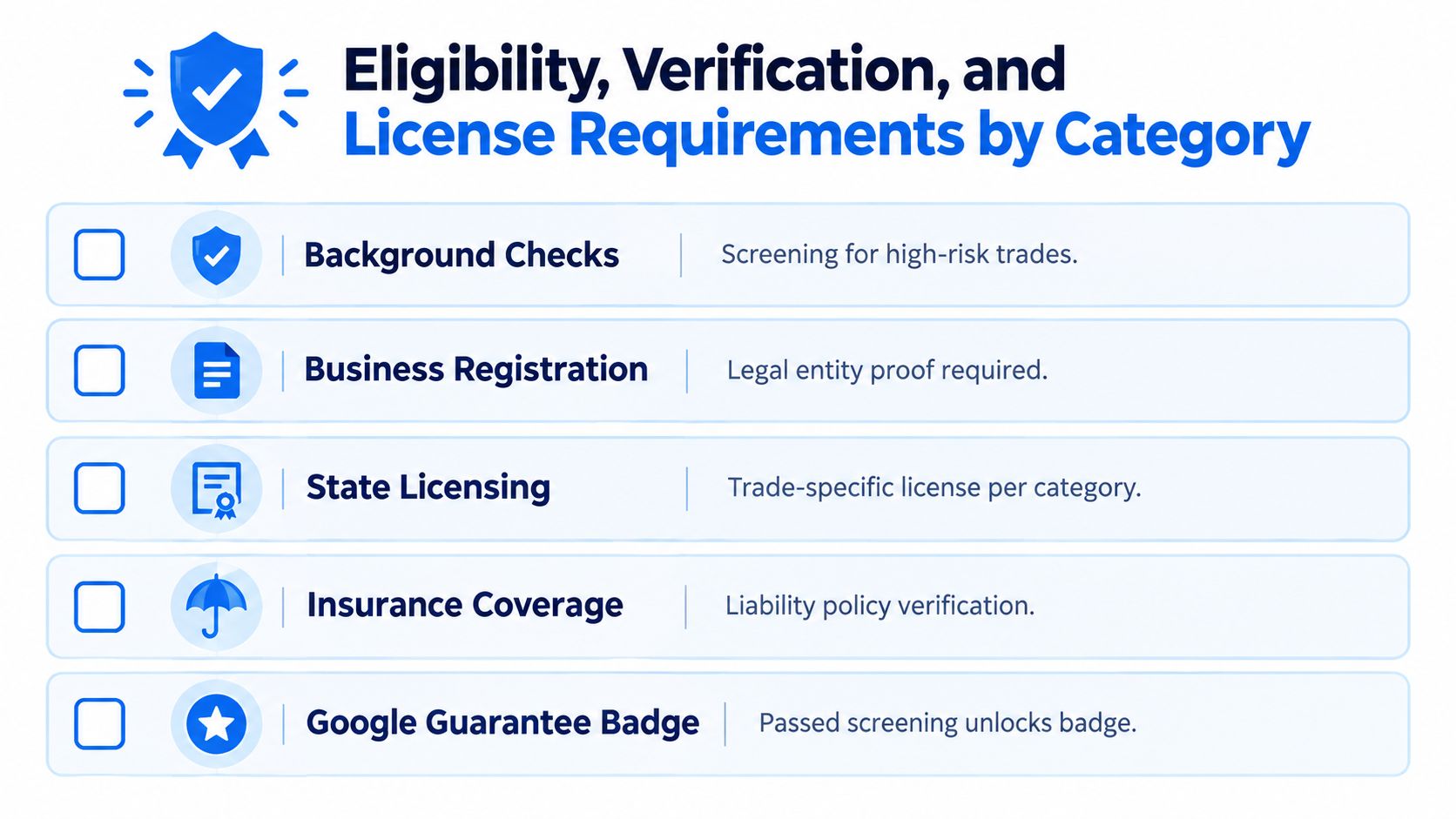
Use a release gate before launch
A careful setup follows a fixed order:
- Verify the category: Confirm that Google supports the exact service type in the relevant country and location.
- Check the business model: Make sure the selected service reflects work performed by the business, not a referral partner or subcontractor.
- Gather legal evidence: Prepare registration, licenses, insurance, and any category-specific credentials.
- Review profile consistency: Compare the LSA application with the connected Google Business Profile.
- Submit for screening: Start the verification process only after the information is complete and internally consistent.
That sequence prevents a common operational mistake: building a complete lead funnel around a category that the business can't use. It also makes troubleshooting easier because the team knows whether the problem is market availability, service selection, documentation, or profile data.
Regulated categories need earlier preparation
Health providers in the United States need to account for NPI verification. Home-service businesses may need trade licensing, insurance, or background screening depending on their category and location. Legal and other regulated providers should assume that approval depends on more than marketing copy.
Treat approval as a release gate. Don't treat it as an administrative task after the campaign is built.
The category is also represented as a dedicated Local Services resource in Google's Ads API, using Local Services category IDs rather than a conventional keyword overlay. That technical structure reflects the operational reality: category governance belongs at the campaign foundation. Guidance on document preparation and category-specific compliance is available in the license requirements documentation.
How to Choose the Right Category for Your Business
The strongest category isn't necessarily the broadest one. It's the one that connects a real service, a valid market, credible documentation, and a workable follow-up process.
A single-category account is often easier to explain and verify. It can help a small business keep its profile focused, especially when one service drives most inquiries. A multi-category setup can make sense when adjacent services share the same team, service area, licensing structure, and customer journey. The trade-off is additional complexity. Each category must remain accurate, supportable, and available in the local market.
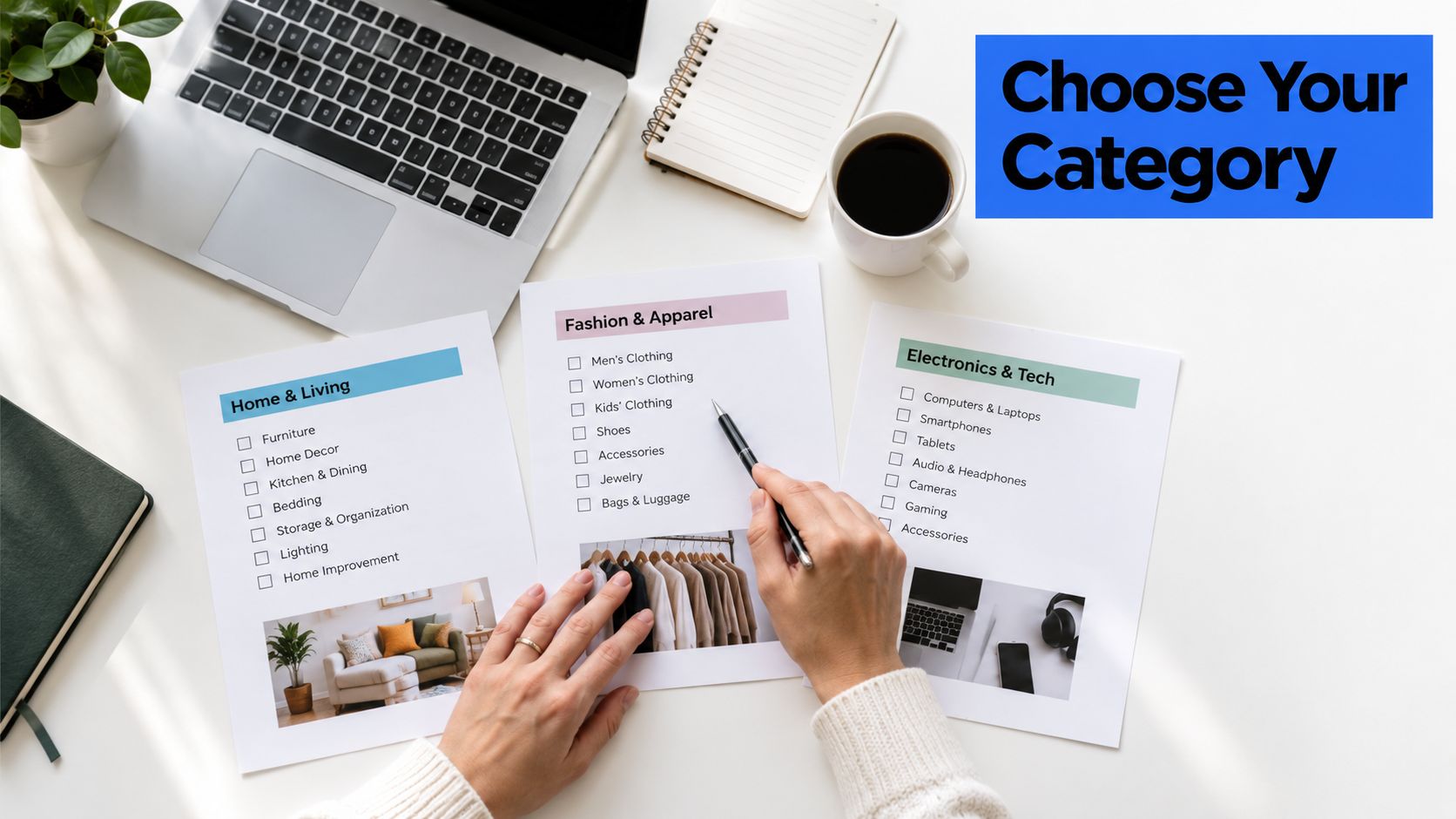
A practical selection test
Ask these questions in order:
- What is the primary job? Start with the service that best describes the business's main commercial offer.
- Is the service locally supported? Check the current Google category menu for the country and service area.
- Can the business prove it? Confirm that licenses, insurance, registration, and professional credentials match the selected category.
- Can the team fulfill it? Remove services that require subcontracting, referral, or capabilities the business doesn't control.
- Does the lead fit the operation? An emergency plumber needs rapid call handling. A photographer needs a consultation and booking workflow. The category must fit the response model.
- Can performance be separated? If adjacent services have different margins, urgency, or close processes, keep the data distinguishable in reporting and follow-up.
Categories don't behave alike economically or operationally. Market availability varies, verification burdens differ, and buyer intent changes by vertical. That means there isn't a universal answer to whether a business should hold one category or several. The right choice depends on the relationship between service accuracy and operating capacity.
Follow-up matters after approval. A valid category can still produce weak business results if calls go unanswered, messages sit idle, or staff can't identify which service the prospect requested. BenjiAds is one option for local-service businesses that want automated ad setup, landing funnels, tracking, SMS-based intake, and follow-up workflows alongside their acquisition process. It should be evaluated as an operational tool, not as a replacement for category validation.
Quick-Reference Guide and Category Checklist
Use this lookup sequence before submitting a Local Services Ads profile. It turns a large and changing category menu into a short operational review.
Category and market checks
- Choose the vertical family: Decide whether the business belongs under home, business, health, learning, care, wellness, beauty, or automotive services. Use the family map in The Main Local Services Ads Vertical Families for orientation.
- Open the live service menu: Confirm the exact approved service rather than relying on a screenshot, an old agency worksheet, or a category remembered from another country.
- Check the market: Verify country coverage and local service-area availability. A category can exist in one market and be unavailable in another.
- Map adjacent services: List only the neighboring services the business performs. Home-trade examples are covered in Home Services Categories in Detail.
- Separate different buyer journeys: Keep urgent repairs, planned installations, recurring services, and appointments conceptually distinct even when they sit within one family.
- Review non-home distinctions: Automotive, health, beauty, care, learning, wellness, and business examples appear in Non-Home Categories From Automotive to Wellness.
Compliance and profile checks
- Gather documentation: Prepare business registration, applicable licenses, insurance records, professional credentials, and any required background-check information.
- Check regulated requirements: Health providers in the United States should prepare for NPI verification. Other categories may carry their own local requirements.
- Match the Google Business Profile: Confirm that business identity, contact information, service area, and operating details are consistent across the profile and LSA account.
- Confirm review requirements: Check whether the selected category and location impose minimum review expectations before launch.
- Submit only when complete: The requirements and verification sequence are detailed in Eligibility, Verification, and License Requirements by Category.
Ongoing category maintenance
Re-check the live Google list before adding a service, entering a new market, or changing the business model. Google has expanded from a home-services pilot into a multi-vertical system and continues to subdivide categories, including more specific restaurant and automotive labels. Static reference lists can help with planning, but they can't replace a current eligibility check.
A category decision is successful when the business can explain what it does, prove that it can do it, receive the right kind of inquiry, and respond with a process designed for that buyer.
Use benjiads to connect local-service advertising with trade-specific landing funnels, tracking, and SMS follow-up after you've validated the right category. Review your service menu and documentation first, then use the platform to build a controlled lead workflow around the categories your business can fully support.
- local service ads
- LSA categories
- Google Ads
- local advertising
- service business marketing
Done for you
Ads that text you customers.
- ✓ Ads created for you
- ✓ Every lead texts your phone
- ✓ Free to use, no credit card
748+ local businesses run ads with benjiads