text message templates 19 min read
10 Text Message Templates for Lead Follow-Up and Booking
Copy-ready text message templates for lead follow-up, qualification, appointment reminders, and re-engagement, with examples for local service businesses.
On this page
- 1. Consent, Compliance & Opt-Out Management SMS
- 2. Lead Verification & Phone Confirmation SMS
- 3. Immediate Response & Availability Confirmation SMS
- 4. Service Details & Appointment Scheduling SMS
- 5. Pricing & Quote Request SMS
- 6. Testimonial & Social Proof SMS
- 7. Promotional Offer & Limited-Time Incentive SMS
- 8. Abandoned Lead Re-Engagement & Win-Back SMS
- 9. Appointment Reminder & Confirmation SMS
- 10. Post-Service Follow-Up & Review Request SMS
- Comparison of 10 SMS Template Types
- Turning These Templates Into a Follow-Up System
A plumber's quote form arrives at 9:40 p.m. The customer has a burst pipe, a competing contractor's number open, and little patience for a long phone call. If the next message arrives late, hides the business identity, or asks for too much information, the job may disappear before anyone on the team sees the lead.
Good text message templates solve that gap by giving each lead a clear next step at the right moment. They don't replace judgment, staffing, or a useful offer. They make sure the first response, qualification question, booking prompt, reminder, and review request are consistent when the owner is busy or the office is closed.
The templates below follow the lead lifecycle from consent and phone verification through scheduling, pricing, follow-up, appointment attendance, and post-service feedback. Each one starts with when to send it and what it needs to accomplish, so you can adapt the wording without losing the operational purpose.
1. Consent, Compliance & Opt-Out Management SMS
Send this during onboarding or before a message sequence begins. Its job is to establish permission, explain what the recipient will receive, and make opting out simple. A consent message shouldn't pretend to be a sales pitch. It should tell the customer who is texting, why, and how to stop.
Practical rule: Store the consent source and timestamp, not just a checkbox that says “subscribed.”
A useful onboarding version is:
Benji Plumbing: Reply YES for appointment updates and offers. Msg & data rates may apply. Reply STOP to cancel. Privacy: [policy link]
Keep marketing consent separate from transactional communication. Someone who agreed to receive an appointment reminder hasn't automatically agreed to every promotional campaign. Your system should suppress an opted-out number across all relevant campaigns immediately, not leave the responsibility to individual staff members.
Use a renewal message when the business needs to confirm continued permission:
Benji Plumbing: Reply YES to keep receiving helpful updates. Reply STOP to opt out. Policy: [policy link]
The confirmation after an opt-out should be equally clear:
You're unsubscribed from Benji Plumbing texts. Reply START to resubscribe or manage preferences: [link]
Review the wording against the rules in each region where you operate. Consent, opt-out handling, and privacy obligations can differ, so a template that looks acceptable in one market may need adjustment elsewhere. Keep the first message short, but use a readable privacy page for the full details.
2. Lead Verification & Phone Confirmation SMS
Send this immediately after a prospect submits a form. The message confirms that the number works and gives the lead a low-effort action before your team invests time in follow-up. It also reduces the chance that a typo sends future messages to the wrong person.
Try a service-specific version:
Benji Electric: We received your service request. Reply CONFIRM to verify this number and continue.
For a code-based flow:
Benji Plumbing: Confirm your repair request with code [CODE]. Reply VERIFY if you need help.
Put the business name at the beginning. A new lead may not recognize the number, particularly after submitting a form through a paid advertisement. Clear identity also matters when the message includes a link. Consumer research reported concerns about requests for personal information, suspicious links, unfamiliar sender numbers, and poor formatting, so credibility should come before conversion pressure. The Textmagic consumer SMS survey provides the supporting research.
Keep the verification action narrow. Don't ask for a service address, payment details, photos, and a booking time in the same message. Ask the customer to confirm the number first, then collect only the information needed for the next decision.
For more context on the acquisition side of this workflow, see home-service lead generation. A verified phone number is useful only if your team can act on the confirmation quickly. Route a failed verification to a human review queue instead of repeatedly sending automated prompts.
3. Immediate Response & Availability Confirmation SMS
Send this as soon as the lead arrives, ideally within the business's actual response capability. The message acknowledges the request and sets a truthful expectation. It isn't a substitute for a call or technician response. It buys the team time without making the customer wonder whether the form worked.
For a daytime plumbing request:
Benji Plumbing: We received your leak request. A dispatcher will text you shortly. Reply URGENT if water is actively spreading.
For an after-hours HVAC inquiry:
Benji HVAC: We received your request. Our team opens at 8 a.m. tomorrow. Reply EMERGENCY for urgent assistance.
Don't promise a technician in 45 minutes if the operation regularly needs several hours. A missed promise damages trust more than a realistic window. Create separate versions for business hours, evenings, weekends, emergency work, and services that require an estimate before scheduling.
A strong first message contains four elements:
- Identity: Name the business immediately.
- Acknowledgment: State what request was received.
- Expectation: Explain what happens next and when.
- Routing: Give urgent customers a safe, specific escalation path.
Response speed matters most at the beginning of the conversation. One industry compilation reports that 59% of consumers respond to business-to-consumer texts within five minutes and 77% within 15 minutes, though those figures are aggregate benchmarks rather than a universal promise. The Intradyn SMS statistics compilation supports using the early response window as a testing priority.
Build the message around your real service-level agreement, then connect it to speed-to-lead practices. You can also review automated response message examples for additional workflow patterns.
4. Service Details & Appointment Scheduling SMS
Send this after acknowledgment, once the prospect knows who is contacting them. The message should qualify the request and move the customer toward a time slot without forcing a long phone conversation.
Start with the highest-impact question:
Benji Electric: What best describes the issue? 1) No power 2) Breaker trips 3) New outlet 4) Other. Reply with a number.
For a plumber:
Benji Plumbing: What do you need help with? 1) Drain 2) Leak 3) No water 4) Fixture. Reply with a number.
The options should be easy to answer while the customer is distracted, driving, or dealing with a household problem. Three or four choices are usually easier to scan than a long menu. If the service is urgent, ask about urgency before gathering preferences.

Once the customer replies, offer concrete availability:
Thanks. We can offer Saturday at 9 a.m. or 2 p.m. Reply 1 or 2. We'll confirm the appointment after your choice.
Don't send a generic “Are you still interested?” follow-up when the lead hasn't answered. Reduce the effort instead:
Benji Plumbing: Is this still needed? Reply 1 for today, 2 for this week, or STOP to opt out.
A conversational sequence works better when every reply changes the next operational step. Route emergency answers to a person, send appointment choices to the scheduling system, and stop asking questions after the customer has supplied enough information for a handoff.
The same principle applies whether you use a landing-page funnel, a CRM, or a calendar tool.
5. Pricing & Quote Request SMS
Send this when the prospect asks about cost or before a booking decision requires a price conversation. A pricing text should clarify what affects the quote, not create false precision. Local-service work changes with access, urgency, materials, job size, and hidden conditions.
A practical version is:
Benji Plumbing: Drain, leak, and fixture work vary by access and parts. Reply QUOTE with your ZIP code and a short description, or reply DATE for availability.
If you have approved ranges, use them only when they're current and accurately representative:
Benji Electric: We can share a service range after we know the issue, location, and urgency. Reply QUOTE to start.
Don't hide behind “call for pricing” when a basic range or qualification path is possible. That wording often sends the customer back to comparison shopping. At the same time, don't publish a low figure that applies only to an unusually simple job. A misleading anchor creates more objections later.
Break the conversation into useful variables:
- Scope: Ask what needs repair, replacement, installation, or inspection.
- Conditions: Identify access, size, urgency, and existing equipment.
- Next action: Offer a quote request, estimate visit, or appointment choice.
For a service with several tiers, explain the difference instead of listing a confusing menu. “Repair, replacement, and full upgrade have different pricing” is more helpful when followed by a question that identifies the relevant path.
A quote message should also state what happens next:
Reply QUOTE and we'll review the details. If an on-site assessment is needed, we'll explain that before scheduling.
That sentence protects trust. Customers know whether they're receiving a firm quote, a preliminary range, or a request for more information.
6. Testimonial & Social Proof SMS
Send this after the lead has shown interest or raised a trust objection. Social proof should answer the concern that is blocking the booking, such as reliability, workmanship, speed, or professionalism. A random praise sentence doesn't do much if it isn't relevant to the job.
For a plumbing emergency:
Benji Plumbing: Customers often mention fast emergency response and clear explanations. Read recent reviews: [review link]
For landscaping:
Benji Landscapes: See recent backyard projects and customer feedback: [portfolio link]
Use a real review, preserve the customer's meaning, and link to a platform where the recipient can verify it. Don't manufacture a quote, inflate a rating, or present an old review as if it describes current operations. If you use an excerpt, make sure your records support the wording and attribution.
The best testimonial is specific about an outcome:
- Problem solved: The review describes the original issue.
- Experience delivered: It mentions communication, arrival, cleanliness, or professionalism.
- Relevance: It matches the service the lead requested.
Avoid sending five reviews in a row. One useful example followed by a direct booking option is usually more credible than a wall of praise. You can rotate proof by service category, but keep the sequence tied to the customer's question.
A simple structure is:
Need reassurance before booking? Here's a recent review from a customer who needed [similar service]: [review link]. Reply DATE for available appointments.
Keep proof separate from pressure. If the customer asks for pricing, answer pricing first. If they ask whether you serve their area, confirm coverage first. Social proof supports a decision. It shouldn't replace the information the customer requested.
7. Promotional Offer & Limited-Time Incentive SMS
Send this only when the offer adds a legitimate reason to act now. A discount can help a hesitant lead, but it can also train customers to wait for the next promotion or make a professional service look interchangeable. Use one clear incentive tied to a specific audience, service, or booking condition.
Example:
Benji Electric: New customers can use code FIRSTVISIT for a service-call offer this week. Reply BOOK for availability. Terms: [link]
A useful promotional message tells the recipient:
- What applies: Identify the service or customer segment.
- When it ends: Give a real expiration date or booking window.
- How to redeem: Use a code, reply keyword, or booking link.
- What happens next: Make the action obvious.
Don't combine a percentage discount, free add-on, referral credit, and financing message in one SMS. Multiple incentives create confusion and make the customer question the original price. Also avoid artificial scarcity. If the business hasn't set a real capacity limit, don't claim that only a few slots remain.
Keep transactional follow-up distinct from promotional follow-up. A customer waiting for an appointment confirmation shouldn't receive a sales offer that obscures the operational message. A 2024 consumer-statistics compilation reported that 47% of surveyed people often find marketing texts annoying and 28% said they had stopped using a brand because of them. The Textellent SMS marketing statistics compilation supports a restrained approach.
The offer should improve the next step, not interrupt it. If a lead is ready to book, send availability. If the lead is uncertain about price, explain the quote process. Use an incentive when it resolves a real hesitation.
8. Abandoned Lead Re-Engagement & Win-Back SMS
Send this after a lead stops replying, abandons a booking, or cancels without rescheduling. The first win-back message should refer to the unresolved need and offer a useful path back, not just announce that you haven't heard from the customer.
For an incomplete plumbing booking:
Benji Plumbing: Do you still need help with the leak? Reply 1 for an appointment, 2 for a quote, or STOP to opt out.
For a cancelled appointment:
Benji HVAC: We can reschedule your tune-up. Reply 1 for morning, 2 for afternoon, or 3 if you no longer need service.
Segment the message by the reason for abandonment. If no quote was sent, send the quote. If availability was the problem, offer new times. If cost was the objection, explain the variables or an approved payment option. Repeating “just checking in” gives the recipient no reason to respond.
A useful branch set includes:
- Still interested: Offer the simplest booking choice.
- Not ready: Ask whether a later follow-up is appropriate.
- Already hired someone: Close the sequence respectfully.
- Wrong number: Correct the record and suppress future messages.
- Stop messaging: Confirm the opt-out immediately.
Don't continue a sequence indefinitely. Frequency should reflect urgency, intent, and the customer's previous replies. Consumer research reported that 86% of consumers had opted in to business texts and 52% said they text businesses more often than previously, while also identifying demand for useful conversations and real-time information. The 2025 consumer texting behavior report supports a helpful, branching approach rather than an endless promotional chase.
Track re-engagement separately from first-response performance. A reply is useful, but the operational outcome is a qualified lead, a scheduled job, or a clean exit. For workflow design, connect these branches to lead nurturing automation.
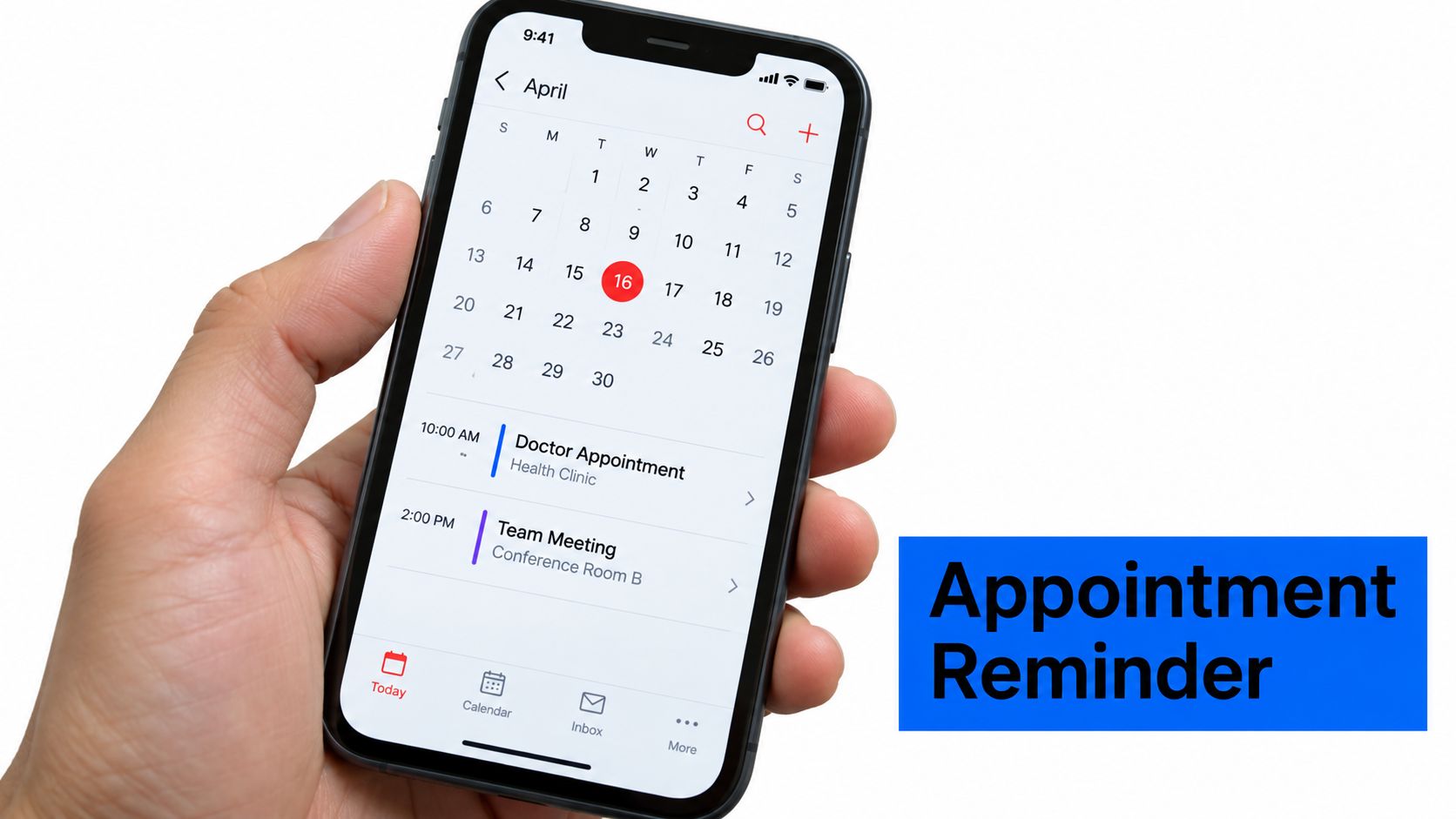
9. Appointment Reminder & Confirmation SMS
Send this before the appointment, then send a closer reminder only when the job value or no-show risk justifies it. The customer needs the date, time, service, identity of the technician, preparation instructions, and an easy way to confirm or change the booking.
A field-service reminder might read:
Benji Plumbing: Your leak repair is scheduled for [Day] at [Time] with [Technician]. Reply YES to confirm or RESCHEDULE for options. Call [number] with questions.
Add arrival details when they reduce uncertainty:
Your technician drives a blue Benji Plumbing van. Please clear access to the water heater before arrival.
A good reminder does more than say “don't forget.” It prevents avoidable friction. Include the service address only when your privacy and delivery practices support it, and use a secure confirmation or rescheduling link when the customer needs more information.
The confirmation choices should lead somewhere. “Reply YES” should mark the appointment confirmed. “RESCHEDULE” should present real availability or route the customer to a person. Don't make the customer call during a narrow office window just to move an appointment.
Useful fields include:
- Appointment details: Date, time, service, and location context.
- Arrival context: Technician name, vehicle description, or expected contact method.
- Preparation: Clear access, gather documents, secure pets, or provide parking information.
- Recovery path: A phone number or reply keyword for urgent changes.
The message should sound like an operational service, not a marketing campaign. Avoid adding an unrelated promotion to a reminder. For calendar workflow ideas, see managing calendar notifications in Google.
10. Post-Service Follow-Up & Review Request SMS
Send this after the work is complete, once the customer has had a reasonable chance to assess the result. The message should invite honest feedback, make a public review easy for satisfied customers, and give unhappy customers a direct recovery route.
A balanced version is:
Benji Electric: How did we do on your repair? Reply 1 for great, 2 for okay, or 3 if we need to fix something. Review us here: [review link]
If the customer chooses a low score, route the response to a person before asking for a public review. That creates a recovery opportunity and prevents the review request from feeling like pressure. Don't tell every customer to leave a five-star review. Ask for an honest account of the experience.
For a satisfied customer:
Thanks for choosing Benji Plumbing. If the repair met your expectations, please share an honest review here: [Google review link]. Questions? Reply to this text.
Give the review link a direct destination. A general homepage adds another click and makes the request easier to ignore. Personalize the service reference so the customer can see that the message relates to the visit they just completed.
The timing should match the work. A straightforward repair may be easy to assess soon after completion. A larger installation may require more time before the customer can judge the result. Your team should also define who owns a complaint and how quickly that person responds.
Use the feedback for operations, not just marketing. Tag recurring complaints about arrival windows, quote clarity, cleanup, or technician communication. A review workflow that collects praise but hides service failures will make the business's public reputation look better while leaving the root problem untouched.
Comparison of 10 SMS Template Types
Consent, Compliance & Opt-Out Management SMS
- 🔄 Implementation Complexity
- Medium–High, legal maintenance, audit logging
- ⚡ Resource Requirements & Speed
- Requires consent storage, suppression lists; speed not critical
- ⭐ Expected Effectiveness
- ⭐⭐⭐⭐⭐, critical for deliverability & compliance
- 📊 Expected Outcomes (Impact)
- 📊 Reduces legal risk, improves deliverability, audit readiness
- 💡 Ideal Use Cases & Key Advantages
- 💡 Best for high-volume/regulated senders; advantage: documented consent & improved sender reputation
Lead Verification & Phone Confirmation SMS
- 🔄 Implementation Complexity
- Low–Medium, simple automation & code workflows
- ⚡ Resource Requirements & Speed
- Needs verification API/sms gateway; immediate send (seconds)
- ⭐ Expected Effectiveness
- ⭐⭐⭐⭐, strong for lead quality
- 📊 Expected Outcomes (Impact)
- 📊 Fewer invalid leads, higher conversion on follow-up, lower wasted outreach
- 💡 Ideal Use Cases & Key Advantages
- 💡 Ideal for landing pages/forms; advantage: filters bots and confirms contact channel
Immediate Response & Availability Confirmation
- 🔄 Implementation Complexity
- Medium, timing logic & SLA integration
- ⚡ Resource Requirements & Speed
- Requires rapid trigger system and timezone logic; ultra-fast send (60–90s)
- ⭐ Expected Effectiveness
- ⭐⭐⭐⭐, high for engagement & trust
- 📊 Expected Outcomes (Impact)
- 📊 Higher engagement, reduced abandonment, faster momentum retention
- 💡 Ideal Use Cases & Key Advantages
- 💡 Best for emergency/high-intent leads; advantage: sets expectations and reduces anxiety
Service Details & Appointment Scheduling SMS
- 🔄 Implementation Complexity
- Medium–High, multi-step flows + scheduling integration
- ⚡ Resource Requirements & Speed
- Needs CRM/scheduler integration, quick follow-ups (5–15 min)
- ⭐ Expected Effectiveness
- ⭐⭐⭐⭐, excellent for qualification
- 📊 Expected Outcomes (Impact)
- 📊 Faster qualification, improved data quality, higher show rates
- 💡 Ideal Use Cases & Key Advantages
- 💡 Ideal for appointment-driven services; advantage: structured data capture and single-tap booking
Pricing & Quote Request SMS
- 🔄 Implementation Complexity
- Low–Medium, dynamic pricing logic helpful
- ⚡ Resource Requirements & Speed
- Requires price data feed or manual updates; moderate speed
- ⭐ Expected Effectiveness
- ⭐⭐⭐, effective for self-qualification
- 📊 Expected Outcomes (Impact)
- 📊 Filters budget-misaligned leads, reduces quote call time
- 💡 Ideal Use Cases & Key Advantages
- 💡 Best in price-sensitive markets; advantage: transparency builds trust and speeds decisions
Testimonial & Social Proof SMS
- 🔄 Implementation Complexity
- Low, content insertion and link management
- ⚡ Resource Requirements & Speed
- Needs review API or rotating assets; fast to send
- ⭐ Expected Effectiveness
- ⭐⭐⭐, strong when ratings are high
- 📊 Expected Outcomes (Impact)
- 📊 Increases trust, reduces objections, improves conversion
- 💡 Ideal Use Cases & Key Advantages
- 💡 Great for new/competitive brands; advantage: third-party validation boosts credibility
Promotional Offer & Limited-Time Incentive SMS
- 🔄 Implementation Complexity
- Low, simple templates + tracking
- ⚡ Resource Requirements & Speed
- Requires promo codes, expiration logic; time-sensitive sends
- ⭐ Expected Effectiveness
- ⭐⭐⭐⭐, high short-term conversion lift
- 📊 Expected Outcomes (Impact)
- 📊 Increases bookings (10–30%); drives immediate action
- 💡 Ideal Use Cases & Key Advantages
- 💡 Best for slow periods or acquisition; advantage: creates urgency and measurable ROI
Abandoned Lead Re-Engagement & Win-Back SMS
- 🔄 Implementation Complexity
- Medium, segmentation and cadence planning
- ⚡ Resource Requirements & Speed
- Needs abandonment trigger data and personalization; paced sends
- ⭐ Expected Effectiveness
- ⭐⭐⭐, moderate recoverable lift
- 📊 Expected Outcomes (Impact)
- 📊 Recovers ~10–20% leads (typical), improves ROI on prior spend
- 💡 Ideal Use Cases & Key Advantages
- 💡 Ideal for leads that stalled; advantage: cost-effective recovery when personalized
Appointment Reminder & Confirmation SMS
- 🔄 Implementation Complexity
- Medium, booking integration + timing rules
- ⚡ Resource Requirements & Speed
- Requires scheduler sync, confirmation/reschedule links; timed sends (24h/4h)
- ⭐ Expected Effectiveness
- ⭐⭐⭐⭐, very effective at reducing no-shows
- 📊 Expected Outcomes (Impact)
- 📊 Reduces no-shows 20–40%, improves technician utilization
- 💡 Ideal Use Cases & Key Advantages
- 💡 Best for field and high-value appointments; advantage: reduces wasted trips and reschedules easily
Post-Service Follow-Up & Review Request SMS
- 🔄 Implementation Complexity
- Low–Medium, review workflow & escalation
- ⚡ Resource Requirements & Speed
- Needs review links, feedback routing; send 24–48h after service
- ⭐ Expected Effectiveness
- ⭐⭐⭐⭐, highly effective for reputation growth
- 📊 Expected Outcomes (Impact)
- 📊 Increases review volume 5–10x, surfaces issues for recovery
- 💡 Ideal Use Cases & Key Advantages
- 💡 Ideal for reputation-dependent businesses; advantage: builds social proof and referral pipeline
Turning These Templates Into a Follow-Up System
Don't launch all ten messages at once. Start with the parts that protect the lead experience: consent, phone verification, immediate acknowledgment, and a scheduling question. Once those steps work reliably, add pricing and proof where they answer common objections. Offers, win-back messages, reminders, and review requests should extend a working process rather than compensate for a broken one.
Write a timing rule beside every template. For example, verification follows the form submission, the first acknowledgment follows the verified inquiry, scheduling comes after the initial response, and the reminder is tied to the appointment record. The exact delay should reflect staffing, trade, urgency, and local operating hours. Don't copy a timing promise from another business if your team can't meet it.
Keep every message tied to a state in the customer record. A lead who has booked shouldn't receive an abandoned-lead message. A customer who opted out shouldn't receive a promotional offer. Someone who reports an emergency shouldn't remain in an automated qualification branch while the team waits for another numeric reply.
Message length also deserves attention. A standard SMS can contain up to 160 characters when encoded with the GSM 7-bit alphabet, a technical constraint that emerged during GSM standardization rather than from a modern marketing convention. Messages beyond that limit can be split into linked texts, but concatenation may increase message-count costs and reduce clarity. The SMS history and technical overview on Wikipedia explains why concise writing remains useful.
Test one variable at a time. Change the opening line before changing the delay. Test a reply choice before changing the offer. Compare the results by trade, geography, lead source, and time of day instead of treating every lead as identical.
Review replies weekly. Look for unanswered questions, wrong routing, confusing keywords, broken links, and promises the team misses. Track reply rate alongside qualification completion, booked-job rate, time to first response, and opt-outs. A message that produces many replies but few scheduled jobs may be generating curiosity rather than useful intent.
Templates should also sound like the business. BenjiAds users can connect these messages to SMS-based intake and follow-up sequences, but the wording should remain natural to the contractor, clinic, salon, or service team sending it. Keep consent records, honor opt-outs, separate transactional and marketing permissions, and review local compliance requirements before putting an automated sequence live.
Start with one trade and one lead path. Write the exact messages, assign each trigger, test every reply branch with a real phone, and have a staff member handle exceptions. Once the sequence consistently moves qualified leads toward a booking without creating trust or compliance problems, expand it to the rest of the lifecycle.
BenjiAds helps local service businesses create and manage paid campaigns, landing funnels, phone-verified lead intake, tracking, reporting, and SMS follow-up in one software platform. If you want these text message templates connected to an approval-based advertising and lead workflow, visit benjiads and see how the platform can fit your booking process.
- text message templates
- lead follow-up sms
- sms appointment reminders
- sms re-engagement
- local service marketing
Done for you
Ads that text you customers.
- ✓ Ads created for you
- ✓ Every lead texts your phone
- ✓ Free to use, no credit card
748+ local businesses run ads with benjiads