lead nurturing automation 14 min read
Lead Nurturing Automation: A Complete Step-by-Step Guide
Master lead nurturing automation with practical steps for SMS, email, and qualification flows. Build sequences that convert prospects into paying customers.
On this page
- Why Lead Nurturing Automation Actually Moves the Needle
- Building Your First Automated Nurture Workflows
- SMS Versus Email Timing Strategies That Win
- Creating Qualification Flows That Separate Hot Leads
- Personalization Tactics That Don't Feel Robotic
- Measuring What Matters Beyond Open Rates
- Common Misconceptions About Automation Quality
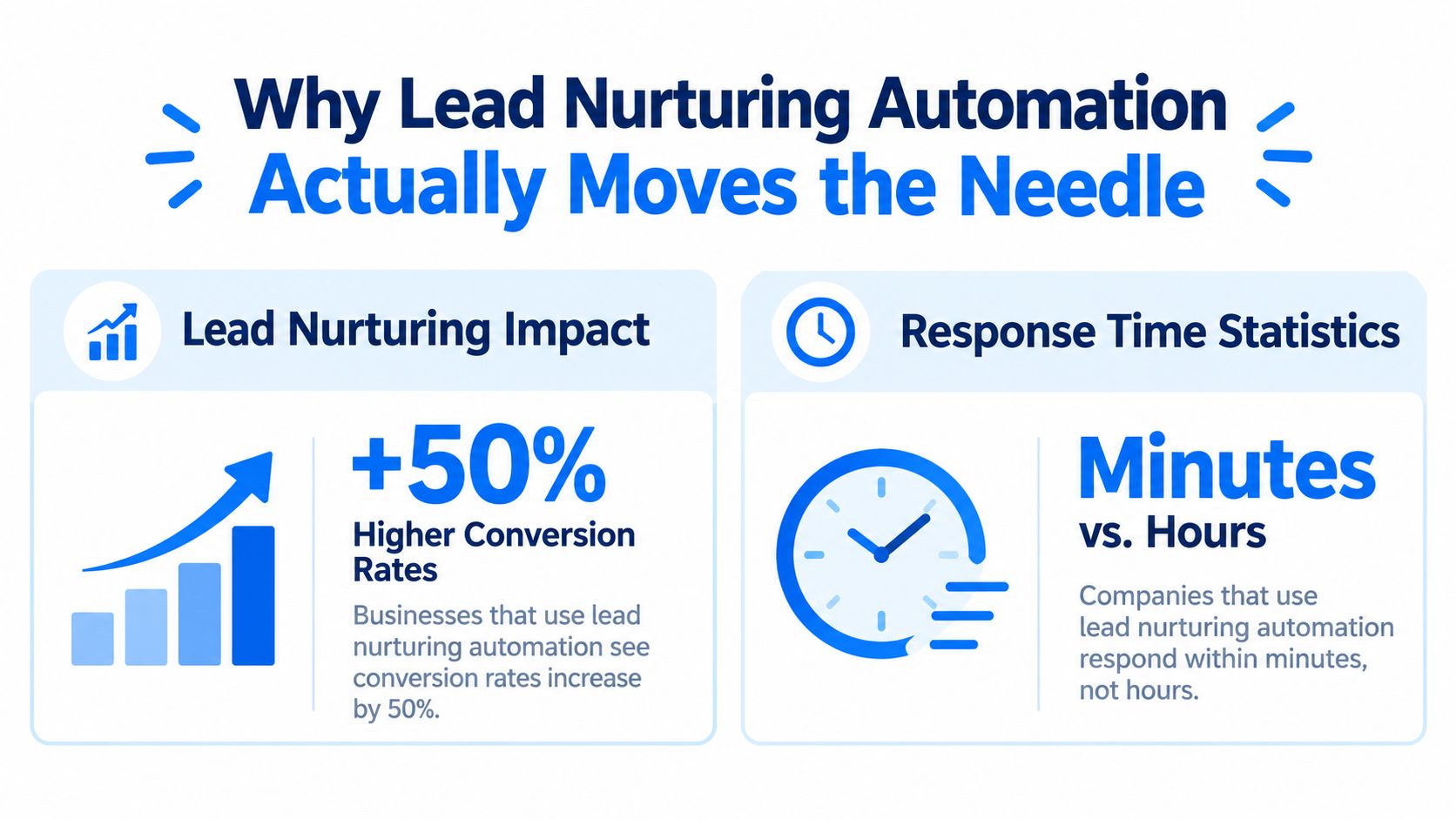
Businesses using lead nurturing automation generate 50% more sales-ready leads and produce 50% more sales at 33% lower cost. Automation turns follow-up into a repeatable operating system that moves prospects toward a buying decision without relying on someone remembering to call.
For a local service business, that distinction matters. A homeowner comparing electricians, plumbers, cleaners, or HVAC contractors may submit several forms in one sitting. The company that acknowledges the inquiry quickly, answers the obvious questions, and keeps the conversation moving has a practical advantage over the company that replies tomorrow.
Lead nurturing automation isn't about flooding contacts with messages. It connects lead capture, response speed, qualification, education, and sales handoff into one controlled process. The strongest systems use automation for repetitive timing and routing, then reserve human attention for conversations that need judgment, reassurance, or a quote.
Why Lead Nurturing Automation Actually Moves the Needle
Companies with strong lead nurturing programs produce 50% more sales at 33% lower cost, while automated nurturing can increase purchase rates by 47%, according to the marketing automation statistics summary. Those figures point to an operational reality: the advantage usually doesn't come from writing cleverer copy. It comes from making sure the right prospect receives a relevant response before interest fades.
Manual follow-up breaks down in predictable ways. A lead arrives while the owner is driving, the office team is handling another call, or the salesperson assumes someone else responded. Even when the first reply goes out, later follow-up often depends on memory. The result is an uneven experience where one prospect gets attentive communication and another receives silence.
Speed creates the first advantage
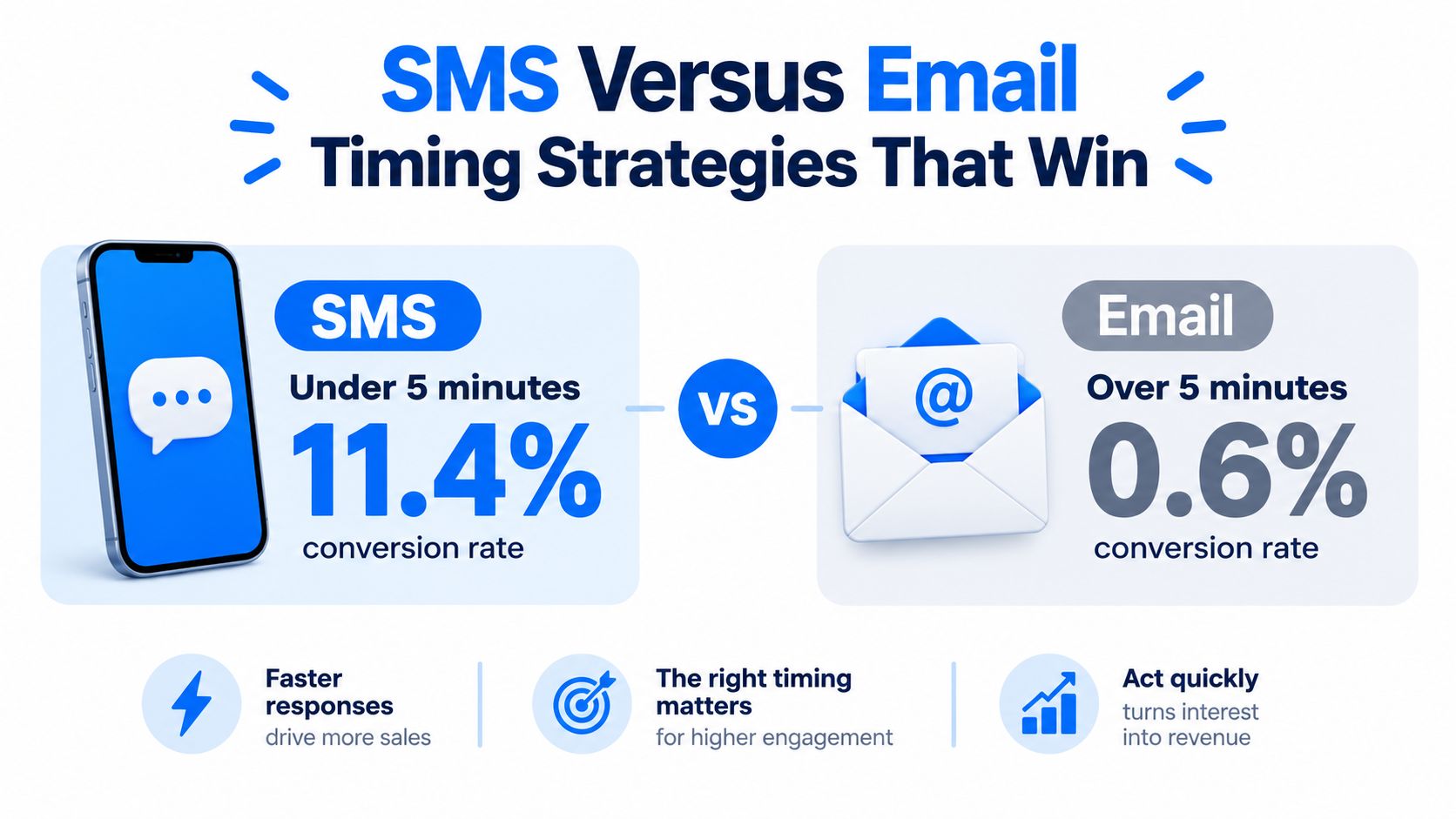
A panel of 28,400 leads found that only 14.6% received contact within five minutes. Leads contacted in under five minutes converted at 11.4%, compared with 0.6% for leads where the first response took more than 24 hours. The same lead response time analysis found an 18.3x difference between response-speed buckets.
Those numbers don't mean every local business needs a large call centre. They mean the first workflow should remove avoidable delay. The system can acknowledge the inquiry, alert the right person, create a call task, and begin a controlled sequence while the owner is finishing a job.
Practical rule: Automate the first response and the follow-up reminders, but let a human handle the parts that require diagnosis, pricing, or trust.
A useful speed-to-lead process should define who receives the lead, what happens if nobody answers, and when the lead moves into a longer nurture sequence. Creativity still matters, but structure protects the opportunity when the team is busy.
For local services, this structure also reduces inconsistency. A plumber can route emergency language differently from a routine maintenance request. A cleaning company can distinguish a recurring commercial inquiry from a one-off domestic booking. Automation makes those decisions repeatable instead of leaving them to whoever happens to open the inbox.
Building Your First Automated Nurture Workflows
Start with three workflows, not a maze of branches. A local business usually needs a welcome sequence, an educational sequence, and a re-engagement sequence before it needs advanced predictive logic.
Start with the welcome sequence
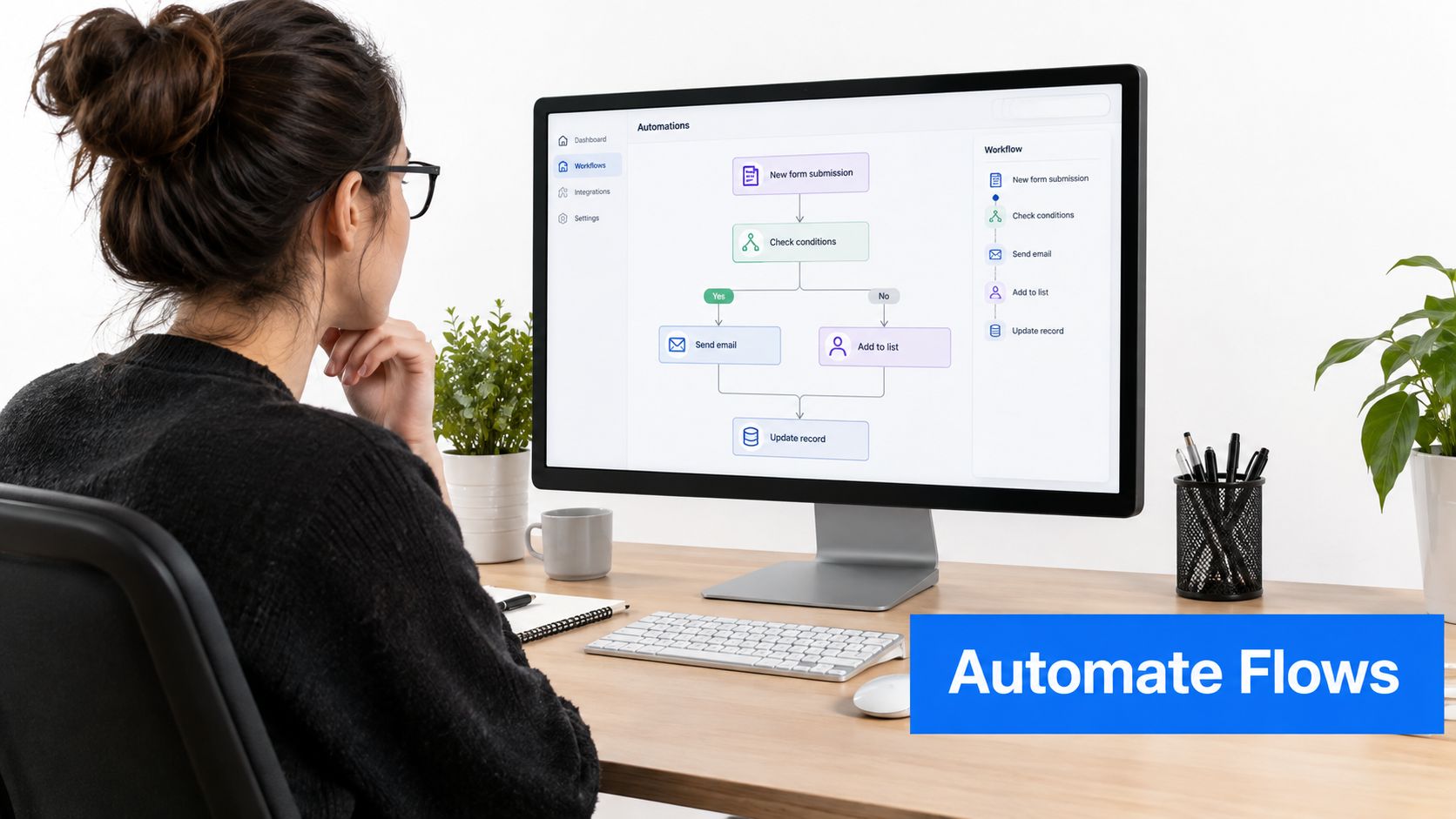
The welcome workflow begins when someone submits a form, requests a callback, or asks for information. Its first job is confirmation. Tell the prospect that the request arrived, identify the next step, and give them a direct way to reply.
For an electrician, the first message might confirm the service area and ask whether the issue is urgent. For a cleaner, it might confirm the property type and invite the prospect to share the number of rooms or the preferred service frequency. These questions aren't decorative. They help the team prepare before the conversation starts.
Set an exit condition as soon as a person replies, books, or reaches a human. Without that condition, the prospect may keep receiving automated messages after the relationship has already moved into a sales conversation.
Add education that answers buying questions
The educational workflow keeps the business useful while the prospect considers options. A plumber might send guidance on diagnosing a leak, a landscaper might explain what affects a maintenance plan, and a dentist might clarify what happens during an initial consultation.
The content should address objections that slow booking:
- Scope: Explain what the service includes and what the technician needs to assess.
- Preparation: Tell the customer how to prepare the property, access the site, or gather relevant details.
- Confidence: Show the process, standards, and communication expectations without making unsupported promises.
- Next step: Offer one clear action, such as replying with photos or choosing a consultation time.
A local automated marketing platform can coordinate these triggers, but the workflow logic matters more than the number of features. Keep each message focused on one question or decision.
Use re-engagement selectively
Re-engagement is for contacts who showed interest but stopped responding. Don't restart the entire sales pitch. Acknowledge the pause, offer a simple way to continue, and make it easy to opt out.
For example, a cleaning company could ask whether the prospect still needs a quote, needs a different service, or would prefer contact later. An electrician could offer a short reply option for “still need help” or “no longer needed.” The workflow should stop when the contact responds or unsubscribes.
Before launch, test every path with internal addresses and phone numbers. Check that replies reach the right person, that booked leads leave the nurture sequence, and that duplicate submissions don't create contradictory messages.
SMS Versus Email Timing Strategies That Win
The first decision isn't SMS versus email. It's which channel can create a useful response fastest, then which channel can provide the detail that follows.
SMS works well for immediate acknowledgment, short questions, appointment prompts, and human handoff. It has high visibility, but that visibility makes poor timing or excessive frequency feel intrusive. Email is better for explanations, service details, preparation guidance, and links to useful resources. It gives the prospect room to consider the information, but it may not preserve the initial moment of intent.
The response data makes the priority clear. In the panel of 28,400 leads, sub-five-minute responders converted at 11.4%, while leads contacted after more than 24 hours converted at 0.6%. Only 14.6% were contacted within five minutes, as reported in the response-time benchmark.
A practical channel sequence
A strong local-service sequence often looks like this:
- Immediate SMS acknowledgment: Confirm receipt and state what happens next. Keep it short and conversational.
- Human alert: Notify the owner, dispatcher, or sales representative with the lead details and source.
- Call task: Create a clear task with the information needed for the first conversation.
- Email context: Send useful detail about the service, process, or preparation.
- Follow-up prompt: If the prospect hasn't replied, send a helpful reminder rather than repeating the original pitch.
Email shouldn't be used to disguise slow response. If a lead submits an emergency plumbing request, a beautifully formatted email doesn't compensate for a delayed call. Conversely, an SMS can't replace the detail a commercial cleaning buyer needs before requesting a site visit.
Control frequency and intent
Every message needs a reason. Use SMS for decisions that benefit from a quick reply. Use email when the prospect needs context. Stop both channels when the lead books, declines, asks not to be contacted, or enters an active human conversation.
The older lead-response research is equally direct. A study covering 5.7 million inbound leads, 55 million sales activities, and more than 400 companies found conversion was 8x higher when the first call attempt occurred within five minutes. It also found that only 0.1% of inbound leads were engaged within that window, while 57.1% of first call attempts happened after more than a week, according to the lead response study.
The lesson is not to send more messages blindly. It's to coordinate SMS, email, and calls around the prospect's likely urgency.
Creating Qualification Flows That Separate Hot Leads
Qualification automation should help a team decide what deserves attention now, not create a complicated score that nobody trusts. The best criteria combine explicit information from the form with observable behavior and the service context.
Start by defining the business decision. For a handyman, the key question may be whether the job is within the service area and whether the customer has a clear project. For an HVAC company, urgency, property type, and system issue may matter more. A cleaning provider may need to distinguish residential, recurring, move-out, and commercial work.
Ask only questions that change the next action
A form question earns its place when the answer changes routing, messaging, or priority. Useful fields can include:
- Service requested: Route electrical repairs differently from installation projects.
- Location: Exclude areas the team doesn't serve or assign the right branch.
- Timing: Separate urgent needs from research-stage inquiries.
- Property or job context: Give the salesperson enough detail to prepare.
- Preferred contact method: Respect how the prospect wants to continue.
Don't ask for every detail at the first touch. Progressive qualification feels more natural. Ask one or two useful questions in the first exchange, then collect additional information after the prospect responds.
Combine intent signals with explicit answers
A high-intent signal might be a request for a quote, a reply confirming availability, or a form submission that includes a specific job description. A weaker signal might be reading a general article without taking another action. Treat these signals differently.
Set conditional paths such as:
- Urgent and in area: Alert the on-call person and create an immediate call task.
- Clear project, no urgency: Send preparation information and route to the normal sales queue.
- Incomplete information: Ask a focused follow-up question before assigning a priority.
- No response: Continue controlled nurturing, then review the contact rather than escalating indefinitely.
A lead management software workflow can store these decisions, but the team still needs to agree on the rules. Review misrouted leads regularly. If sales keeps overriding the same qualification rule, the rule is probably measuring the wrong thing.
Qualification isn't about labeling people permanently. It's about choosing the most useful next action with the information you have.
Personalization Tactics That Don't Feel Robotic
Automation feels robotic when it repeats information the prospect already gave, uses the wrong service language, or continues after a meaningful reply. The fix isn't writing a separate campaign for every person. It's building templates with enough context to reflect the prospect's situation.
Use the information already available at the point of capture. A form that records “boiler repair” should trigger boiler-specific language, not a generic home-services paragraph. A commercial cleaning inquiry should receive a different follow-up from a domestic deep-clean request.
Personalize around decisions
The most useful dynamic fields are practical:
- Name and requested service: Use them in the acknowledgment, but don't force them into every sentence.
- Location or service area: Reference the relevant team or coverage area when it changes expectations.
- Job details: Reflect the problem, property type, or project stage the prospect provided.
- Engagement history: Change the next message when someone replied, clicked a booking option, or ignored several prompts.
- Sales status: Remove prospects from marketing nurture once a representative is actively working the opportunity.
A conditional template can say one thing to a lead who requested emergency assistance and another to someone comparing planned work. That approach scales better than hand-writing every message, while still giving the recipient a reason to believe the message fits their situation.
Keep the human handoff visible
Personalization shouldn't pretend to be a person. If the workflow is automated, the message can still sound direct and helpful without inventing familiarity. Give the prospect a clear reply path and identify what happens after they respond.
Measure personalization by business outcomes, not by how customized the template looks. Compare whether segmented contacts reply, provide useful information, book, or ask for clarification. A personalized message that creates confusion is worse than a plain message that makes the next step obvious.
Measuring What Matters Beyond Open Rates
Open and click metrics can help diagnose delivery and message relevance, but they don't tell a local service business whether the phone rang, the appointment was booked, or the job became revenue. A nurture system needs an operational scorecard that connects the first response to the final sales outcome.
Track the first-response timestamp from lead creation to the first human or automated contact. Then track whether the contact replied, whether the lead reached a qualified state, whether a call was completed, and whether an appointment or quote followed.
Build a simple funnel view
A useful dashboard can include:
| Stage | What to measure | What it reveals |
|---|---|---|
| Capture | Lead source and contact completeness | Whether the form creates usable opportunities |
| Response | Time to first acknowledgment and human attempt | Where response delays occur |
| Engagement | Replies, completed questions, and booked calls | Whether the sequence earns participation |
| Qualification | Movement into the sales-ready state | Whether routing rules identify intent |
| Outcome | Appointments, quotes, and closed jobs | Whether nurturing supports revenue |
The exact stages depend on the business. An emergency plumber may care about connected calls and dispatched jobs. A landscaping professional may need to track quote requests and site visits. A dentist may measure consultation bookings and completed appointments.
Review failure points, not vanity wins
Sequence completion can be misleading. A lead who receives every email but never replies hasn't necessarily been nurtured successfully. Likewise, a high click rate may indicate curiosity rather than readiness to buy.
Look for friction. Are prospects dropping out after an unclear question? Are qualified leads waiting because the alert goes to the wrong person? Does the workflow keep sending messages after a booking? Each failure points to a specific change in copy, timing, routing, or exit logic.
Review the scorecard on a regular operating rhythm. Change one meaningful variable at a time, document why it changed, and watch the downstream result. The point isn't to create a perfect dashboard. It's to make the nurture system accountable for the customer journey it controls.
Common Misconceptions About Automation Quality
The most common misconception is that automation automatically makes communication impersonal. Poorly designed automation does. A workflow that sends the same pitch to every contact, ignores replies, and continues after booking damages trust. A workflow that responds quickly, uses the prospect's context, and hands off at the right moment can make service feel more dependable.
Adoption data reflects how central these systems have become. 89% of revenue leaders automate nearly the entire customer journey, and 69% of organizations use marketing automation specifically for lead nurturing, up from 63% in 2024, according to the lead nurturing statistics overview. The same source reports that 74% of marketers value time savings, 68% value increased customer engagement, and 58% cite more timely communication.
Those benefits don't remove the need for judgment. Automation can't inspect a dangerous electrical fault, reassure a nervous patient, or negotiate a complex commercial contract. It can make sure the inquiry is acknowledged, the right information is collected, and the responsible person knows what to do next.
What automation can and can't fix
Automation can reduce missed follow-up, enforce response rules, segment routine requests, and keep useful information moving. It can't compensate for an unclear offer, poor service-area targeting, weak sales conversations, or a team that never updates lead status.
A separate 2026 industry summary says businesses using automated lead management often see at least a 10% revenue increase within 6 to 9 months, as reported in the marketing automation statistics reference. Treat that as a benchmark context, not a guarantee. Results depend on lead quality, service capacity, offer clarity, workflow execution, and the team's ability to convert qualified conversations.
A one-week launch checklist
- Day one, map the journey: List each lead source, service type, response owner, and sales outcome.
- Day two, write the welcome path: Create the acknowledgment, human alert, first question, and exit conditions.
- Day three, build the routing rules: Separate urgent, qualified, incomplete, and low-intent inquiries.
- Day four, prepare the nurture content: Write useful answers for the questions prospects ask before booking.
- Day five, connect the channels: Test SMS, email, task creation, notifications, and status updates together.
- Day six, run test leads: Confirm replies, handoffs, suppression rules, and booking exits.
- Day seven, launch with a scorecard: Monitor response time, replies, qualified leads, appointments, and closed outcomes.
BenjiAds helps local service businesses create ads, landing funnels, tracking, and SMS-based lead follow-up in one software platform, with leads delivered by text and follow-up sequences triggered after form submission. Visit benjiads to see how its approval-based advertising and automated intake can support a faster lead nurturing operation.
- lead nurturing automation
- marketing automation
- lead qualification
- email sequences
- SMS marketing
Done for you
Ads that text you customers.
- ✓ Ads created for you
- ✓ Every lead texts your phone
- ✓ Free to use, no credit card
748+ local businesses run ads with benjiads