retargeting ads on facebook 15 min read
Retargeting Ads on Facebook: Build Sequences That Convert
Learn how to build retargeting ads on Facebook that turn warm visitors into leads and customers, with audience rules, creatives, and sequences that work.
On this page
- Why Retargeting Ads on Facebook Still Matter for Small Pools
- How Custom Audiences Power Retargeting Ads on Facebook
- Setting Up Pixel and Conversions API the Right Way
- Audience Rules That Stop Wasted Spend
- Building the Retargeting Sequence Step by Step
- Creatives and Rotation for Warm Audiences
- Launch Checklist and Common Failures
You've paid to bring a local prospect to your website. They checked a service page, opened the contact form, then disappeared before booking. A few days later, they're still scrolling Facebook and Instagram, but your business has vanished from their consideration.
That's the practical job of retargeting ads on Facebook. For local lead generation, the opportunity usually isn't a giant ecommerce audience. It's a thin group of recent visitors, video viewers, form openers, and past leads. The account wins when each person sees a relevant next message, not when the same ad follows everyone indefinitely.
Why Retargeting Ads on Facebook Still Matter for Small Pools
A local HVAC owner can look at Meta Ads Manager, see a modest website audience, and ask a reasonable question: is this pool even large enough to justify a campaign? The answer depends less on audience volume than on how much intent is inside the pool.
Someone who read a general blog post may need education. Someone who visited an emergency repair page, checked pricing, or opened a booking form needs reassurance and a clear next step. Treating those people as one audience wastes the signal you already paid to create.
Facebook retargeting has historically been built around Meta's Custom Audiences. The system lets advertisers reconnect with people who interacted with a business through customer lists, website activity, or app activity, as documented in Meta's Custom Audiences guidance. That makes retargeting a targeting layer inside Meta's wider advertising infrastructure, rather than a separate network you have to buy traffic from.
For a local service business, the sales cycle also behaves differently from ecommerce. A homeowner might compare providers, wait for a spouse to approve the work, or postpone a non-urgent project. A reminder, proof point, or answer to a common objection can bring that person back when a cold ad would introduce the company again.
Operator's rule: A small warm audience can be useful when every ad answers the next question in the buying process.
The performance pattern is clear, even though results vary by market, offer, tracking quality, and audience composition. One 2026 roundup of remarketing benchmarks reports Facebook remarketing ads at a 1.8% CTR versus 0.72% for non-remarketing ads, while other benchmark summaries report stronger engagement and conversion efficiency for warm traffic than cold prospecting. The figures shouldn't become a promise for your account. They're a reason to test the layer rather than dismiss it because the audience looks small.
The rest of the setup comes down to three disciplines: segment intent, protect consent, and stop the sequence before frequency turns into irritation. A practical local retargeting system should feel like a short follow-up conversation, not an endless billboard campaign. Businesses reviewing their wider acquisition process can also use this guide to home service leads to connect paid traffic with the booking journey after the click.
How Custom Audiences Power Retargeting Ads on Facebook
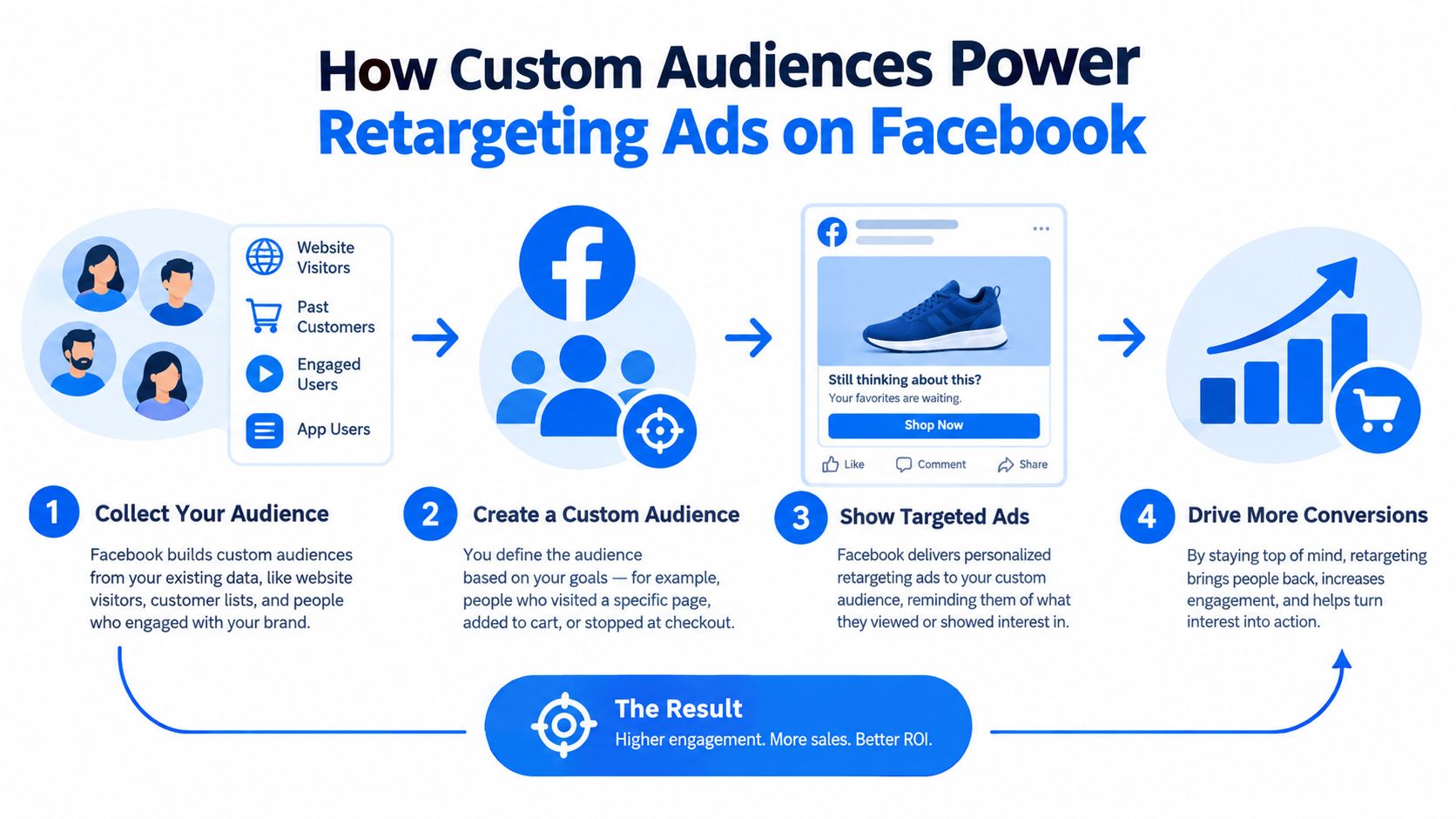
Custom Audiences are the working layer behind most Facebook retargeting. You create an audience from a data source, define the people or events that qualify, and use that audience in an ad set for inclusion or exclusion.
Match each source to a job
Website visitors come from browser activity captured through the Meta Pixel and related event signals. For a plumber, that might mean everyone who visited the leak-repair page, or a narrower group that reached the booking page without submitting the form. Website audiences are useful for immediate reminders, but browser restrictions and consent choices can reduce the number of people Meta can match.
Customer lists come from your CRM, scheduling software, or point-of-sale system. A local business can upload past leads, current customers, or people who requested a quote, provided the business has the appropriate permission and follows applicable advertising and privacy requirements. A list of recent lead form submitters can become an exclusion audience, while older customers can support a separate renewal or maintenance message.
Engagement audiences include people who watched or interacted with Facebook and Instagram content, ads, or a business profile. A viewer who watched much of a short video about furnace maintenance has shown a different type of interest from someone who scrolled past a post. Use that distinction to decide whether the next ad should educate, prove credibility, or ask for contact details.
Offline and server-side events connect actions that happen beyond the browser, such as a qualified lead, booked appointment, or completed job. Event-level tracking through the Pixel and Conversions API gives Meta more usable feedback than relying on a page load alone. It also lets you exclude people after the business has spoken with them.
Treat consent as part of audience construction
Meta's data-use rules have tightened, and recent coverage describes restrictions affecting some Custom Audiences and Custom Conversions that could imply sensitive information. The same privacy coverage of Meta and Google retargeting highlights the need to show that people were informed and consented to advertising data use.
That changes the operator's priority. Don't build a large list from questionable sources and hope matching will solve the problem. Build clean first-party audiences, record permission properly, and use CRM and server-side signals to support the browser data you're allowed to collect.
Setting Up Pixel and Conversions API the Right Way
A retargeting sequence is only as reliable as the events feeding it. If Meta sees page views but can't distinguish a service-page visitor from a booked customer, the platform can't apply sensible exclusions or optimize toward meaningful outcomes.
Start with the browser events
Install the Meta Pixel through Google Tag Manager or your website's approved integration. If you use direct code, keep the implementation controlled and document which pages and buttons trigger each event. Use Meta Pixel Helper as a practical browser check, then confirm the events inside Events Manager.
Prioritize the actions that map to your local funnel:
- ViewContent: A visitor viewed a meaningful service, product, or pricing page.
- AddToCartButton: The visitor clicked the primary booking, quote, or checkout action. For a lead business, use a consistently named custom event if the standard ecommerce event doesn't fit.
- Lead: The visitor submitted a form or completed a lead action.
- Contact or Schedule: The visitor requested contact or booked an appointment.
- Purchase: Use this when the business records a completed transaction or another confirmed value event.
Don't mark every button click as a conversion. A phone number tap, form start, and confirmed appointment represent different levels of intent. If the event names don't reflect that difference, your audiences will blur together.
Add server-side confirmation
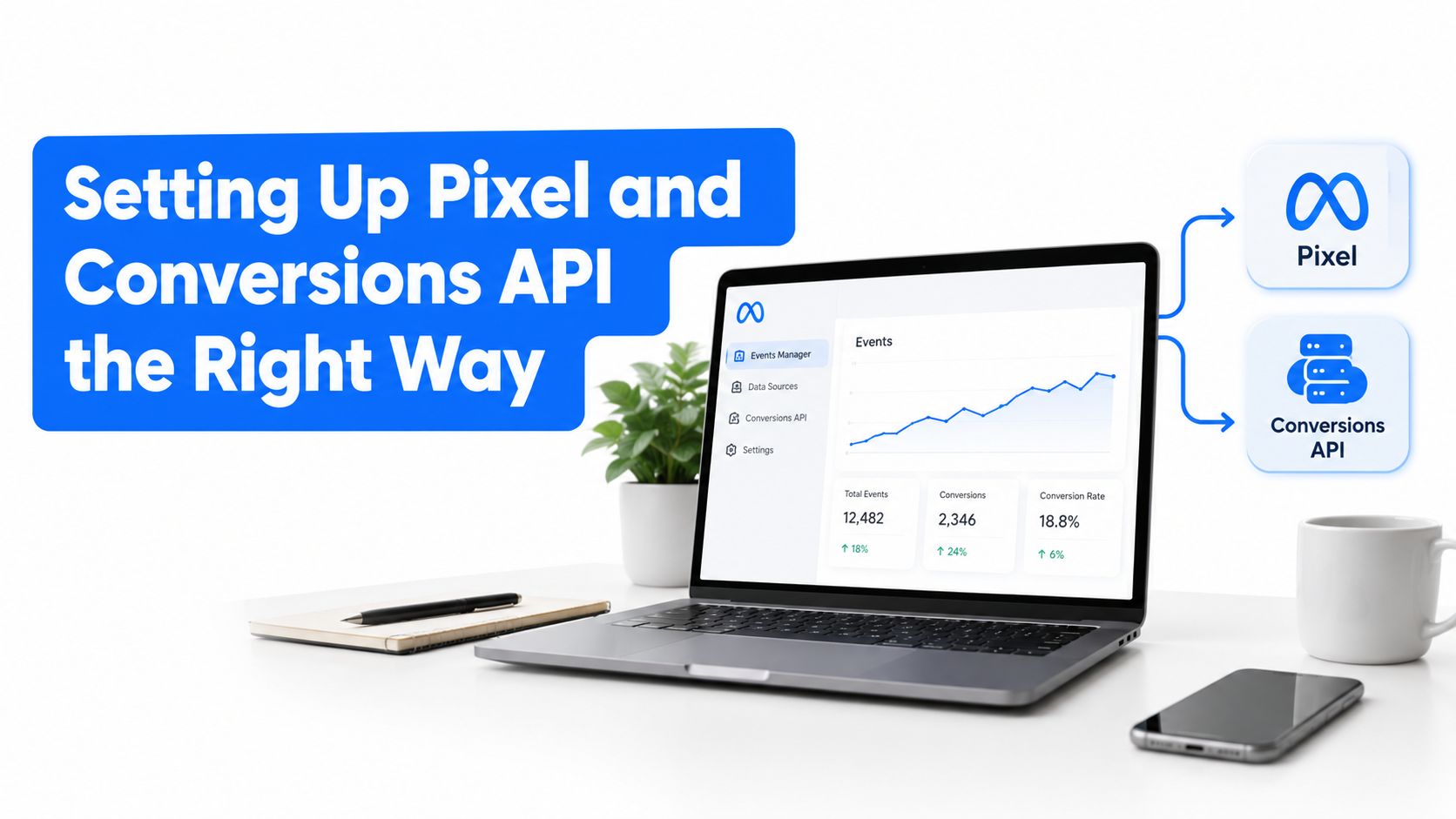
Set up Conversions API through a supported partner such as Stape, Zapier, or a server container. The exact implementation depends on the website, CRM, booking platform, and consent configuration, so map the data flow before switching it on.
Send the same meaningful events from the browser and server only when you can provide a shared event identifier for deduplication. Check that the event name, timestamp, action source, and available customer information agree across both sends. A server-side tracking overview can help you evaluate the wider measurement setup before making changes.
In Events Manager, inspect event match quality, diagnostics, deduplication, and the quality of the values being passed. There isn't a universal “good” match-rate number for every small account. Look for a stable, consistently deduplicated stream with no unexplained event spikes, missing lead events, or duplicate conversions.
Don't activate a warm audience until the business can answer three questions: which event adds someone to the audience, which event removes them, and where the event appears in the CRM. That simple audit prevents a large amount of wasted spend.
Audience Rules That Stop Wasted Spend
The most expensive retargeting mistake is not a weak headline. It's placing people with different levels of intent into one ad set and asking one creative to handle all of them.
Start with recency. A recent service-page visitor deserves a faster, more specific message than someone who visited months ago. Then layer event behavior on top, so the audience reflects what the person did.
Build practical audience tiers
Use these operating buckets as a starting point:
- Recent visitors: People who visited a key page within the last 1 to 7 days. Show the page-specific reminder or the next logical step.
- Active consideration: People who visited within 8 to 30 days but didn't become a lead. Use proof, FAQs, and objection handling.
- Cooling traffic: People who visited within 30 to 90 days. Offer a fresh reason to return, such as seasonal advice, a useful checklist, or a new service angle.
Those windows are not laws. A burst pipe, dental emergency, and landscaping project have different decision cycles. Review the business's sales speed and shorten or extend the windows accordingly.
Now add behavior qualifiers. A pricing-page visitor shouldn't receive the same ad as a casual content reader. A form opener who didn't submit needs a friction-removal message, while a qualified lead should leave the acquisition sequence altogether.
Exclusions do more than protect the budget
Create hard exclusions for:
- Existing customers, unless the campaign promotes a relevant repeat service.
- Qualified leads, once the CRM confirms that a real sales conversation has started.
- Recent converters, so booked customers don't keep seeing a booking pitch.
- Unqualified or invalid leads, if the business has a reliable way to identify them and the advertising policy permits the audience use.
Check overlap in Ads Manager before launching separate ad sets. If several audiences are tiny and heavily overlapping, consolidate them into broader buckets. Running many thin ad sets can starve delivery and make the results too noisy to interpret.
The Meta retargeting guidance on audience segmentation and event tracking recommends separating groups such as pricing visitors, product viewers, abandoners, and purchasers, while excluding recent converters and combining Pixel signals with Conversions API. That's a sound structure for local lead generation because it protects the distinction between interest and outcome.
Recent intent
- Definition
- Key-page visitors and high-intent event users
- Min. Size
- No fixed minimum. Consolidate if delivery is weak
- Exclusions
- Leads, booked appointments, customers
- Suggested Budget Split
- Prioritize while intent is fresh
Active consideration
- Definition
- Recent non-converting visitors and engaged users
- Min. Size
- Use a broader bucket when the pool is thin
- Exclusions
- All recent converters
- Suggested Budget Split
- Maintain a steady testing share
Cooling traffic
- Definition
- Older visitors who still meet the recency rule
- Min. Size
- Avoid a standalone ad set if delivery is sparse
- Exclusions
- Customers and qualified leads
- Suggested Budget Split
- Use a smaller maintenance share
For a local account, a pool under 1,000 users is usually better treated as a flexible custom audience than as a collection of highly fragmented campaigns. That recommendation should guide structure, not become a reason to force delivery when the audience has too little activity.
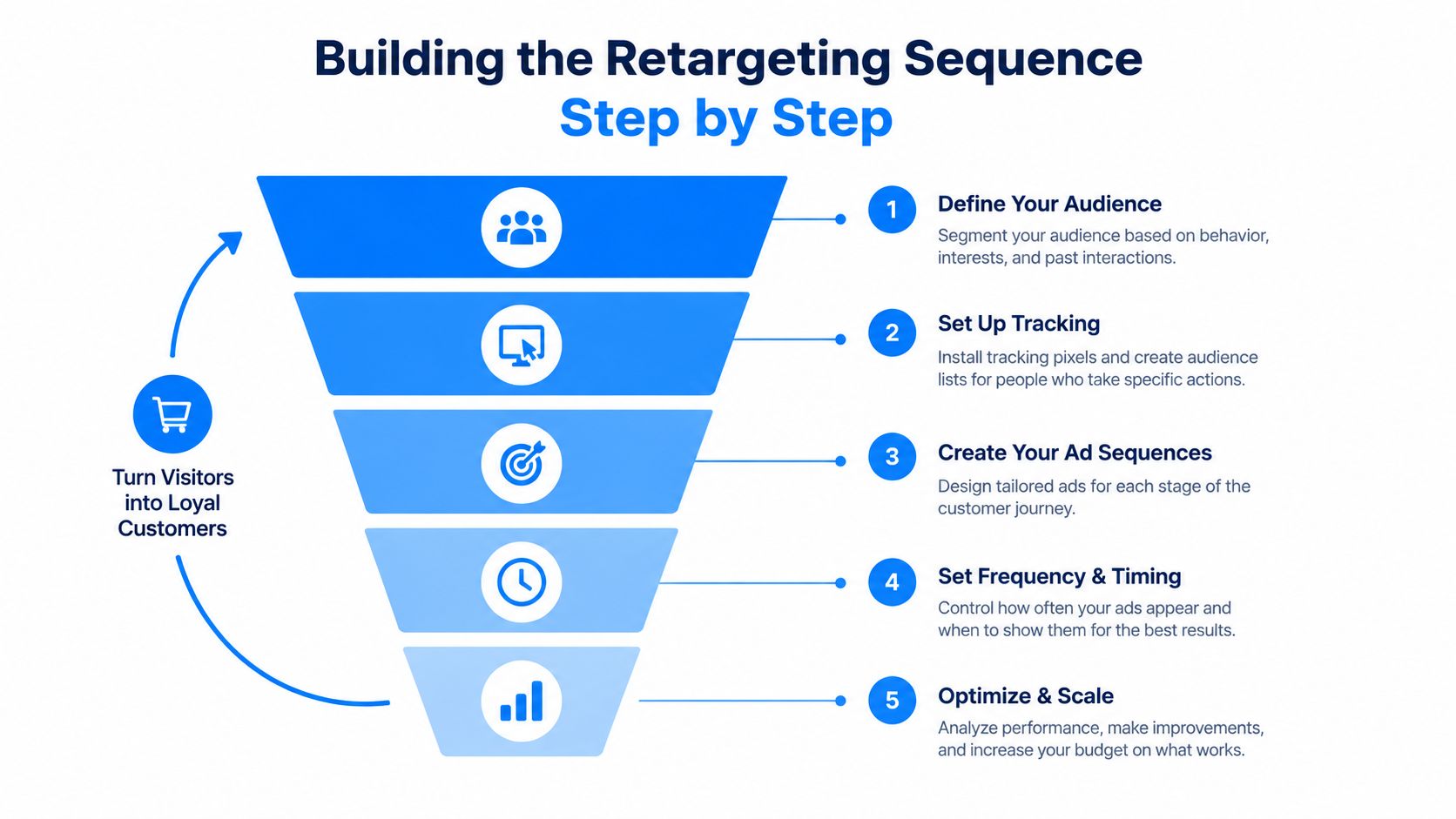
Building the Retargeting Sequence Step by Step
A single retargeting ad asks too much of one message. A sequence gives the prospect a reason to act now, then changes the conversation when the person doesn't act.
Layer the message by intent
First layer, recent page visitors. Show a reminder tied to the exact service or product page. A visitor who looked at drain cleaning should see drain-cleaning creative, not a generic “we do everything” ad. Repeat the core promise from the landing page, then give the person one obvious action, such as requesting an estimate or choosing a service time.
Second layer, abandoners. People who opened a form, clicked a booking button, or reached a checkout step but didn't complete it need friction removed. Use an FAQ, a short explanation of what happens after submission, a review, or a clear answer about service areas and response times. Don't lead with a discount if uncertainty, not price, caused the drop-off.
Practical rule: The closer someone got to contacting you, the more specific the reassurance should be.
Third layer, older non-converters. Give this group a different entry point. A short video from the owner, a before-and-after example, or a useful maintenance checklist can restart consideration without repeating the original sales pitch. The creative should acknowledge interest indirectly through relevance, not make the person feel watched.
Fourth layer, cooling traffic. Keep the investment light. A brand reminder or lead magnet can preserve familiarity, but don't pay indefinitely to show the same conversion ad to someone whose intent has gone cold.
Give every layer an exit
Use time-based exclusions so a new lead leaves the visitor sequence promptly. A converter shouldn't keep seeing the same booking message for several days after submitting a form, especially when a receptionist has already called or texted.
For ecommerce, you can build more granular layers around product views, carts, purchases, and repeat orders. For local lead generation, keep the flow tighter. Three meaningful layers usually beat a complicated map when the warm pool is small.
Set a frequency rule rather than watching impressions only after performance has fallen. A working starting point is 3 to 5 exposures per week per person, then adjust based on feedback, frequency, click engagement, and lead quality. In a pool below 5,000 people, rotate the offer or angle monthly instead of allowing one message to run until the audience recognizes every word.
The conversion funnel optimization guide is useful when the ad is earning clicks but the next page fails to carry the same promise. Retargeting can't repair a confusing form, a slow mobile page, or a call-to-action that doesn't match the ad.
Creatives and Rotation for Warm Audiences
Warm prospects don't need a company introduction. They need a reason to continue the decision they already started. The creative should feel like a helpful continuation of the landing-page experience, not a second cold pitch.
For recent visitors, mirror the page they saw. Keep the headline, service promise, offer, and visual language aligned so the person doesn't have to reconstruct the context. A homeowner who viewed a same-day electrical repair page should immediately understand that the retargeting ad leads to the same solution.
Older warm audiences need a new angle. Use proof from real customers, before-and-after images where the business has permission to publish them, or a short owner-led video that answers the objection sales staff hear most often.
Match format to the job
A useful working mix is:
- Short video: Keep it concise and captioned for sound-off viewing. Show the problem, the service process, or the answer to one objection.
- Static carousel: Use several cards to explain the offer from different angles, such as the service, the process, and the customer reassurance.
- Single image: Use a direct message and a clear call to action when the prospect already understands the category.
The mix doesn't need to be treated as a rigid formula. The important distinction is that each format should perform a different communication job. A video can build confidence, a carousel can clarify the process, and a single image can make the next action unmistakable.
Rotate before the pool tunes out
Load three to four creative variations into each meaningful ad set, then review performance on a regular schedule. If one ad attracts clicks but poor leads, don't call it a winner. Check the downstream result in the CRM.
Refresh the message before replacing everything. Change the opening line, objection, or call to action while keeping the visual stable. That gives you a cleaner read on whether the copy changed performance or whether a completely different image caused the movement.
For a local roofer, the first version might say that the team handles storm damage inspections. The next can explain what the inspection includes. A third can address the concern that requesting an estimate creates pressure to hire. Those are different reasons to act, even when the service and landing page remain the same.
Creative fatigue appears faster in small pools because the same people receive the ads repeatedly. Watch frequency alongside click engagement and lead quality. When people stop responding, don't automatically increase the budget. First ask whether the sequence has run out of useful things to say.
Launch Checklist and Common Failures
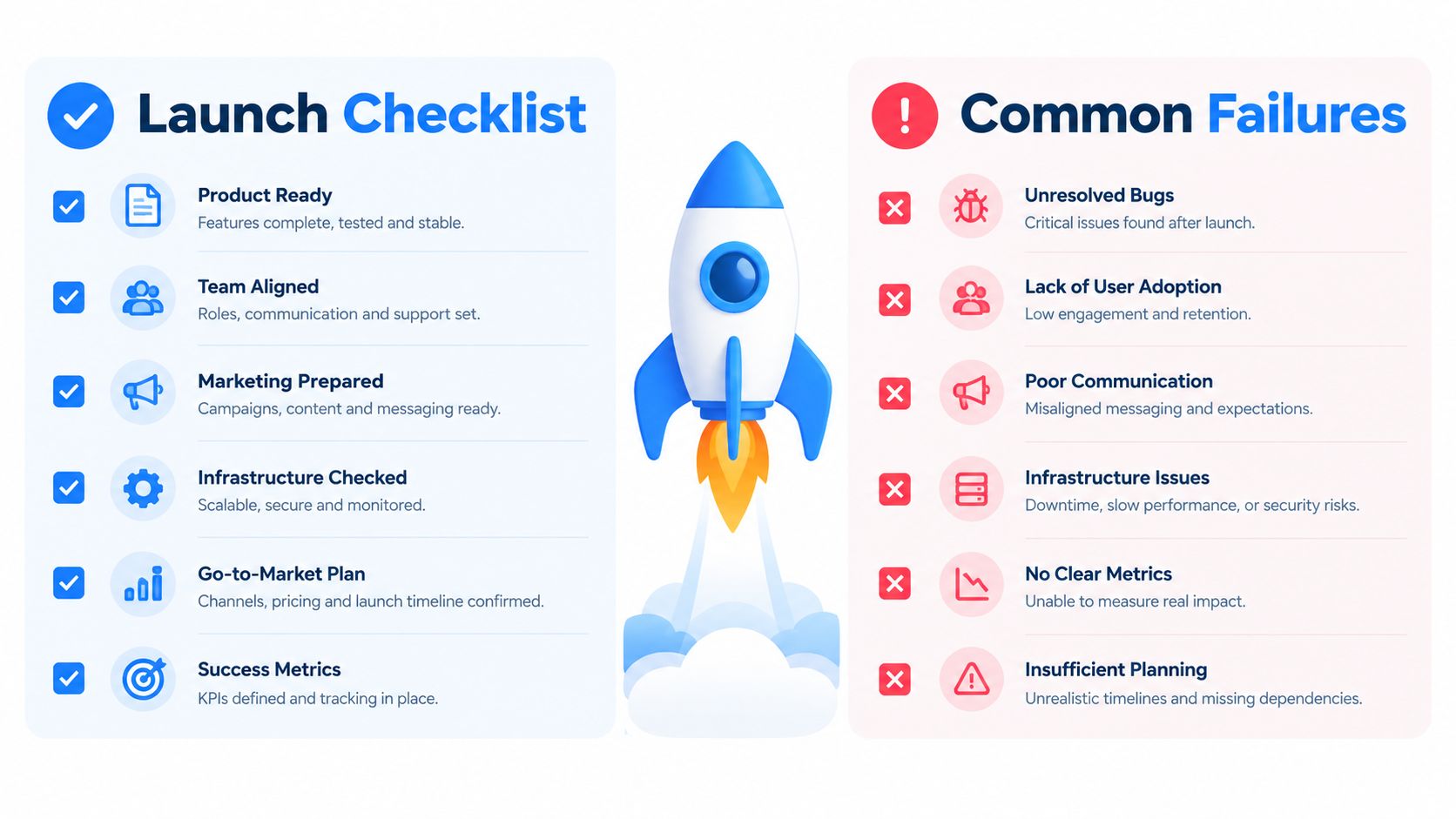
Before launch, inspect the system as if you were the person receiving the ad. The message should match the page, the audience should reflect a real action, and the business should know what happens after the lead arrives.
Run this pre-launch check
- Events: Confirm the Pixel and Conversions API send the intended events without duplicate conversions.
- Consent: Verify that the website and CRM collect and document the permissions required for advertising use.
- Audiences: Check recency rules, event qualifiers, exclusions, and overlap in Ads Manager.
- Sequence: Assign one message to each stage and define when a person exits.
- Creative: Load several variations for every active layer, with mobile placements in mind.
- Follow-up: Confirm that new leads reach the right person and that booked customers leave the acquisition flow.
- Measurement: Compare platform results with CRM outcomes, not just clicks or form starts.
The common failures are operational, which means you can usually fix them without rebuilding the account.
Low impression delivery often means the audience is exhausted, too fragmented, or restricted by exclusions. Consolidate related pools, review the recency window, and confirm that the events are populating.
Frequency creep is obvious in a very small list. If people see the same message repeatedly, reduce fragmentation, rotate the creative, shorten the sequence, or pause the layer until new warm traffic arrives. A small audience doesn't justify unlimited exposure.
Tracking gaps became more consequential as browser restrictions, consent controls, and platform privacy changes reduced observable user-level signals. The practical response is better event design, consent-aware first-party data, and server-side confirmation, not an attempt to collect data without permission.
Creative fatigue usually shows up as falling engagement and weaker lead quality. Replace the angle, not necessarily the entire campaign. Ask the sales team which question prospects are asking now, then turn that question into the next ad.
Offer-stage mismatch happens when a person who already booked receives the same discount or booking prompt as an undecided visitor. Audit the CRM exclusion and conversion event first. The ad may be doing exactly what the audience rules told it to do.
Review those checks weekly. Retargeting works best as a maintained follow-up system, not a campaign you launch once and leave untouched.
BenjiAds helps local service businesses prepare Facebook and Instagram campaigns, build landing funnels, connect client-side and server-side tracking, and automate SMS-based lead follow-up. If you want a practical retargeting sequence without managing every Meta Ads Manager detail yourself, visit benjiads and review how the platform fits your lead flow.
- retargeting ads on facebook
- facebook custom audiences
- facebook pixel tracking
- retargeting sequences
- meta ads
Done for you
Ads that text you customers.
- ✓ Ads created for you
- ✓ Every lead texts your phone
- ✓ Free to use, no credit card
748+ local businesses run ads with benjiads