lead management software 13 min read
Lead Management Software: Routing, Tracking, and SLAs
Learn how lead management software routes, tracks, and follows up on leads so they don't go cold. Covers workflows, integrations, SLAs, and proven best

On this page
- What Lead Management Software Actually Does
- The Five Building Blocks of Any Lead Management System
- How Lead Routing Decides Who Gets the Lead
- Tracking Lead Status Without Losing the Plot
- Integrations That Keep Leads from Falling Through the Cracks
- Speed-to-Lead and SLAs That Stop Leads Going Cold
- Common Mistakes When Implementing Lead Management Software
- Choosing and Running Lead Management Software the Right Way
You can have the lead. The form filled. The phone rang. The reply sat in a shared inbox while your team was in meetings, and by the time someone answered, the buyer had already talked to someone else. That gap is where lead management software earns its keep, not by storing names, but by making sure every inquiry gets captured, assigned, tracked, and followed up before it cools.
A lot of teams think of lead management as a CRM screen. That misses the point. The actual job is operational, moving a lead from first touch to human response with as little delay as possible, because speed matters, routing matters, and follow-up matters even more. Research on lead response shows that the clock starts the moment someone submits a form, and the fastest teams build their process around that clock, not around a static contact record speed-to-lead statistics.
What Lead Management Software Actually Does
A homeowner sends a quote request at 9 p.m. The message lands in a generic inbox, nobody sees it until morning, and a competitor calls first. That's the problem lead management software is built to solve, because the software's job is to capture the inquiry, decide who owns it, and keep the conversation moving while the lead is still warm.
A workflow, not just a database
The simplest way to think about it is this: a CRM stores the contact, but lead management software runs the handoff. It watches for a web form, chat message, phone call, ad submission, or referral, then triggers the next action, whether that's a task, a text, an assignment, or a reminder. The goal isn't “data in one place.” The goal is no silent delay between lead arrival and human response.
That difference matters because intent fades fast. Independent lead-response research says a response within 1 hour makes a company 7 times more likely to have a meaningful conversation, while a response within 5 minutes makes qualification 21 times more likely, and 82% of buyers expect a response within 10 minutes speed-to-lead statistics. In other words, the software has to work like dispatch, not filing.
Practical rule: if a lead can sit untouched for an hour, the system is too slow.
What it manages day to day
At a practical level, lead management software handles five moving parts: capture, scoring, routing, follow-up, and tracking. That means it can take a lead from a landing page, decide whether the inquiry looks urgent, assign it to the right rep, remind that rep to act, and show whether the lead was contacted, quoted, or lost. Modern platforms also report speed-to-lead and attribution in dashboards, which gives managers a way to see where response time breaks down lead management CRM software.
For a new marketing manager, that's the big mental shift. A lead is not “done” when the form submits. It's only useful if the system keeps the lead moving until a person takes over.
The Five Building Blocks of Any Lead Management System
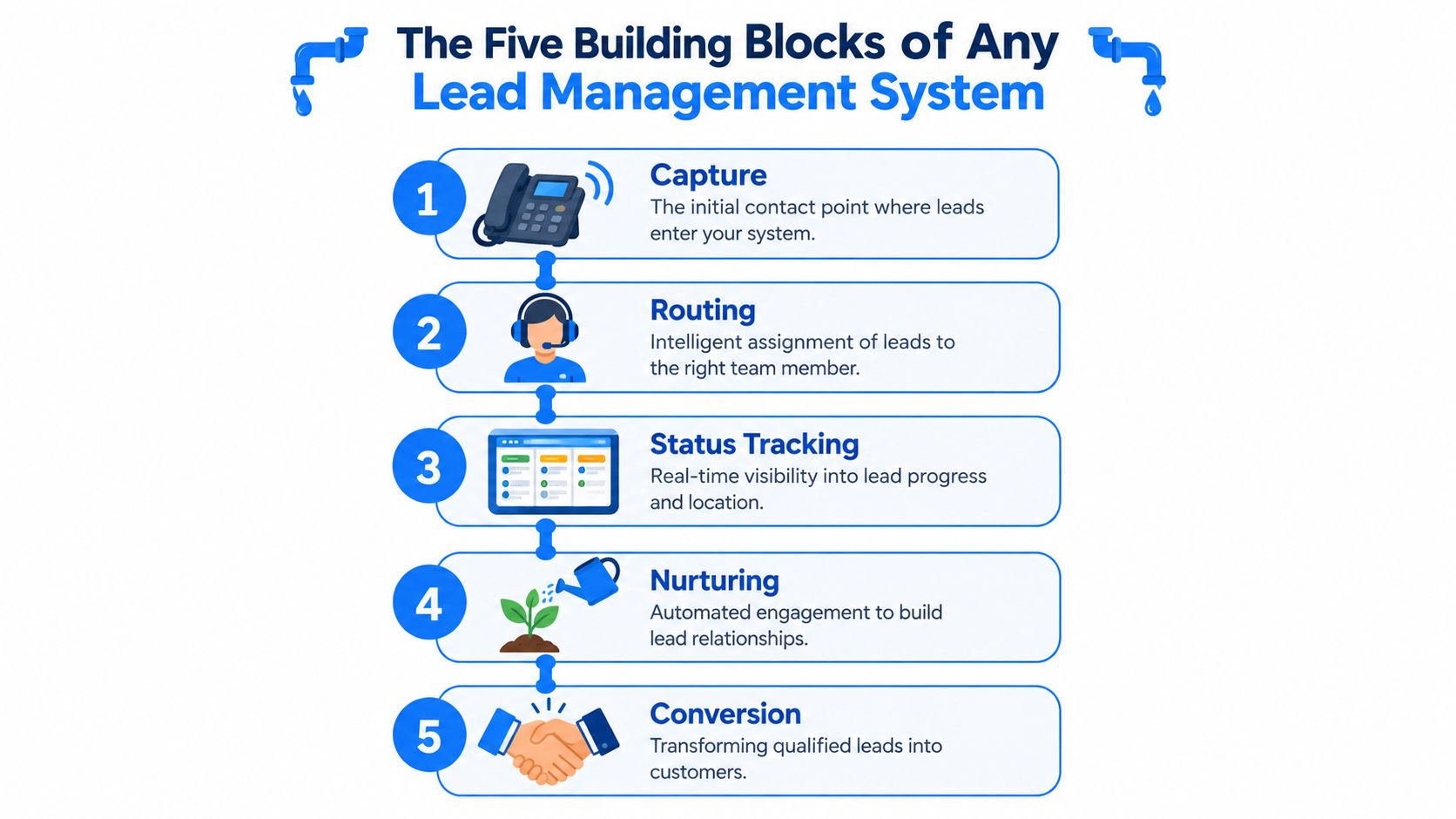
A small plumbing shop makes this easy to picture. The office phone rings, the dispatcher decides which tech should take the call, the board shows who's on what job, the tools and invoicing system stay connected, and a follow-up text checks whether the leak was fixed. Lead management software works the same way, only the “call” might come from a form, a paid ad, or a calendar booking.
Capture and routing
Capture is the front door. Web forms, chat widgets, call tracking, and SMS replies all feed the same system so nobody has to hunt through inboxes later. Once the lead is in, routing decides who gets it, often in seconds, not minutes. Industry summaries describe this as the point where automation stops manual handoffs and keeps lead freshness intact lead management CRM software.
Tracking and nurturing
Status tracking is the job board. It shows whether the lead is new, contacted, qualified, quoted, won, or lost. Nurturing is the next touch, which can be a reminder text, a follow-up email, or a task for the rep who still needs to call back. Many teams lose deals here because they treat the first response as the whole process.
Conversion
Conversion is not a magic moment. It's the end of a clean handoff, a timely response, and a clear next step. In a busy local shop, skipping any of these blocks turns a good lead into a dead one, usually without anyone noticing until the week is over.
How Lead Routing Decides Who Gets the Lead
Routing is where teams either gain speed or create chaos. A lead comes in, and the system has to decide who owns it immediately, because if that decision happens in a Slack thread or a manager's head, the lead is already aging. The best routing rules are simple enough for reps to trust and strict enough for ops to measure.
The main routing patterns
Round-robin works when a small inbound team wants even workload distribution. Geography makes sense for field service and regional sales, because the nearest rep can usually respond faster and sell more credibly. Value-based routing helps when lead quality varies, since a high-intent demo request or a larger deal deserves different handling than a low-fit inquiry.
Operational reality: routing should happen in seconds, and the assigned owner should get an instant alert by SMS, push, or CRM notification.
| Routing Rule | Best For | Watch Out For |
|---|---|---|
| Round-robin | Small inbound teams and shared queues | High-value leads can get treated the same as low-value ones |
| Geography | Field service, regional sales, territory-based coverage | Leads can sit if territories are too rigid |
| Value-based | B2B teams with BDRs, lead scoring, or tiered deals | Bad scoring rules send the wrong people the wrong leads |
| Hybrid | Mature teams with multiple sources and roles | Too many exceptions can make the logic hard to maintain |
The point isn't to build the fanciest logic. It's to make ownership obvious. If a rep can look at a lead and know why it landed with them, your routing rules are doing their job. If not, the system is probably hiding a manual process under a layer of automation.
Tracking Lead Status Without Losing the Plot
A lot of teams confuse a stage with a score. They're different tools. The stage field tells you where a lead sits in the pipeline, while the behavioral score tells you how interested that lead looks right now. Mixing those up is how a team ends up with one status called “New” that covers everyone from casual browsers to ready-to-buy prospects.
Status tells the story, score tells the priority
A local HVAC company is a good example. One homeowner may fill out a quote form and then disappear. Another may revisit the pricing page, open the estimate email, and reply twice. Both can sit in the same stage for a moment, but they don't deserve the same follow-up priority. That's why scoring and status should work together, not replace each other.
| Dimension | Stage Field | Behavioral Score |
|---|---|---|
| What it answers | Where is this lead in the pipeline | How interested is this lead right now |
| Who uses it | Sales and operations | Sales and marketing |
| How it changes | Manually or through defined workflow rules | Automatically through activity signals |
| Main purpose | Pipeline visibility | Prioritization |
Simple stages work best
A clear set of stages like New, Contacted, Qualified, Quoted, Won, and Lost is manageable for any team. The key is writing down the rule for moving between them. If every rep uses their own definition, the dashboard becomes decoration instead of an operating tool.
For conversion discipline, teams often pair stage tracking with measurement tools like conversion tracking software. That keeps status changes tied to real outcomes instead of gut feel.
A small point-based score is usually enough for a five-person sales team. Page revisits, form resubmits, and email clicks can raise priority, while inactivity can lower it. The point isn't perfection, it's making sure the hottest leads are the first ones a rep sees.
Integrations That Keep Leads from Falling Through the Cracks
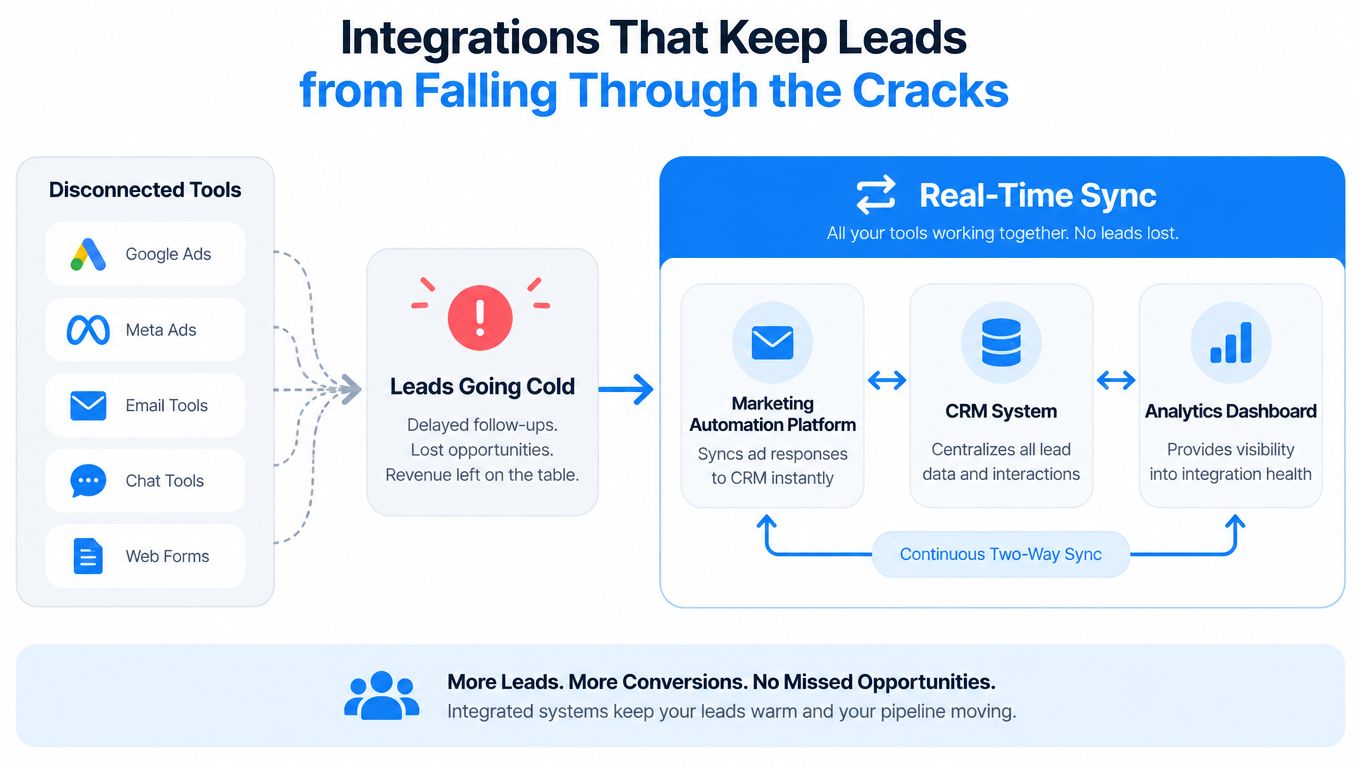
Disconnected tools are where lead flow gets damaged. A webinar signup sits in a spreadsheet. A form fill lives in an email inbox. A call recording never reaches the CRM. By the time someone pieces the data together, the lead has already gone stale, and the campaign looks worse than it really was.
What real-time sync actually means
Real-time sync means a new lead moves from the source tool into the system of record right away, with the important fields attached. That can be a webhook from a form builder, a two-way calendar sync, or an ad platform conversion event sent back to the source. It's less about “having an integration” and more about making sure the lead doesn't sit around waiting for someone to copy data by hand.
The integrations that matter most
A growth team usually needs four connections first. Forms should push straight into the CRM. Calendars should update both ways so booked meetings don't get double-scheduled. Ad platforms should receive conversion data so campaigns can learn from the right events. SMS or calling tools should let reps contact the lead from the same place they review the record.
A B2B webinar is a good stress test. If registrations sit in a spreadsheet for half a day, the hottest people lose momentum, and the follow-up feels late before it even starts. More plugins won't fix that. The actual test is whether the field mapping is clean, duplicates are blocked, and latency stays low enough that a lead still feels fresh when a rep sees it.
Speed-to-Lead and SLAs That Stop Leads Going Cold
A new lead can cool fast, even if the form looked promising. A local plumbing team, a B2B demo request, and a paid ad lead all face the same problem, the first human touch has to happen while intent is still warm.
Speed-to-lead is the rule that turns a fresh inquiry into a live conversation. For a broader look at timing benchmarks and follow-up windows, see our guide to speed-to-lead benchmarks. Teams use that guidance to set expectations, then translate it into an SLA so no one has to guess when “fast enough” means.
An SLA is a promise with a deadline. For an inbound demo request, the first response might be immediate or within a few minutes. For a contact form, the target might be the same business day, with a backup path after hours. For a paid ad submission, the first contact should be treated like an active buying signal, not a task that can wait until later.
The practical fix is timer-based alerts and clear handoffs. If the first owner does not respond, the system escalates to a manager or backup assignee. That stops the familiar pattern where everyone assumes someone else already replied. It also prevents the quiet failure where a team answers late and still calls that normal.
Inbound demo request
- First-Response Target
- Immediate to a few minutes
- Follow-Up Cadence
- Same-day call plus short text follow-up
- Escalation Trigger
- No owner response inside the SLA window
Contact form fill
- First-Response Target
- Within business hours as fast as possible
- Follow-Up Cadence
- Email or text the same day, then a scheduled reminder
- Escalation Trigger
- Lead still untouched after the window closes
Paid ad submission
- First-Response Target
- Minutes, not hours
- Follow-Up Cadence
- Short sequence over the next few days
- Escalation Trigger
- No first touch logged quickly enough
Referral lead
- First-Response Target
- Fast personal outreach
- Follow-Up Cadence
- Direct call, then a personal follow-up
- Escalation Trigger
- Lead not assigned right away
What SMS changes
SMS helps because it reaches people where they already check messages. A short text can confirm receipt, ask one qualifying question, or send a booking link before a rep gets on the phone. For local service teams, that first text can keep the lead engaged long enough for a human to take over.
It also fits the way teams work on busy days. If a sales rep is on another call or a field crew is driving between jobs, the SLA still needs a first touch. SMS gives the team a simple bridge, like putting a note on the front desk instead of waiting for someone to read the whole file.
Common Mistakes When Implementing Lead Management Software
The biggest mistake is buying for the demo instead of the workflow. Teams collect features, then wonder why adoption is weak and the leads still slip through. A cleaner setup with fewer rules usually beats a crowded system full of unused options.
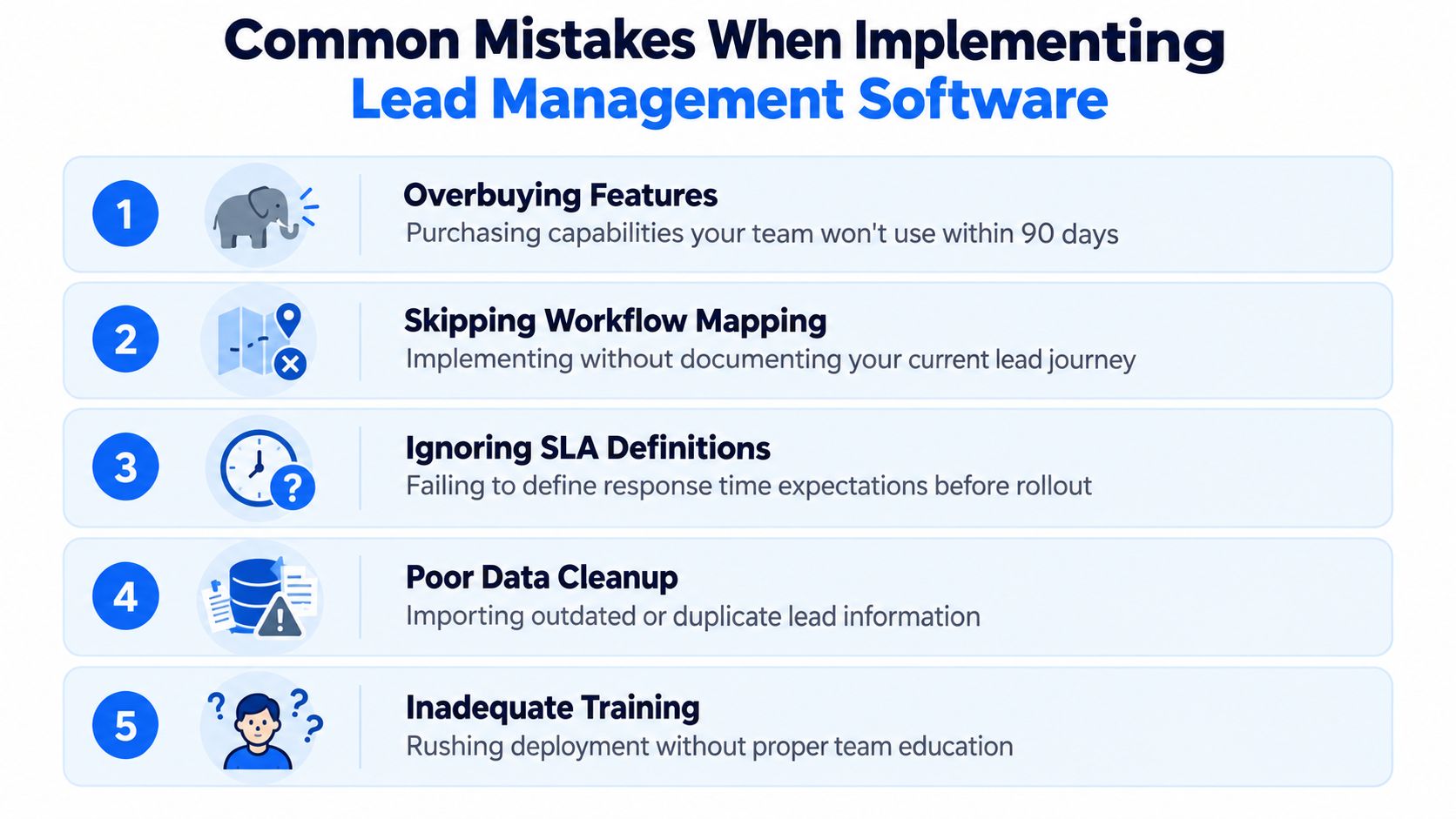
The five mistakes that show up most often
- Overbuying features: The team pays for capabilities nobody will use in the next 90 days, then treats the software like a shelf.
- Skipping workflow mapping: Nobody writes down how a lead should move from capture to close, so reps invent their own process.
- Ignoring SLA definitions: Response time expectations stay vague, which means no one knows when a lead is officially late.
- Poor data cleanup: Duplicate records, stale sources, and bad attribution make the dashboards hard to trust.
- Inadequate training: The rollout is rushed, and the team keeps old habits because the new system never got explained well.
If routing logic lives only in one manager's head, it isn't a system. It's a bottleneck.
A lot of local shops and B2B teams get caught here. A contractor buys enterprise-style workflows that don't match a small crew. A B2B team copies a competitor's funnel without checking whether the stages fit their sales cycle. And when nobody opens the tool after week one, you're looking at software that exists on paper, not in operations.
Choosing and Running Lead Management Software the Right Way
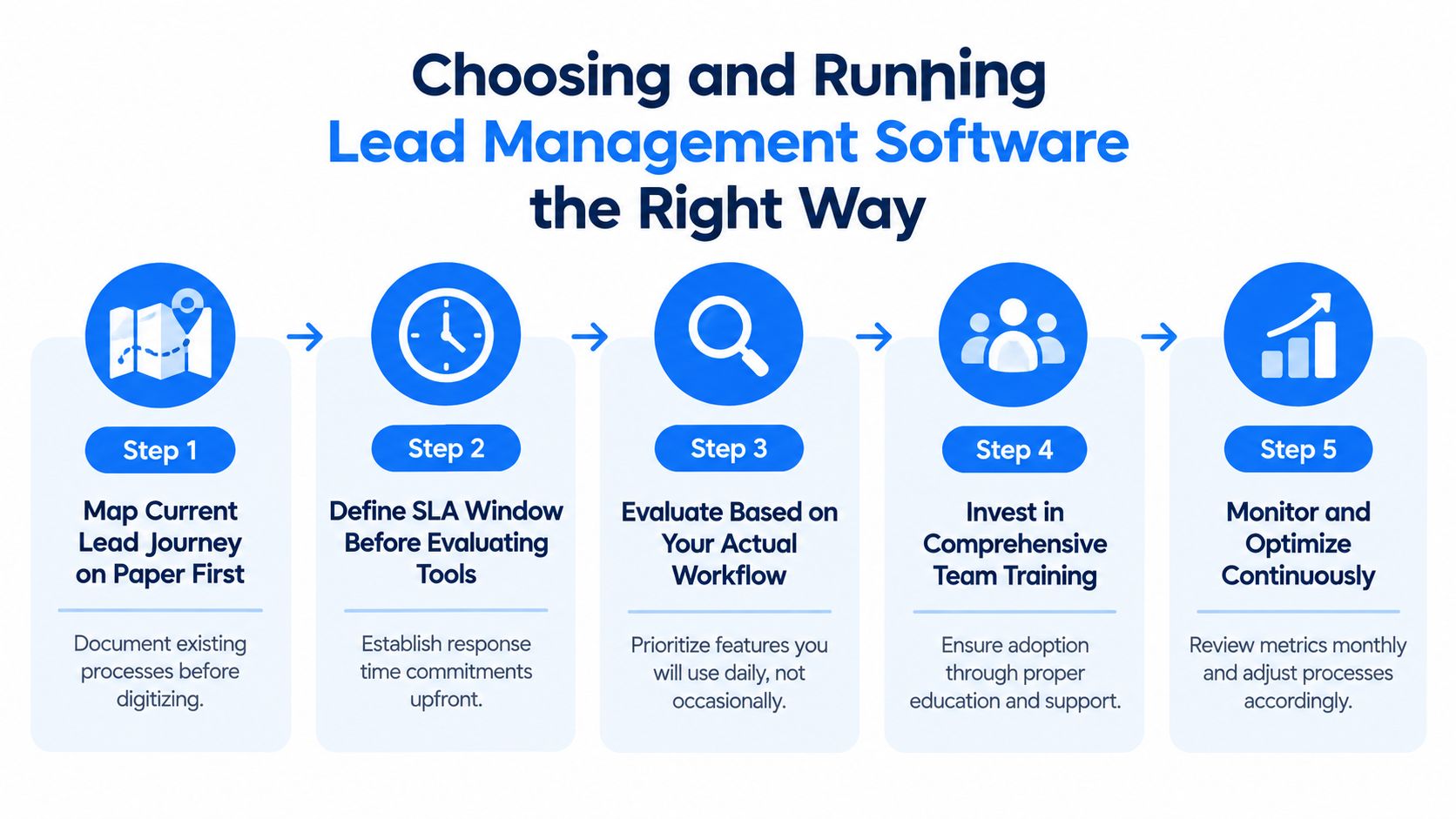
Start on paper. Map the lead journey, define the response window, then look at tools that fit the process instead of forcing the process to fit the tool. After that, test integrations before launch, because broken syncs cause more pain than missing features.
A simple operating checklist
- Map the current journey on paper first. Write down where leads enter, who sees them, and where they stall.
- Define the SLA window before evaluating tools. If you don't know your response target, you can't judge the software properly.
- Prioritize integrations over feature lists. If the tool can't talk to your forms, CRM, calendar, and texting system, it won't protect speed.
- Run a short pilot with real leads. Sandbox data hides the messy stuff, like duplicate records and slow alerts.
- Assign one owner for configuration drift. Someone has to check routing exceptions, stale statuses, and broken automations.
For teams that need local lead handling, local lead generation software can be part of that stack if it's wired into the same speed-to-lead rules. BenjiAds is one example of a system that combines ad setup, landing funnels, tracking, and SMS-based follow-up for local service businesses, so leads can move from ad click to text response without extra manual steps.
Weekly review is enough to catch most routing mistakes before they become lost revenue.
Run the system like an operations process, not a one-time setup. Check routing exceptions weekly, audit stale statuses monthly, and look at whether faster response is improving close behavior each quarter. The right tool is the one your team opens every day because it fits how you work, not the one with the longest feature page.
BenjiAds helps local service businesses connect paid ads, landing pages, tracking, and SMS follow-up in one workflow, which is useful when leads need a fast response instead of another inbox thread. If you want a setup built around speed-to-lead, routing, and follow-up discipline, visit benjiads and see how it fits your intake process.
- lead management software
- lead routing
- lead tracking
- sales SLAs
- CRM integrations
Done for you
Ads that text you customers.
- ✓ Ads created for you
- ✓ Every lead texts your phone
- ✓ Free to use, no credit card
748+ local businesses run ads with benjiads