google ads local 15 min read
Google Ads Local Setup and Optimization Guide
Master google ads local campaigns with this setup and optimization guide. Learn location targeting, conversion tracking, and automated lead follow-up
On this page
You're probably in one of two spots right now. Either your local campaigns are producing clicks, calls, and form fills that don't reliably turn into booked work, or you've held back on spending more because you don't trust what happens after the lead comes in.
That's the core problem with Google Ads local. Most advice stops at campaign setup. It talks about keywords, budgets, and extensions, then leaves out the part that determines profit: tracking, response speed, and post-lead handling.
For local service businesses, Google Ads remains one of the strongest channels for immediate demand capture because Google's ad products are built around store visits, store sales, local leads such as calls and directions, and website traffic. Independent benchmark reporting for local-business campaigns also reported a median lead or call cost of $18, a 4.8% click-through rate, a 5.6% conversion rate, and 6.5x ROAS in 2026 local campaigns, which is why the channel still matters so much for plumbers, HVAC companies, cleaners, dentists, and similar operators in high-intent local search (local Google Ads benchmark reporting).
The Reality of Local Search Intent and Ad Placements
A local campaign can post a healthy click-through rate and still feed the sales team bad opportunities all week. I see it in accounts where search terms look relevant on the surface, but the calls come from outside the service area, from shoppers collecting three quotes, or from people who want a service the company does not even offer. Good dashboard metrics do not protect margin.
Local search traffic usually shows stronger intent than paid social because the user is trying to solve a problem now, not later. A homeowner scrolling Instagram may ignore an HVAC ad until the weekend. A homeowner searching “AC repair near me” at 6:30 p.m. is much closer to calling, and much more likely to judge you on speed, trust signals, and whether someone answers.
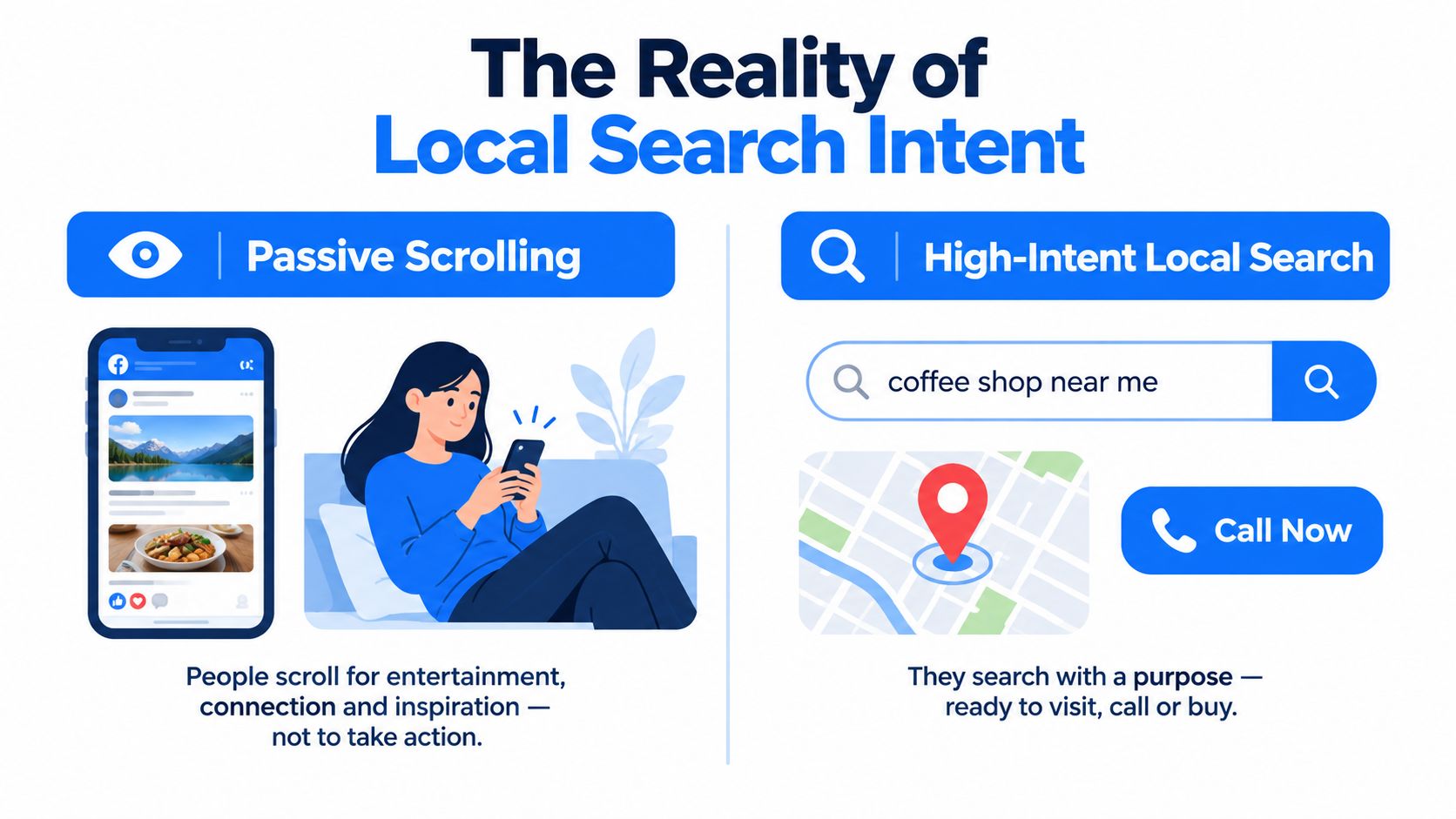
High intent changes the way you judge traffic
With Google Ads local, the useful question is not whether a click happened. It is whether the click came from the right geography, with the right service need, at a moment when the business could respond fast enough to turn that inquiry into a booked job.
That last part gets missed all the time.
Google can place ads in standard search results, map-driven experiences, and other local discovery surfaces where people compare providers quickly. For service businesses, that means media performance is tied to operations much earlier than many owners expect. A missed call at the wrong hour can erase the value of a high-intent click. Slow follow-up can do the same. Profit comes from matching ad placement quality with response capacity.
Local search buyers usually do not need education first. They need a clear offer, proof that you serve their area, and an easy path to call or book.
Analysts at PPC Land reported a sharp increase in local pack ad visibility, citing tracked growth from under 3% of keywords in early November 2025 to about 22% by January 2026, along with a separate data set showing movement from less than 1% to roughly 22% later that year (local pack ad growth analysis).
Why the local pack shift matters
Paid local placements now show up much closer to the decision point. That affects how accounts should be judged.
- Organic strength has less room to carry acquisition alone: Reviews, proximity, and profile quality still matter, but paid placements can take attention before an organic listing gets considered.
- Click quality varies by placement: A local pack visitor is often comparing nearby options immediately, which can produce different call behavior than a broader search click.
- Attribution breaks faster in local accounts: Calls, repeat direct visits, map interactions, and offline bookings often spread credit across several touchpoints, which is why booked-job tracking matters more than lead volume alone.
HVAC advertisers often notice this first when branded search holds steady but non-branded local discovery gets more expensive and less predictable. If that pattern looks familiar, this guide to HVAC marketing channels and local acquisition gives useful context for how paid search fits into the mix.
The operational takeaway is simple. Local intent is valuable, but it is uneven. Some placements produce ready-to-book demand. Some produce noise. The businesses that win do not just buy visibility. They sort high-intent leads from low-fit inquiries and respond fast enough to capture the demand they paid for.
Structuring Campaigns for Service Area Businesses
Most service-area accounts get messy before they get expensive. The problem usually starts with lazy geography, broad service bundling, and no separation between “calls now” traffic and “research mode” traffic.
A better Google Ads local structure starts with the territory, not the keywords. If the business serves multiple towns, two counties, or a dense metro plus outer suburbs, build around how crews travel, how response times change by area, and where job value differs. The account should reflect operations, not just maps.
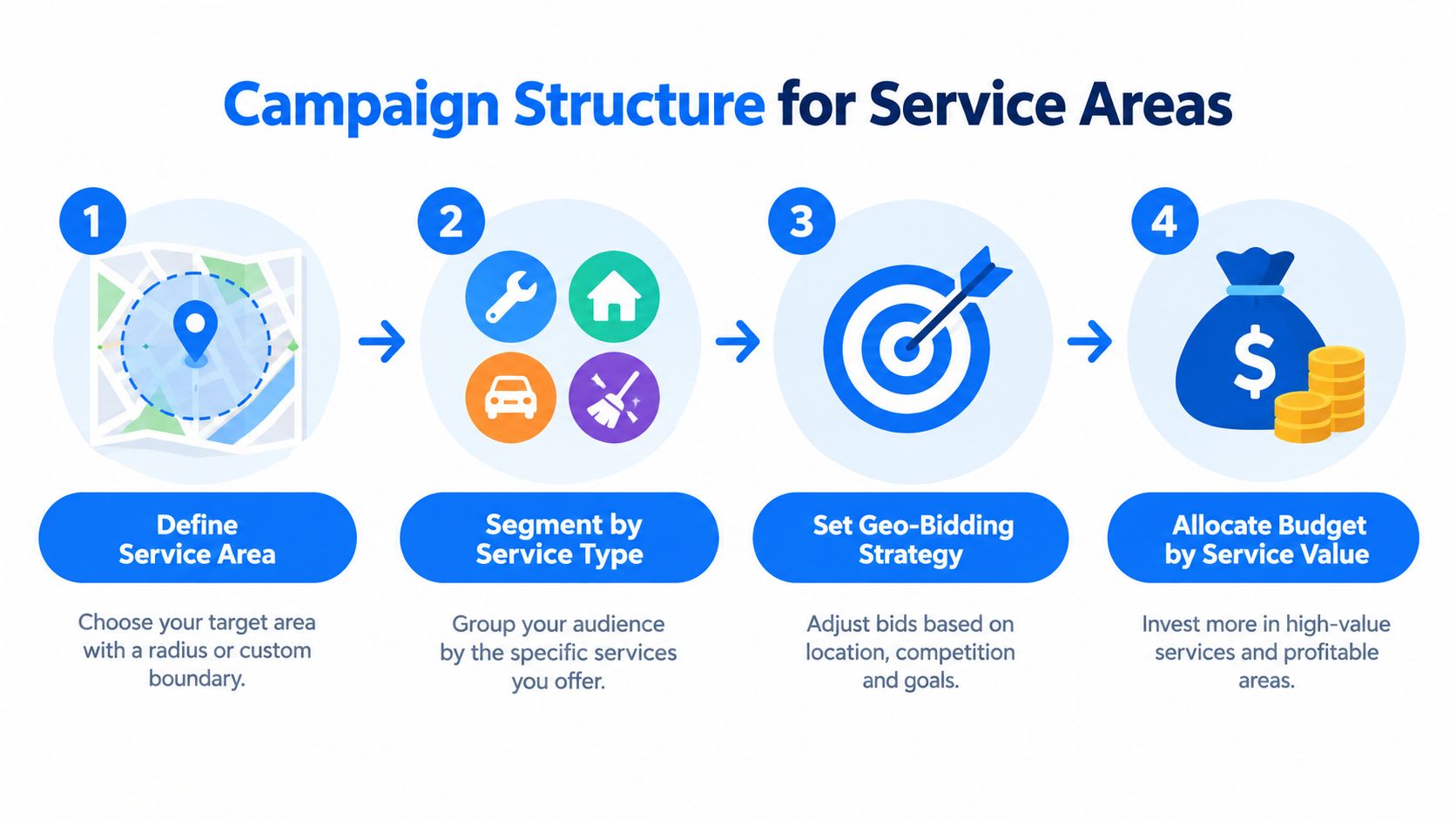
Pick service areas the way dispatch would
Radius targeting is simple, but simple isn't always accurate. Zip code targeting can be cleaner when serviceability follows municipal lines, labor availability, or pricing differences. Neither option is automatically better.
Use this lens:
| Scenario | Better starting structure | Why |
|---|---|---|
| Tight urban footprint | Radius targeting | Useful when travel time is fairly consistent in all directions |
| Patchy suburban coverage | Zip or location grouping | Better when certain neighborhoods are profitable and others aren't |
| Multi-crew regional operation | Segmented territory campaigns | Helps control budgets and bid pressure by market |
Avoid stacking overlapping campaigns unless there's a real operational reason. If two campaigns can both serve the same searcher, you can end up competing against yourself, muddying the learning phase and making budget control harder.
Separate by service intent, not just by keyword list
A common mistake is putting drain cleaning, water heater installs, emergency calls, and maintenance under one search campaign because they all belong to the same trade. That structure usually hides the economics.
Break campaigns by service line when these factors differ:
- Urgency level: Emergency terms behave differently from estimate-driven or research-heavy terms.
- Lead handling path: Calls, quote forms, and appointment requests should not all be judged the same way.
- Job value: Higher-ticket categories deserve cleaner budget protection.
For plumbers, this gets much easier if you map structure to the actual economics of the trade. This guide on advertising for plumbers is a good example of how service type changes acquisition strategy.
Practical rule: If a dispatcher would route the lead differently, the campaign probably deserves its own structure.
Where Local Services Ads fit
Local Services Ads changed local marketing because they're built around verified, lead-focused acquisition rather than classic keyword traffic alone. Industry summaries report that the format now covers more than 70 business types and reached about 180,000 verified U.S. advertisers by the end of 2024, up from roughly 110,000 in 2022 (industry summary on Local Services Ads adoption).
That expansion matters because many local businesses now need both systems working together:
- Local Services Ads for verified lead capture in categories where calls and appointments matter most.
- Search campaigns for tighter keyword control, landing-page testing, and deeper service segmentation.
- Performance Max or other local formats only after core tracking and lead handling are stable.
Google also explicitly positions local ads around generating local leads such as calls and directions, which lines up with how service businesses monetize demand. In practice, the best structure isn't “Search versus LSA.” It's deciding which format handles which type of intent best.
Implementing Defensible Conversion Tracking
Most local accounts aren't underperforming because bidding is bad. They're underperforming because the system is learning from incomplete or wrong signals.
If you can't tell the difference between a junk form, a missed call, a real estimate request, and a booked job, the platform can't either. That's why conversion tracking for Google Ads local needs to be defensible before it needs to be complex.
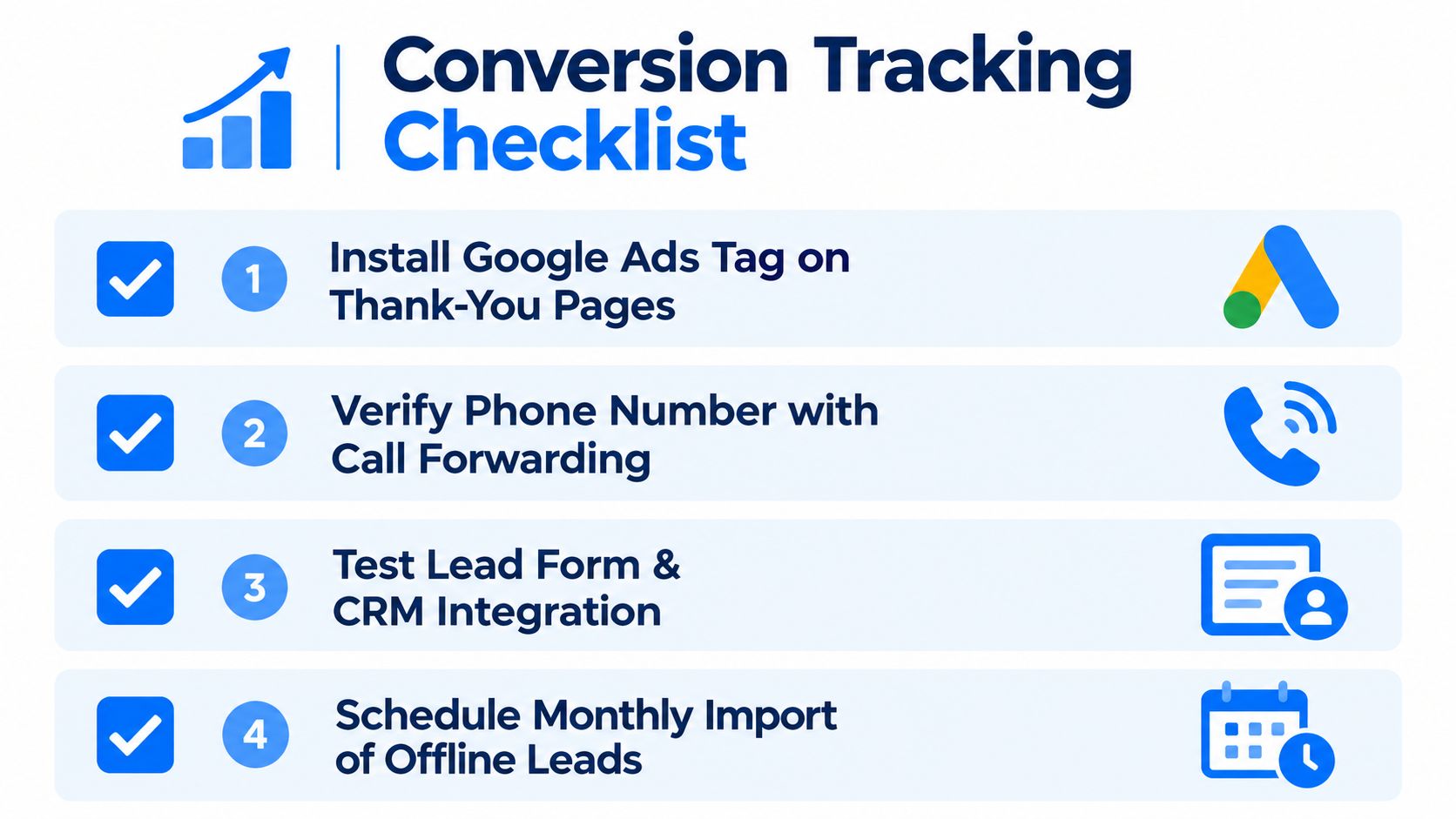
Start with tag health, not dashboard reporting
The basic workflow is straightforward. Install a Google tag or equivalent code snippet, confirm the right conversion actions fire, and then compare what Google Ads counts versus what GA4 records.
A practical rule from Google Ads guidance is that Google Ads and GA4 should be within about 15% to 20% when tracking is healthy, while a 40% or greater gap often signals broken tracking, missing tags, or stripped UTMs (Google Ads conversion tracking guidance).
That comparison matters because many local businesses trust whichever number is higher. That's the wrong instinct. The goal is not to find the prettier report. The goal is to find the more trustworthy signal for optimization.
What to check when counts don't line up
When local accounts drift, the cause is usually operational, not mysterious. Check these first:
- Missing page or event coverage: Thank-you pages, call events, and lead form submissions often aren't all tracked consistently.
- Call measurement gaps: Website calls, ad calls, and tracked forwarded calls can land in different systems and confuse reporting.
- CRM disconnects: Leads may exist in the sales system but never flow back into Google Ads.
- UTM stripping or redirects: If tracking parameters break during the landing or form process, analytics numbers start lying.
A useful resource if you're dealing with the handoff from ad click to actual lead quality is this article on home service leads and what makes them usable.
Optimize for lead cost before ROAS
For lead generation, CPA or CPL should be the primary optimization target until offline conversions are imported correctly, as outlined in the same Google Ads guidance. That's because ROAS only becomes dependable once revenue outcomes are tied back to the original click.
If the account optimizes to shallow conversions, it will buy more shallow conversions.
That's where tools and workflow matter. A stack might include Google Ads, GA4, call tracking, a CRM, and offline conversion imports. Some local operators also use all-in-one systems that combine campaign management, server-side and client-side tracking, and lead follow-up. Benjiads is one example of that kind of setup for local service businesses, alongside more modular stacks built from separate ad, CRM, and automation tools.
What defensible tracking actually looks like
A good local tracking setup should answer four questions without guesswork:
- Did the lead happen?
- What campaign and area produced it?
- Did someone make contact?
- Did it become a booked job?
If you can't answer all four, your account is still optimizing on partial truth.
Automating Lead Follow-Up to Capture Demand
Local campaigns win or lose money. Not in the keyword planner. Not in the asset score. In the first few minutes after the lead arrives.
Plenty of businesses buy high-intent traffic and then handle follow-up like the person can wait until lunch or tomorrow morning. Local buyers usually won't. They contact the next provider.
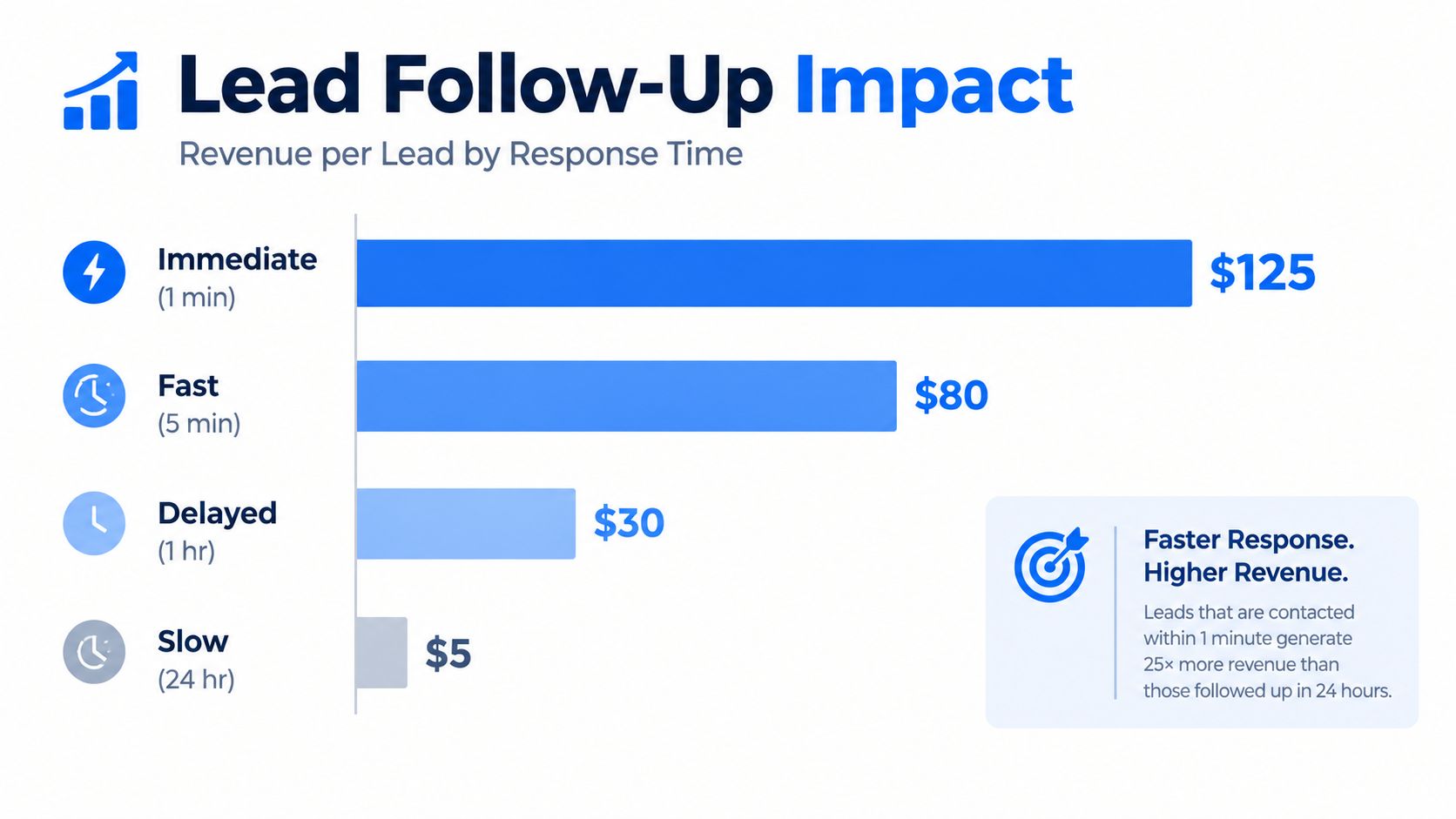
Speed changes the economics of the same lead
In a 28,400-lead panel, responders who replied in under 5 minutes converted at 11.4%, compared with 4.1% for 1 to 4 hour responders and 0.6% for leads contacted after 24 hours. The same source described that as a roughly 18.3x spread in closed-won conversion by speed-to-contact bucket. For Google Local Services-style workflows, booked-job rates were reported at around 31% for answered calls, with response within 1 hour booking about 31% of leads, 1 to 4 hours about 27%, and 24+ hours only 15% (lead response time benchmark analysis).
Those numbers explain why some campaigns look mediocre in-platform but produce great revenue when the operator responds fast, while another business with cleaner ads still struggles because nobody picks up or replies quickly.
Manual follow-up breaks under normal conditions
Manual lead handling sounds fine until the phones get busy, a technician calls in, or the office manager steps away. Then the process slips.
The weak points usually look like this:
- Calls go unanswered: The prospect leaves a voicemail and keeps shopping.
- Forms sit in an inbox: By the time someone replies, the buyer has already booked elsewhere.
- No text acknowledgment goes out: The business misses the easiest way to confirm receipt and keep the conversation warm.
- Lead routing depends on one person: If that person is unavailable, response speed collapses.
Fast follow-up isn't a nice operational upgrade. It's part of media performance.
What a better follow-up workflow does
A strong local follow-up system should trigger immediately after the lead event. That can include an automated SMS, a missed-call text-back, instant lead routing, and internal alerts to the right person.
The point isn't to automate the whole sale. The point is to protect the handoff while the buyer still has intent. In home services especially, the first useful response often beats the most polished brand message.
A practical workflow usually includes:
- Immediate confirmation: A text or callback tells the lead you received the inquiry.
- Basic qualification: Job type, urgency, and service area get clarified quickly.
- Routing: The lead goes to dispatch, front desk, or the correct estimator.
- Fallback sequence: If no one connects live, the system keeps the conversation moving.
Businesses that treat Google Ads local as a booking system, not just a traffic source, usually outperform the ones that only optimize ads.
Managing Post-Lead Operations and Booking Status
Most local advertisers have a reporting blind spot after the lead hits the inbox. They know cost per lead. They may know answer rate. Then the trail goes cold.
That gap matters because Google's local lead ecosystem is increasingly built around downstream workflow, not just front-end delivery. Google's Local Services documentation shows that advertisers can mark leads as booked, add tracking details such as job type and customer name, and use filters to find records later. Its API also exposes lead conversation data and lead feedback fields, which points to a system designed for operational management after the lead arrives (Google Local Services lead management documentation).
Treat lead status as part of campaign management
If the team never updates booking status, every lead looks the same in hindsight. That wrecks optimization because the account can't distinguish a good lead source from an expensive source of unqualified noise.
A cleaner post-lead workflow usually includes:
- New lead review: Confirm whether the inquiry is real, in-area, and relevant.
- Status updates: Move leads through stages such as contacted, quoted, booked, or closed out.
- Job detail tagging: Add service category, revenue band, or urgency notes so later analysis has context.
- Export discipline: Keep records available outside the platform so historical comparisons don't disappear during interface changes.
Why this matters more now
Local Services Ads are being folded more into Google Ads, and reporting and lead management are moving around during 2026 according to the source above. That creates a practical problem for advertisers who rely on one interface and never maintain their own record of lead state.
If you don't preserve history, transitions create amnesia. Teams lose visibility into what happened, which campaign types produced booked work, and how close rates varied by service line.
The businesses that grow from local ads aren't just buying leads. They're maintaining a usable ledger of what happened after every lead.
A local ad account gets better when booked jobs, job type, and lead quality feed back into decision-making. Without that layer, optimization stays shallow.
Building a 90-Day Optimization Baseline
Most local accounts get changed too early. Budgets shift, keywords get paused, match types get overcorrected, and the business never builds a stable read on what's working.
The fix is a disciplined 90-day baseline. Google Ads guidance supports building that baseline by segmenting results by campaign type, match type, device, and audience before judging performance, rather than comparing a local lead-gen account to random cross-industry averages, as noted earlier in the Google Ads conversion tracking guidance.
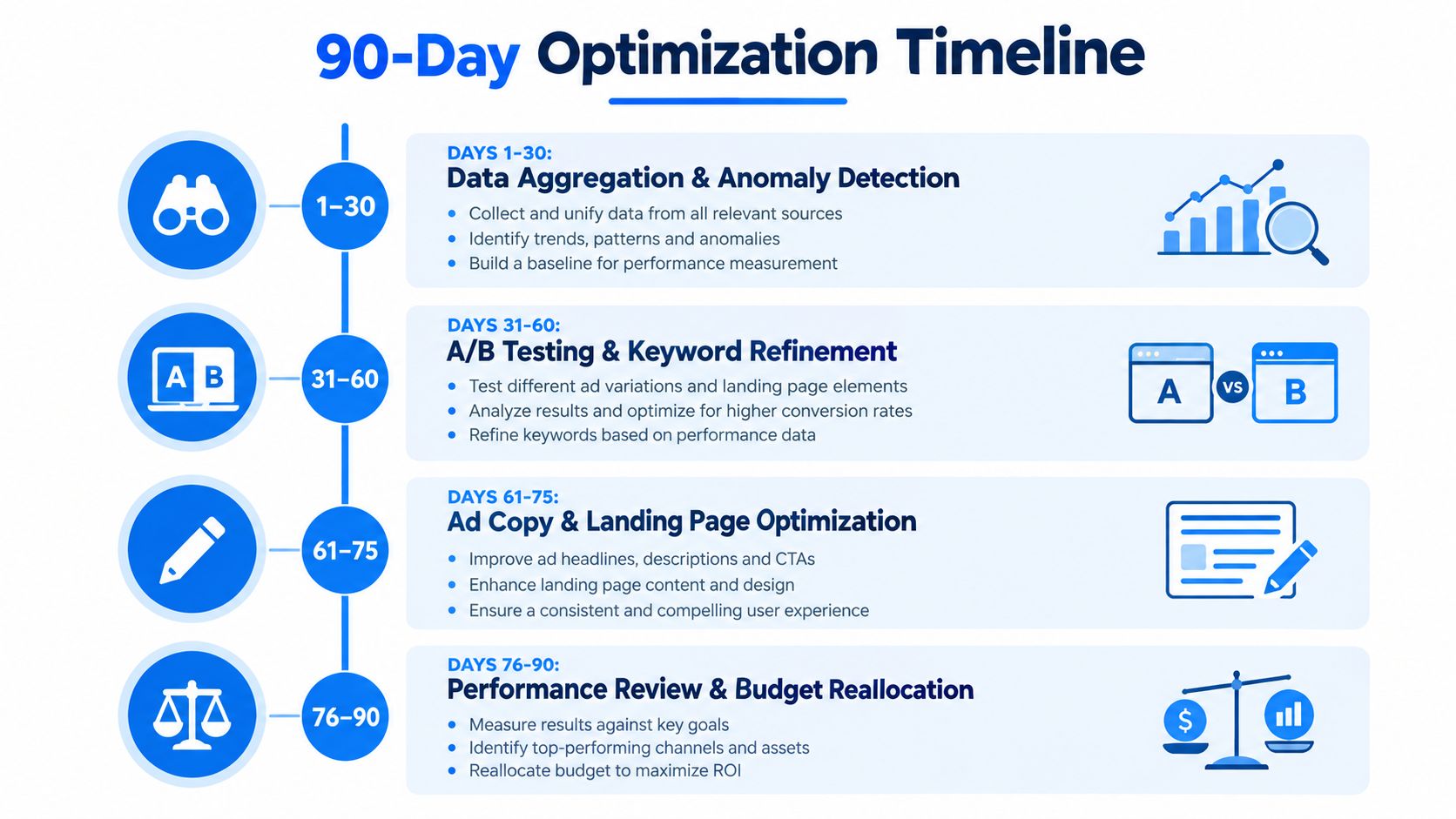
What to measure over the first 90 days
The point of the baseline isn't inactivity. It's controlled learning.
Use a structure like this:
| Phase | Main objective | What you're watching |
|---|---|---|
| First window | Validate data quality | Conversion health, area coverage, call handling integrity |
| Middle window | Compare traffic segments | Campaign type, device behavior, search intent buckets |
| Final window | Reallocate with evidence | Lead quality, booked-job rate, cost by service category |
This section is where many local businesses finally connect the dots. Good campaigns need four things working together: correct structure, trustworthy tracking, fast response, and disciplined post-lead management. If one is weak, the others can't carry the whole system.
Use benchmarks carefully
Benchmarks help, but only after the account is clean enough to compare. The local-business benchmark data cited earlier reported a median Google Ads lead or call cost of $18, 4.8% CTR, 5.6% conversion rate, and 6.5x ROAS for local campaigns in 2026 local reporting. Those numbers are useful as directional context, not as a promise any one advertiser should expect on demand.
Watch this walkthrough if you want an additional visual perspective on improving local campaign performance over time.
The takeaway that matters
Google Ads local works best when you stop treating lead generation as the finish line. The click is the start. The booked job is the outcome that matters.
When the account is segmented properly, tracking is defensible, response is immediate, and lead status is maintained, optimization gets sharper. That's when local ad spend stops behaving like a gamble and starts behaving like an acquisition system.
Benjiads helps local service businesses run Google and Meta campaigns, track what happens after the click, and automate text follow-up so leads are more likely to turn into booked work. If you want a simpler way to connect campaign launch, attribution, and fast lead response in one workflow, visit benjiads.
- google ads local
- local PPC
- lead tracking
- local services ads
- ad automation
Done for you
Ads that text you customers.
- ✓ Ads created for you
- ✓ Every lead texts your phone
- ✓ Free to use, no credit card
748+ local businesses run ads with benjiads