Source: https://benjiads.com/blog/local-marketing-software
Publisher: benjiads, https://benjiads.com
Published: 2026-09-27
Updated: 2026-09-27
Cite as: benjiads, "Local Marketing Software: A Practical Buyer's Guide", benjiads.com/blog/local-marketing-software
Reuse: you may quote this article with attribution and a link to the source.
# Local Marketing Software: A Practical Buyer's Guide
Find the best local marketing software for ads, listings, reputation, and lead follow-up. Compare features, pricing models, and automation trade-offs.
Maria starts her day in a kitchen that doubles as dispatch, billing, and marketing. A missed call sits on her phone, a Meta ad dashboard is open on a laptop, yesterday's job needs a review request, and her Google Business Profile still has last month's photo because she forgot to swap it out. Nothing is broken, but every small task steals attention from the one thing that pays: answering and booking jobs.
That's why **local marketing software** exists. It's not mainly about looking modern or having one more login, it's about stopping revenue from leaking out of the cracks between calls, ads, listings, reviews, and follow-up.
## Table of Contents
- [The Day a Local Owner Realizes They Need Marketing Software](#the-day-a-local-owner-realizes-they-need-marketing-software)
- [What Local Marketing Software Actually Does](#what-local-marketing-software-actually-does)
- [The five jobs the software has to handle](#the-five-jobs-the-software-has-to-handle)
- [Where most platforms stop short](#where-most-platforms-stop-short)
- [The Five Categories Every Buyer Should Know](#the-five-categories-every-buyer-should-know)
- [What each category is really for](#what-each-category-is-really-for)
- [Automate the Stack or Keep Control](#automate-the-stack-or-keep-control)
- [Use a triage ladder, not a wish list](#use-a-triage-ladder-not-a-wish-list)
- [Speed to Lead and Attribution Layers](#speed-to-lead-and-attribution-layers)
- [Pricing Models Compared Side by Side](#pricing-models-compared-side-by-side)
- [The three pricing structures that matter](#the-three-pricing-structures-that-matter)
- [Why All in One Suites Often Miss the Mark](#why-all-in-one-suites-often-miss-the-mark)
- [What to value instead](#what-to-value-instead)
- [A Short Decision Checklist for 2026](#a-short-decision-checklist-for-2026)
## The Day a Local Owner Realizes They Need Marketing Software
By 7 a.m., Maria has already checked three different places for leads. One inbox has a Facebook message, her phone has missed overnight calls, and her text messages hold two people who asked for quotes but never got a reply before bed. Each task is simple on its own, yet together they create the kind of friction that makes a busy owner fall behind without ever feeling like anything dramatic happened.
By noon, she's juggling the same problem in a different form. A customer left a nice review, so she sends a quick thank-you, then remembers her ad budget needs a tweak because one neighborhood is producing more calls than another. She closes one tab, opens another, and spends more time coordinating than deciding.

By evening, the issue is obvious. Maria doesn't need more effort, she needs fewer disconnected steps. When every lead source, review prompt, and ad adjustment depends on her memory, growth gets capped by her calendar instead of her market.
> **Practical rule:** the moment marketing tasks start competing with service delivery, software stops being a nice-to-have and becomes an operations decision.
The core question is not whether she should buy software. It is which parts of the marketing stack should remain under her direct control, and which should be handed to a system that can move faster than a human owner can.
## What Local Marketing Software Actually Does
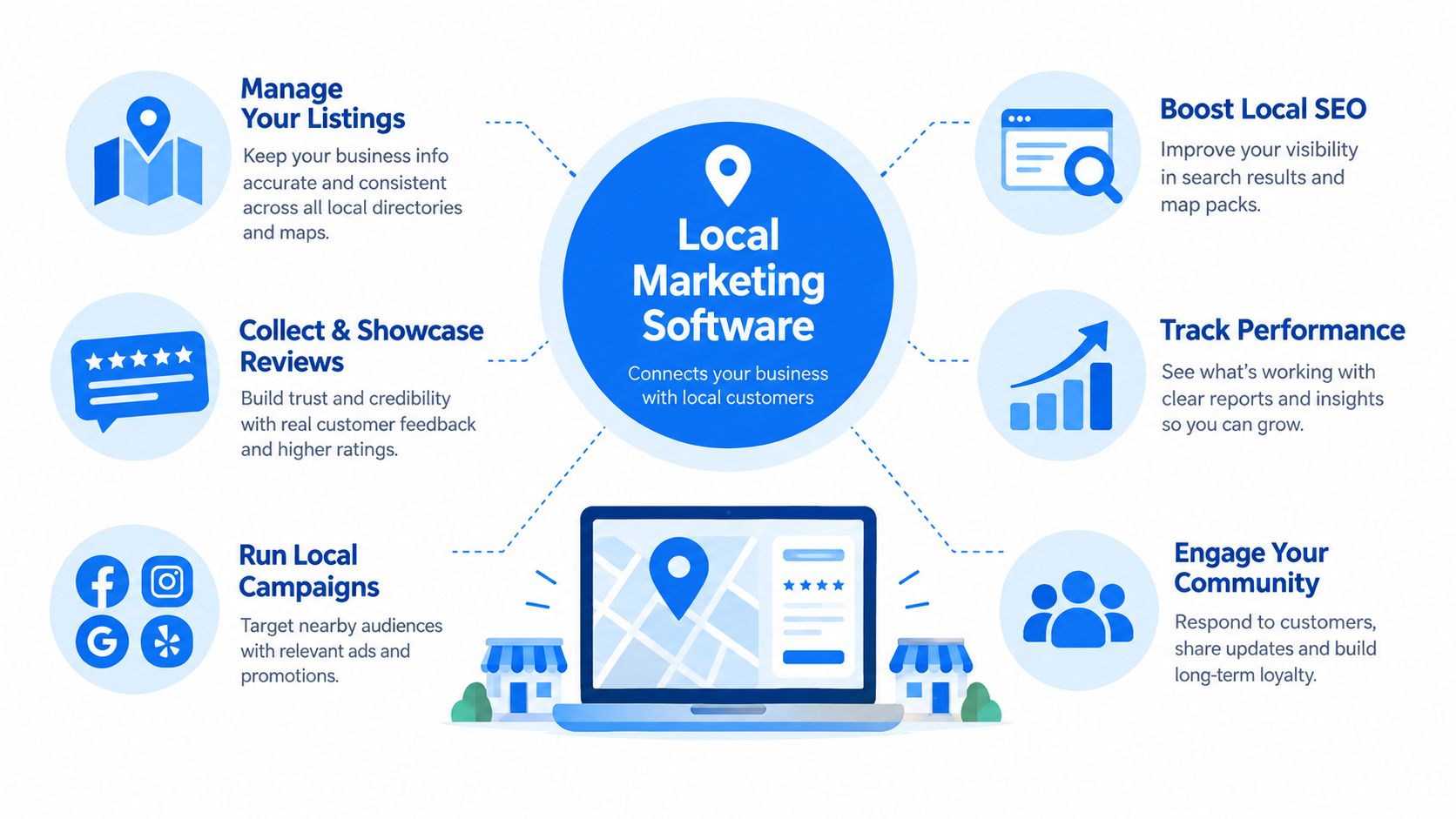
Local marketing software earns its keep when it removes repetitive work that has to happen every day, not once a quarter. The best platforms don't just “help with marketing,” they take over specific jobs that local businesses can't afford to do slowly or inconsistently.
### The five jobs the software has to handle
First, there's **paid local ad management**. That means geo-targeted campaigns across Google, Meta, and similar local ad channels, with rules for who sees the ad, where they see it, and what happens after they click.
Second, **listings and local SEO**. This is the boring but necessary work of keeping name, address, phone, business hours, and service details consistent across profiles, directories, and the Google Business Profile. If the data is wrong, the business looks sloppy and search visibility suffers.
Third, **reputation management**. Good software asks for reviews after completed jobs, routes negative feedback before it becomes public damage, and makes response workflows simple enough that staff use them.
### Where most platforms stop short
Fourth, **lead capture and follow-up**. Forms, calls, chats, SMS, and email drips should all land in one place so a lead doesn't disappear just because it chose a different contact path.
Fifth, **analytics that tie revenue back to source**. A useful platform shows which campaign, location, or channel produced a real job, not just a click.
That's the actual definition of the category. Most vendors cover three of those five jobs well and treat the other two like an afterthought. Buyers who understand that split make better decisions because they stop shopping for feature lists and start asking which tasks need genuine reliability.
## The Five Categories Every Buyer Should Know
The market looks crowded because vendors keep blending categories together, but the buying decision gets clearer when you separate the product types. Each category solves a different operational problem, and each one fails in a different way.
| Category | Core Promise | Typical Buyer | Price Range | Biggest Overlap |
|---|---|---|---|---|
| Local SEO and listings platforms | Keep business data consistent and visible across search and directories | Multi-location brands, agencies, service businesses with location issues | Usually lower to mid-range | Reputation tools and CRM platforms now add listing features |
| Reputation and review management tools | Collect, monitor, and respond to reviews quickly | Owners who live or die by reviews and referral trust | Mid-range | CRM tools often add review requests and texting |
| Paid local ad managers | Launch and optimize geo-targeted campaigns with less manual work | Businesses spending enough to care about ad efficiency | Mid to higher range | CRM and attribution tools now touch campaign reporting |
| Lead engagement and CRM systems | Route leads, assign follow-up, and keep conversations moving | Teams with multiple staff, dispatch, or sales handoff | Mid to higher range | Review and ad tools increasingly plug into the inbox |
| All-in-one local marketing suites | Bundle listings, reviews, messaging, and reporting under one login | Owners who want simplicity more than best-in-class depth | Wide spread | They often overlap with everything, while excelling at less |
### What each category is really for
Local SEO and listings tools are for control. They reduce cleanup work and keep profile data from drifting. Reputation tools are for trust. They help owners ask for feedback at the right moment and keep complaints from sitting unanswered.
Paid ad managers are for spend discipline. They're built to move budget, test creative, and stop waste faster than a busy owner can. Lead engagement and CRM systems are for speed, which matters because the first responder usually wins the conversation.
All-in-one suites promise convenience, but they create a new problem if the owner can't tell which module is doing real work and which one is just bundled in. If you want a broader look at how acquisition tools fit together, this [guide to local lead generation software](https://benjiads.com/blog/local-lead-generation-software) is the right companion read.
> **Bottom line:** category boundaries are blurring fastest at the lead-conversion edge, not in listings or reviews. That's where the buyer should be most skeptical and most specific.
## Automate the Stack or Keep Control
Most local owners are not asking for a self-driving marketing machine. They want the repetitive stuff handled, but they want to keep the calls that affect cash, service quality, and brand voice.
Independent SMB research shows **50% of SMBs prefer an all-in-one marketing platform**, while **38% still prefer specialized tools** [state of small business marketing](https://localimpact.com/research/state-of-small-business-marketing). That split points to a key issue, buyers want less chaos without giving away judgment. They're not choosing between modern and outdated, they're choosing between convenience and control.
### Use a triage ladder, not a wish list
Start with the tasks that are safe to automate. **Listings sync** belongs here because the upside is consistency and the downside of a mistake is usually limited. **Review requests** also belong here, because the business can set the trigger around completed jobs and let the system do the repeat work.
Hold back tasks that can waste money quickly. **Ad budget allocation**, creative testing, and lead qualification need human oversight or a strong agency partner. If those decisions go wrong, the business doesn't just lose efficiency, it burns spend or chases the wrong customers.
The practical order is simple:
1. **Reputation and listings** first.
2. **Lead routing and text follow-up** next.
3. **Reporting and attribution** after that.
4. **Paid media optimization** last, unless the team has real expertise.
[Ad management software considerations for local operators](https://benjiads.com/blog/ad-management-software) matter here because ad tools should reduce manual work without hiding the settings that move profit. A system that automates too much too early can make a business feel busy while it's still leaking opportunity.
> **Rule of thumb:** automate anything repetitive and reversible. Keep human control on anything that changes budget, brand, or lead quality.
## Speed to Lead and Attribution Layers
Speed to lead is where local marketing software proves whether it actually helps the business or just reports on missed chances. The verified data is blunt, contacting a lead within **5 minutes** can make a business about **9x** more likely to convert than waiting **30 minutes**, and some summaries report as much as a **391% lift** when contact happens within **1 minute** versus **30 minutes** [speed to lead five minute rule](https://leadsearchpros.com/blog/speed-to-lead-five-minute-rule). For local service work, that is not a nice-to-have, it is the difference between catching demand and losing it.
A form fill should trigger an immediate text, not sit in an inbox until someone checks email. A missed call should trigger a missed-call text-back. Web chat should land in the same place as Facebook leads and Google Business Profile inquiries, so the owner sees one queue instead of three scattered ones.
That is the job of the software. It cuts the time between intent and human contact. A lead that asked for help this morning is worth far more than one that waits until lunch.
Attribution has to travel with the lead too. Local businesses need to know which source produced the booked appointment, not just the click. Industry guidance for multi-location and local ROI measurement recommends combining call tracking with unique numbers, GA4 key events, and location-specific reporting so phone calls, directions, forms, and purchases can be tied to a specific campaign or channel [attribution software for multi-location businesses](https://www.cometly.com/post/attribution-software-for-multi-location-businesses).
Speed and attribution work at different levels out of the box. Basic lead-response tools usually handle instant text-back, missed-call follow-up, and single-inbox routing. Stronger attribution setups add call tracking, source-level reporting, and location views. If a platform only does one of those well, the owner still ends up guessing.
Lead speed without attribution is guesswork. Attribution without speed is wasted opportunity. For a deeper breakdown of response windows, see our [speed to lead guide](https://benjiads.com/blog/speed-to-lead).
## Pricing Models Compared Side by Side
The sticker price on local marketing software rarely tells the full story. You need to know what the vendor charges, what the setup includes, and how the total cost changes as ad spend grows.
### The three pricing structures that matter
**Flat subscription per location** is the cleanest model for owners who want hands-on control. It usually bundles software access and some setup help, but strategic management stays inside the business. This works well when the owner wants clear monthly costs and doesn't need a lot of agency labor.
**Agency retainer** buys back time. You're paying for someone else to manage strategy, execution, and reporting, which can be useful when the owner is already overloaded. The risk is simple, you're paying for labor whether or not the work is sharp.
**Percentage of ad spend** can look friendly at low spend, but it scales with media. That means the cost can rise as the account grows, and hidden fees like setup, CRM seats, and call-tracking minutes can make it more expensive than it first appeared.
| Pricing Model Comparison at Three Ad-Spend Tiers | $1,500/mo Spend | $5,000/mo Spend | $15,000/mo Spend | Best Fit |
|---|---|---|---|---|
| Flat subscription per location | Predictable and easier to justify if the business is still proving demand | Still predictable, especially if the team wants control | Usually still stable, but may need add-ons for heavier usage | Owners who want direct control and stable software costs |
| Agency retainer | Often feels expensive if spend is low and the business still needs basic setup | Starts to make sense if the owner wants someone else running the machine | Can be rational if the agency truly manages the full stack and reports on booked jobs | Businesses buying time and management, not just tools |
| Percentage of ad spend | Can seem cheap, but the total cost still includes media and extras | Cost rises with spend and may outpace the value of light management | Gets expensive fast unless the agency is accountable for outcomes | Stable spenders who want performance management and don't mind a variable fee |
The right model depends on stage, not fashion. Subscription fits owners who want to stay close to the work. Retainers fit buyers who want their time back. Percentage pricing only makes sense when spend is steady and the agency is responsible for results, not just billing more as media grows.
## Why All in One Suites Often Miss the Mark
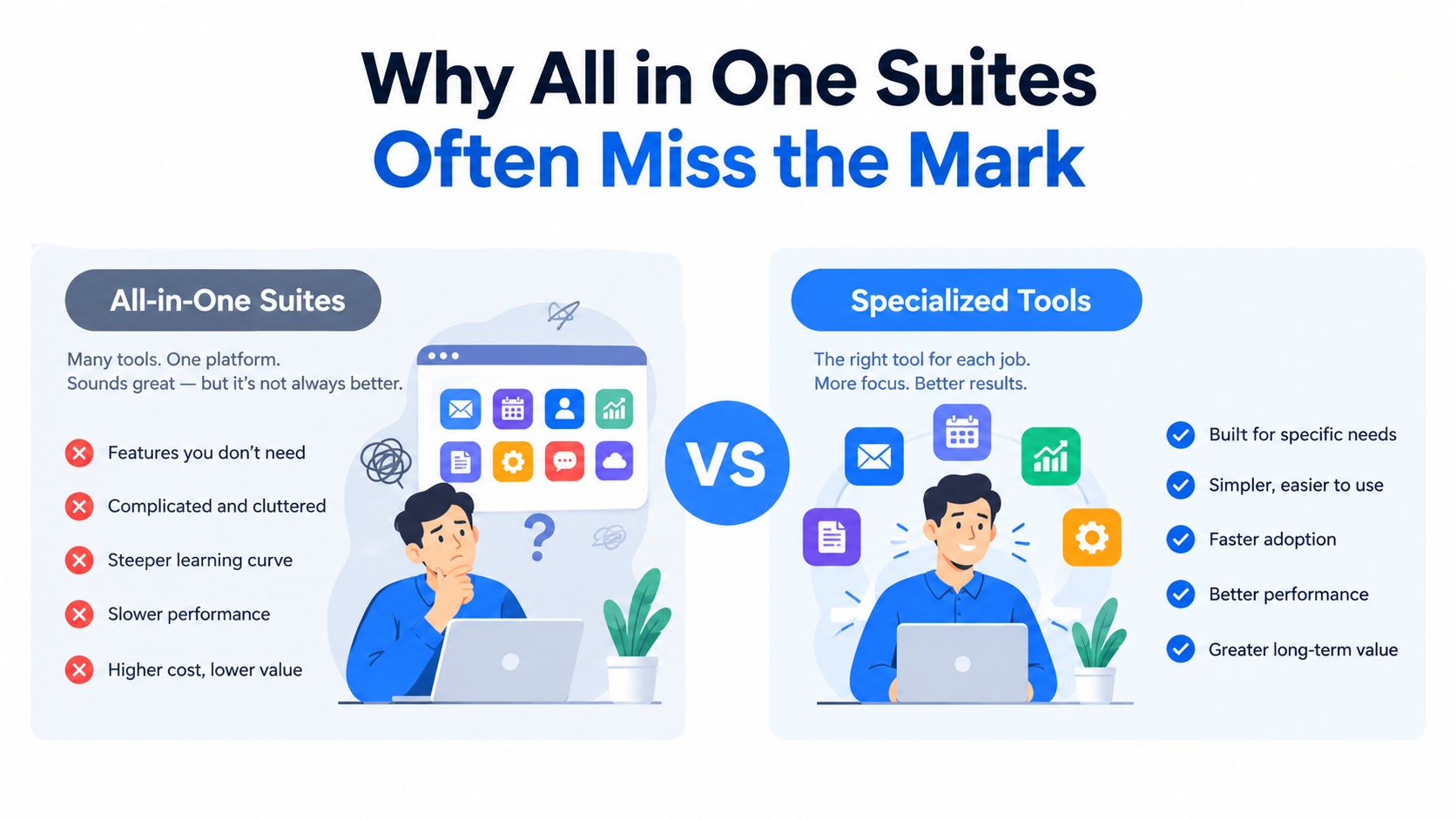
All-in-one suites sell peace of mind. One login, one support line, one bill, and supposedly one clean view of the whole business. In practice, local operators often use two modules extensively and ignore the rest, while still paying for the full bundle.
The weak spot is usually the specialist workflow. A suite may include Google Business Profile posting, review requests, or text-back, but those features are often bolted on to fill a catalog rather than built for daily use. When the vendor updates the core but leaves the edge workflows stale, the business ends up with broad coverage and shallow execution.
### What to value instead
Integration depth matters more than module count. Two or three tools with clean APIs and reliable handoffs usually beat a suite whose parts only share a billing relationship. That's especially true when offline conversion imports, multi-location review routing, or local ad tracking need to be exact.
Support quality also matters more than the dashboard pitch. A plumbing company, a dental practice, and a landscaping professional don't have the same workflow pain, so the vendor has to handle the business type, not just the logo. If leaving one vendor means losing the data history, that suite is too sticky for comfort.
> **Strong test:** if the platform can't show you how it handles the exact weekly workflow your team repeats, it's probably selling convenience instead of control.
## A Short Decision Checklist for 2026
Before you sign anything, force the vendor through a real operational test. Ask for **sub-minute SMS and web-form response**, because speed still beats most other levers. Verify that **Google Business Profile API access** and **review request automation** are tied to completed jobs, not arbitrary dates.
Check whether **offline conversions** flow back into Meta and Google, and whether that attribution still works when tracking gets messy. Reporting should show **cost per booked job**, not just cost per lead. If the system can't do that, it's giving you activity, not accountability.
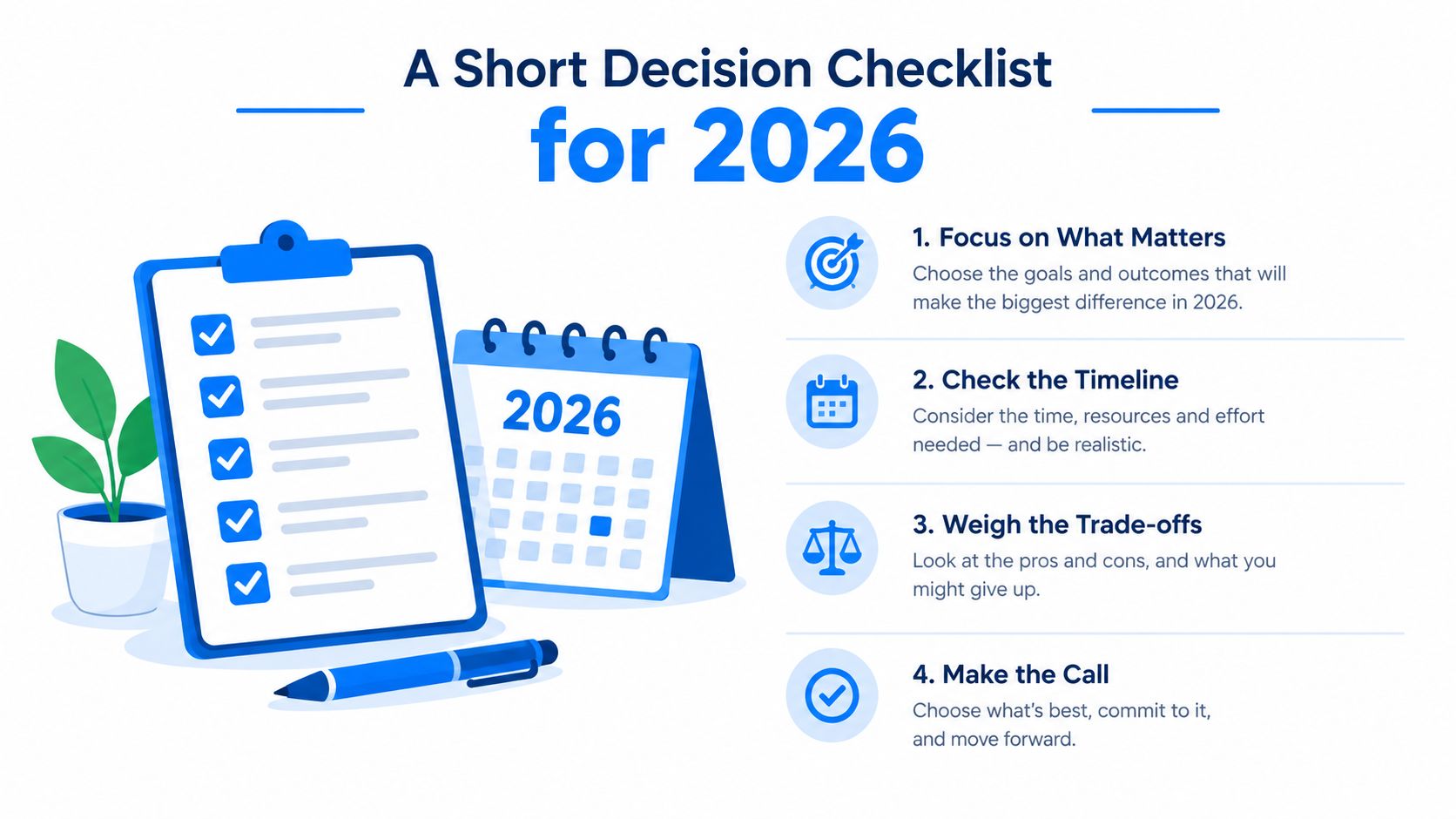
Then test the contract. You want clean cancellation terms, a real data export path, and no lock-in games. Pilot any AI-assisted budget or creative automation with guardrails around minimum job value, service area, and after-hours routing, then walk away if the answers stay vague.
---
BenjiAds builds and manages online advertising and SMS follow-up for local service businesses, which makes it relevant when you want ads, landing pages, tracking, and lead response to work as one system. If you're comparing local marketing software with a focus on lead flow and control, visit [benjiads](https://benjiads.com) and judge it against the checklist above.