Source: https://benjiads.com/blog/google-ads-automation-software
Publisher: benjiads, https://benjiads.com
Published: 2026-10-14
Updated: 2026-10-14
Cite as: benjiads, "Google Ads Automation Software for Local Service Businesses", benjiads.com/blog/google-ads-automation-software
Reuse: you may quote this article with attribution and a link to the source.
# Google Ads Automation Software for Local Service Businesses
Compare Google Ads automation software built for local service businesses. Features, trade templates, tracking integrations, pricing, and the best fit
Your phone rings while you're on a ladder, the office line goes to voicemail, and the campaign that looked fine this morning is now chewing through budget on junk clicks. The owner wants more calls, the office manager wants fewer random leads, and you're stuck deciding whether **Google Ads automation software** will clean this up or make it harder to see what's happening.
For local service businesses, the real problem isn't whether automation exists. It's whether the system can protect spend, route leads fast, and keep the owner in control when a bad search term, bad zip code, or bad call outcome starts burning cash. **Judging automation by controllability-adjusted profitability** is the right way to think about it, because average CPA means little if the leads are unqualified or the owner can't reverse a bad decision fast enough.
| Decision | Low Touch | Balanced | High Touch |
| --- | --- | --- | --- |
| **Who runs it** | Agency or done-for-you stack | Hybrid owner plus operator | Owner reviews every change |
| **What it optimizes** | Forms or platform events | Verified leads and booked jobs | Downstream value with CRM feedback |
| **How much control stays human** | Minimal, mostly reporting | Approval gates on spend and edits | Full change review before launch |
| **Best fit** | Busy owners who want delegation | Trades with steady lead flow | Smaller accounts with tight budgets |
## Table of Contents
- [The Local Service Automation Decision](#the-local-service-automation-decision)
- [The four decisions that matter](#the-four-decisions-that-matter)
- [How Google Ads Automation Actually Works in 2026](#how-google-ads-automation-actually-works-in-2026)
- [The third layer is the workflow, not the bid](#the-third-layer-is-the-workflow-not-the-bid)
- [Comparing Automation Tools by Capability](#comparing-automation-tools-by-capability)
- [What matters more than feature count](#what-matters-more-than-feature-count)
- [Tracking Architecture for Local Service Campaigns](#tracking-architecture-for-local-service-campaigns)
- [The stack should look like this](#the-stack-should-look-like-this)
- [Pricing, Fees, and Real Cost Per Verified Lead](#pricing-fees-and-real-cost-per-verified-lead)
- [How the common pricing models behave](#how-the-common-pricing-models-behave)
- [Why Approval Controls Matter for Local Owners](#why-approval-controls-matter-for-local-owners)
- [Minimum controls I'd require](#minimum-controls-id-require)
- [Matching the Right Tool to the Right Trade](#matching-the-right-tool-to-the-right-trade)
- [Choose by budget and operating style](#choose-by-budget-and-operating-style)
- [The Rules That Decide Whether It Actually Works](#the-rules-that-decide-whether-it-actually-works)
- [Three rules separate useful automation from expensive noise](#three-rules-separate-useful-automation-from-expensive-noise)
## The Local Service Automation Decision
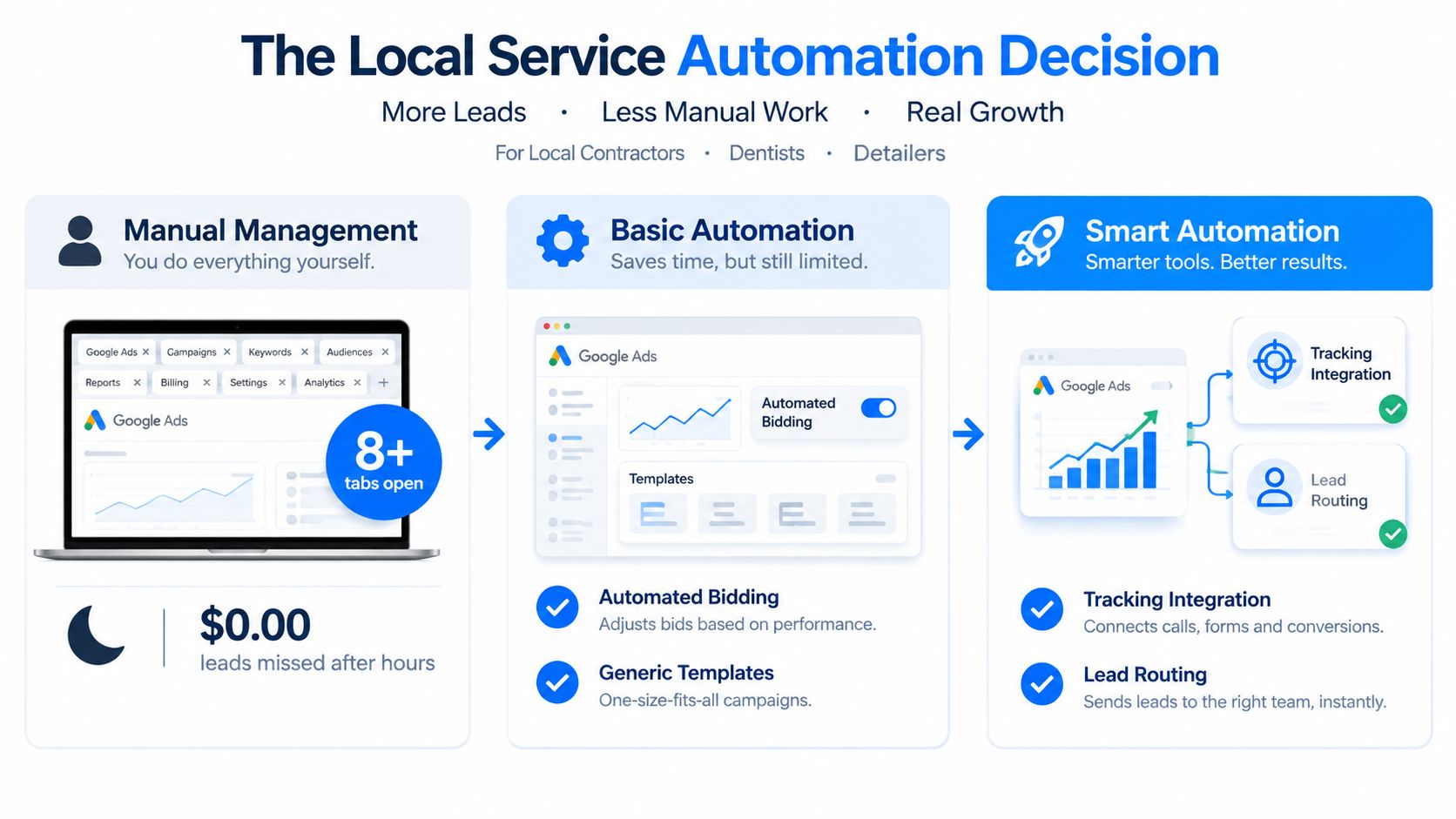
A plumber doesn't need another dashboard. He needs the phone to ring with the right jobs, and he needs the system to stop spending when the leads turn bad. A dentist has the same problem in a different form, missed calls after hours, leads that never book, and a campaign that looks healthy until the front desk starts sorting through garbage inquiries.
That's why most local owners start asking about automation for two reasons, wasted spend and missed response time. Manual bid tweaks are slow, especially when the same campaign has to serve mornings, evenings, different neighborhoods, and different devices. If the office doesn't answer quickly, a good click becomes a lost opportunity before anyone has time to argue about match types.
### The four decisions that matter
> **Practical rule:** Don't buy automation first. Decide what you want the software to protect, then decide how much of the account you're willing to surrender.
Those four choices are simple, and they're the ones that matter.
- **How much automation to trust,** because some systems should only stage changes while others should act directly.
- **Who builds the campaigns,** because a trade-specific setup is different from a blank slate.
- **What to optimize toward,** because raw leads are not the same as booked jobs.
- **How much human approval to keep,** because some owners need a full sign-off loop and others don't.
## How Google Ads Automation Actually Works in 2026
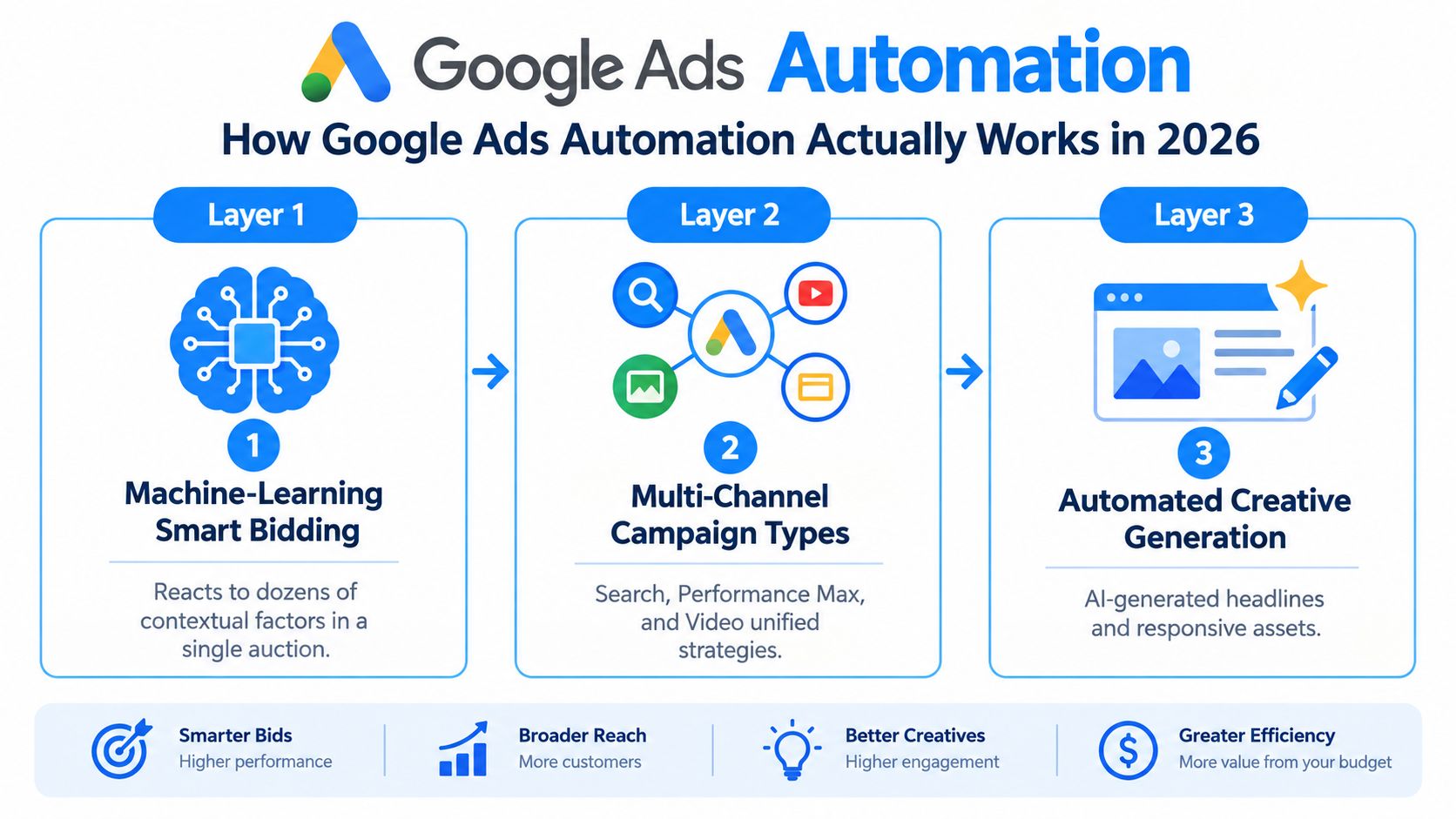
Google's own automation stack now starts with **Smart Bidding**, which is designed to optimize for conversions or conversion value using historical conversion data and recent performance. Google says more than **80% of Google advertisers** use automated bidding, which means machine-assisted optimization is now the default operating model, not a niche trick (Google Ads Smart Bidding overview). That matters for a local service business because the algorithm can weigh device, location, audience, timing, and predicted conversion likelihood in one auction instead of waiting for you to log in and adjust bids by hand.
The next layer is **Performance Max**, Google's automated campaign type that spreads ads across Search, YouTube, Display, Discover, Gmail, and Maps. Industry reporting says surveyed advertiser adoption moved from **60% in 2024 to 71% in 2025**, an increase of 11 percentage points, or about 18% relative growth, which tells you the market is moving toward broader automation whether small advertisers like it or not ([GrowthCent Google Ads statistics](https://www.growthcentr.com/google-ads-statistics-2026/)). For a local business, the practical shift is simple, fewer manual placement decisions, more reliance on machine selection of inventory and assets.
### The third layer is the workflow, not the bid
End-to-end automation that connects creative, landing pages, tracking, and lead delivery is the edge. That's the difference between software that changes bids and software that helps a shop owner get from click to booked job without losing the thread in the middle. If you want a useful reference on how ad teams wire this together, [Hooked's use cases for ad teams](https://www.hooked.so/use-cases/ai-for-advertisers) show the kind of operational flow that matters more than buzzwords.
Google's newer AI features point in the same direction. The company is adding AI summaries, prompt-based reporting, and advisor-style assistance across Ads and Analytics, which is a clear sign that the platform wants advertisers to spend less time staring at raw tables and more time acting on summarized signals. For a practical software lens, the internal logic of a platform like [benjiads' AI advertising platform](https://benjiads.com/blog/ai-advertising-platform) fits this trend, because the workflow has to connect build, tracking, and follow-up instead of stopping at campaign creation.
Google can't fix thin lead volume or bad conversion definitions on its own. If the system is trained on spam, unqualified calls, or form fills that never turn into jobs, the model will optimize toward the wrong thing faster than a human can catch it.
## Comparing Automation Tools by Capability
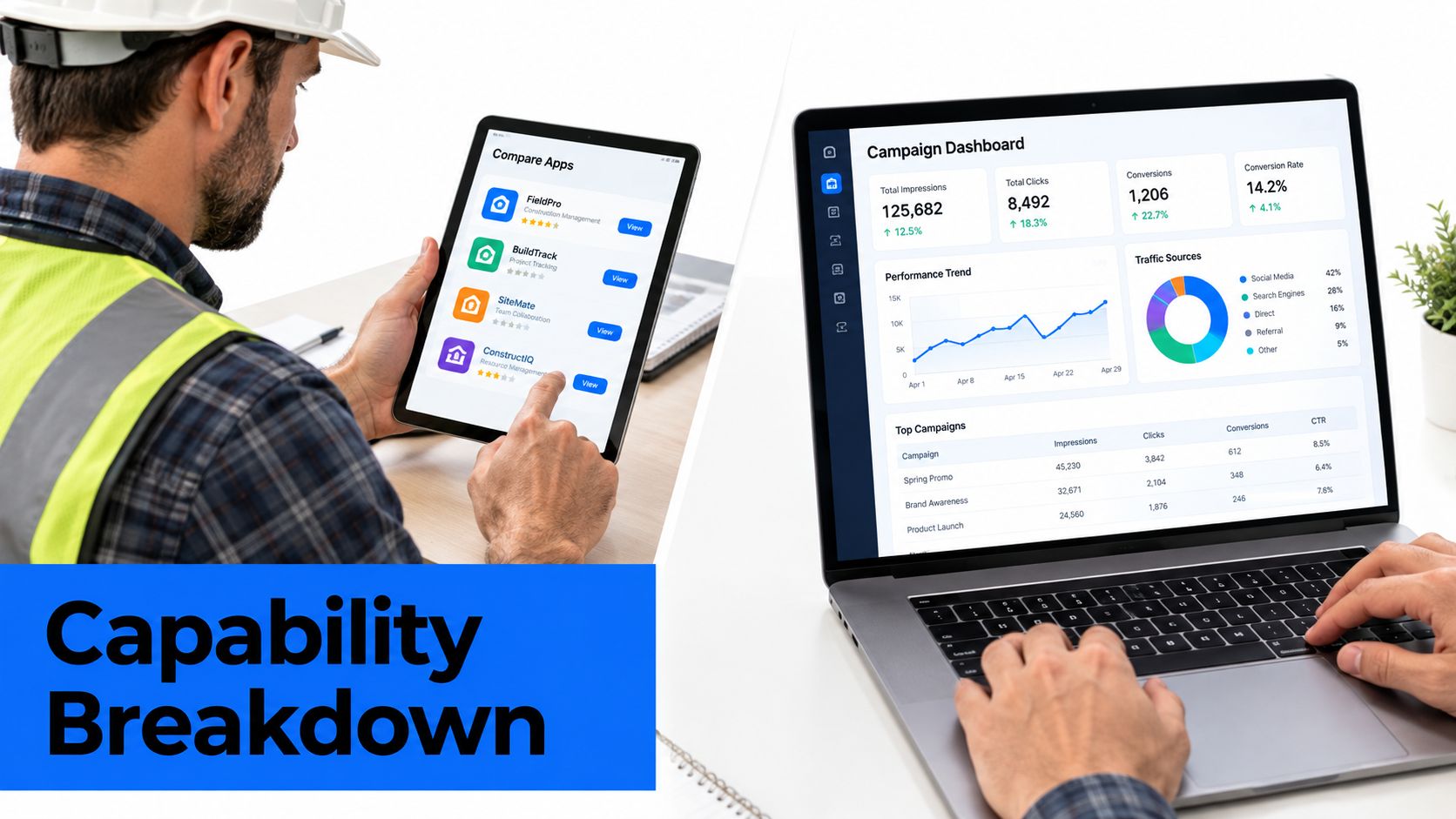
The category is crowded in the places that are easiest to demo and weakest where local businesses get hurt. Creative generation is everywhere. Bidding tools are everywhere. What's still uneven is trade-specific setup, lead delivery, and plain-language control over what changed and why.
### What matters more than feature count
A contractor doesn't need a giant enterprise suite if the suite can't route a lead by text, preserve the click data, and hold the campaign until someone approves it. That's why capability fit beats capability breadth. A decent stack should answer five questions cleanly, can it generate ads, can it use trade templates, can it track outcomes, can it deliver leads, and can it explain or pause a change before money goes out the door.
> A tool that automates creative but leaves follow-up messy is only half a solution. For local service, half a solution often means half a lead.
The useful comparison is not “does it use AI.” It's whether the AI is tied to the parts of the workflow that move **cost per verified lead**. If a platform saves time on copywriting but still dumps leads into a generic inbox, the owner still has the same response problem.
For a plain comparison of ad management workflow choices, the category breakdown at [ThroughTheGrapevine.ai on local lead conversion](https://throughthegrapevine.ai/blog/local-marketing-automation-tools) is a solid way to think about intake and follow-up rather than just campaign setup. The point is not the tool name. The point is whether the stack fits the trade, the lead flow, and the team's tolerance for risk.
Later-stage stacks can be useful when the account has enough volume to justify them, but most local advertisers don't need every knob exposed. They need the basics to work without drama, creative that matches the trade, tracking that doesn't lie, and routing that gets the lead to a human fast. That's also where [benjiads' ad management software](https://benjiads.com/blog/ad-management-software) sits as a practical example of a trade-specific approach.
## Tracking Architecture for Local Service Campaigns
Local service automation breaks when measurement is sloppy. If the platform cannot separate a junk form from a real phone-verified lead, or a booked job from an unqualified inquiry, the bidding system learns the wrong lesson and spends more on bad traffic.
Google's Ads API supports **offline conversion imports**, **conversion-value adjustments**, **conversion-goal grouping**, and import diagnostics, so the platform is designed for more than browser form fills ([Google Ads API conversion overview](https://developers.google.com/google-ads/api/docs/conversions/overview)). The right setup is simple: persist the click identifier, whether it is GCLID, GBRAID, or WBRAID, as soon as the lead lands, then connect that lead to CRM or booking outcomes later. That gives bidding the outcome that matters, not just the first submit.
Browser tags still matter, but only as one layer. For implementation details on dual tagging, see our guide to [server-side vs client-side tracking](https://benjiads.com/blog/server-side-vs-client-side).
### The stack should look like this
- **Browser-side tagging,** so the site captures the first conversion event cleanly.
- **Server-side uploads,** so qualified outcomes can be sent back from your CRM or booking system.
- **Offline imports,** so phone, appointment, and job results feed the ad account with commercial context.
- **Enhanced Conversions for Leads,** so hashed first-party identifiers can improve matching accuracy and bidding performance.
- **Transaction IDs,** so browser and server signals don't get counted twice.
Google says enhanced-conversion data must be normalized and SHA-256 hashed before transmission, and it recommends transaction IDs to prevent duplicate counting when the same event is captured by both a website tag and an API connection (Google support on enhanced conversions and offline imports). Google also notes that imported offline conversions usually appear in reporting after about **three hours**, and uploads more than **90 days** after the associated last click are not imported into conversion statistics. Those are operational limits, and they matter because slow follow-up and sloppy timestamps weaken the data the automation depends on.
Junk in, junk out happens fast. If your team treats every inquiry as equal, bidding will buy more of the wrong inquiries. Build the tracking layer around **qualified outcomes**, not raw form fills.
## Pricing, Fees, and Real Cost Per Verified Lead
Pricing pages love to look simple. They aren't. A flat subscription, a percent-of-spend fee, and a retainter can all seem affordable until you line them up against the actual workload saved and the quality of leads you get back.
The most useful benchmark here is the reported average of around **$7 per phone-verified lead** on local campaigns, which is a platform-reported average and not a promise for every market or trade. For a plumber spending **$3,000 a month** on media, that gives you a rough sense of why the fee model matters. If the software charge is light but the lead quality is poor, the cheaper platform still costs more in the end because it wastes ad spend and time.
### How the common pricing models behave
A **flat monthly subscription** makes budgeting easy, but it only helps if the workflow saves time and improves lead quality. A **percent-of-spend fee** scales with media, which can be fine when the account is already working and painful when spend rises before quality does. A **flat retainer** usually buys more human involvement, which some owners want because they'd rather pay for judgment than dashboards.
There are hidden costs too, and most pricing pages leave them out. Setup fees, call-tracking charges, and the time lost while you pause a campaign to learn a do-it-yourself tool all matter. If the stack also needs another tool for SMS follow-up or verification, the monthly bill is higher than the software line item suggests.
For a broader view of acquisition economics and how trust affects cost decisions, [HomeProBadge's customer acquisition cost discussion](https://homeprobadge.com/blog/customer-acquisition-costs) is a useful comparison point. The lesson is the same one local operators already know, the cheapest management plan is useless if it doesn't protect booked work.
## Why Approval Controls Matter for Local Owners
A local owner does not need a black box making quiet changes in the middle of the week. That's the wrong tradeoff. If an irrelevant emergency-service click or a misleading claim slips through, the damage isn't academic, it's budget wasted on the wrong customer and potentially a bad fit for the business.
Industry coverage has pointed to rising frustration with automated campaign types because they reduce visibility, and Google has responded with more reporting and control options in Performance Max and AI Max. That tells me the market is still fighting over controllability, not just efficiency ([Search Engine Journal on AI in PPC](https://www.searchenginejournal.com/should-advertisers-be-worried-about-ai-in-ppc/559253/)). If the platform itself is adding control surfaces, that's a signal that hands-off optimization still isn't enough for many advertisers.
### Minimum controls I'd require
> **Non-negotiable:** campaigns should stay paused until the owner approves them, not go live because a system decided the setup was “ready.”
A decent approval stack should include:
- **Paused-by-default campaigns,** so nothing spends before sign-off.
- **Plain-English change histories,** so the owner can see what changed and why.
- **Negative keyword governance,** so bad intent gets blocked fast.
- **Budget ceilings,** so a bad week doesn't turn into a bad month.
- **A clear reversal path,** so a mistake can be rolled back before it compounds.
That's why an approval-based workflow is often smarter than full autonomy. A system can prepare the work, hold it, and give the owner a clean review point instead of forcing blind trust. BenjiAds follows that model by preparing ads, landing pages, and tracking, then keeping campaigns paused until the business approves the launch, which is exactly the kind of control local service owners need when they care more about verified leads than abstract automation depth.
The simple truth is that owners trust systems they can inspect. If you can't explain the change to yourself, you probably shouldn't let it spend.
## Matching the Right Tool to the Right Trade
Start with the trade, not the software category. A solo HVAC tech, a multi-location dental group, and an owner who already has a marketing generalist in-house do not need the same stack, even if they all use Google Ads.
### Choose by budget and operating style
- **Solo contractor with $1,500 to $4,000 monthly ad spend.** Needs trade templates, SMS lead delivery, and approval gates. A trade-specific automation stack fits here, especially if the owner wants campaigns prepared and held until approval.
- **Multi-location operator with $10,000 or more monthly ad spend.** Can justify an enterprise layer with API integrations and offline conversion imports, because there's enough spend and lead volume to support more infrastructure.
- **Hands-on generalist with some ad skill.** Usually does better with a hybrid platform that keeps bidding flexible while still giving creative and reporting control.
- **Owner who wants to delegate completely.** Should spend more time on reporting quality, lead-quality contracts, and response speed than on tool internals.
The disqualifier is always the same, a mismatch between control and complexity. If the stack requires a specialist just to keep it honest, it's too much for a small trade account. If it's too loose to protect spend, it's too weak for a bigger one.
## The Rules That Decide Whether It Actually Works
Google Ads automation software earns its keep only when it's tied to a clean definition of success. For a local business, that success is usually a booked appointment, a phone-verified lead, or a completed job, not a raw submit from a generic form.
### Three rules separate useful automation from expensive noise
First, define the outcome in the owner's language and make the system optimize toward that signal. If a receptionist can mark a call as qualified, feed that result back. If a job gets booked, that outcome matters more than the first inquiry, and the ad system should know it.
Second, watch volume. When conversion volume is too thin, automated bidding gets erratic and starts making bad guesses. In that case, widen the geo, loosen the audience, or keep more of the account on manual review until the data improves.
Third, review change history on a fixed cadence and pause on unexplained swings. Don't wait for the month-end report to notice that spend moved in a direction nobody approved. The fastest way to waste money is to trust automation and stop looking.
> The winning stack is not the most automated one. It's the one that gives the owner better signals, clearer reversibility, and faster correction than manual management ever did.
If you want that kind of control without building the whole system yourself, [benjiads](https://benjiads.com) prepares trade-specific campaigns, landing pages, tracking, and follow-up for local service businesses, then keeps the workflow approval-based so you can review before anything spends. Visit the site, see how the pieces fit, and decide whether that model is a better match for your account than another black-box tool.